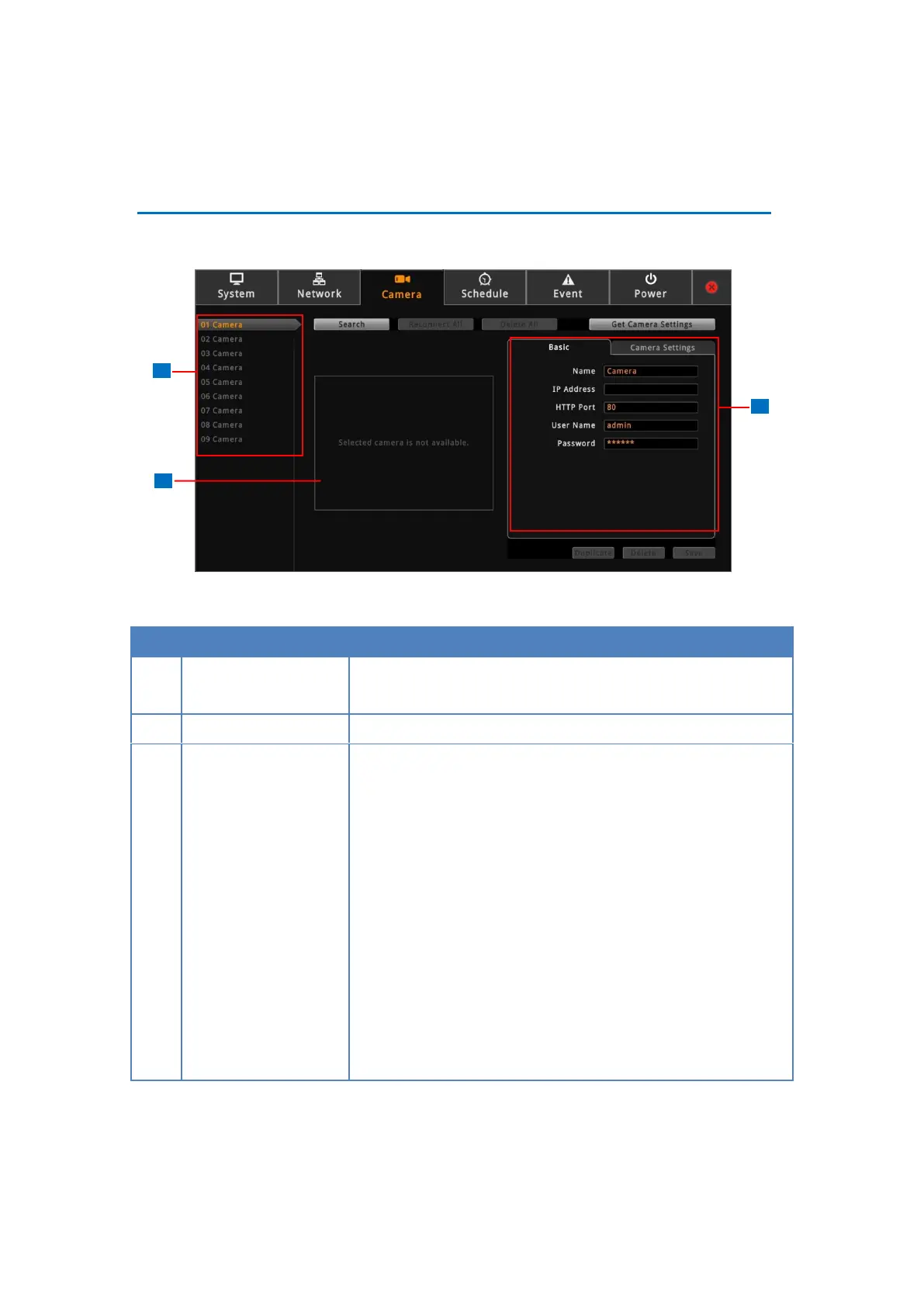
Displays the camera connection and streaming properties. It
has two page tabs:
Basic: Displays the connection properties, such as the IP
address, HTTP port, User Name (account) and Password
used to access the camera. You can also use this page to
manually add a camera by entering these properties. See
Adding Cameras on page 53.
Camera Settings: Displays the camera video streaming
properties, such as Channel ID, Resolution, Encoder, etc.
These properties can be modified on DSS-1000 and will
also take effect on the camera side. See Modifying
Camera Settings on page 61.



 To Next Page