DSS-1000 User Manual
12
Device Overview
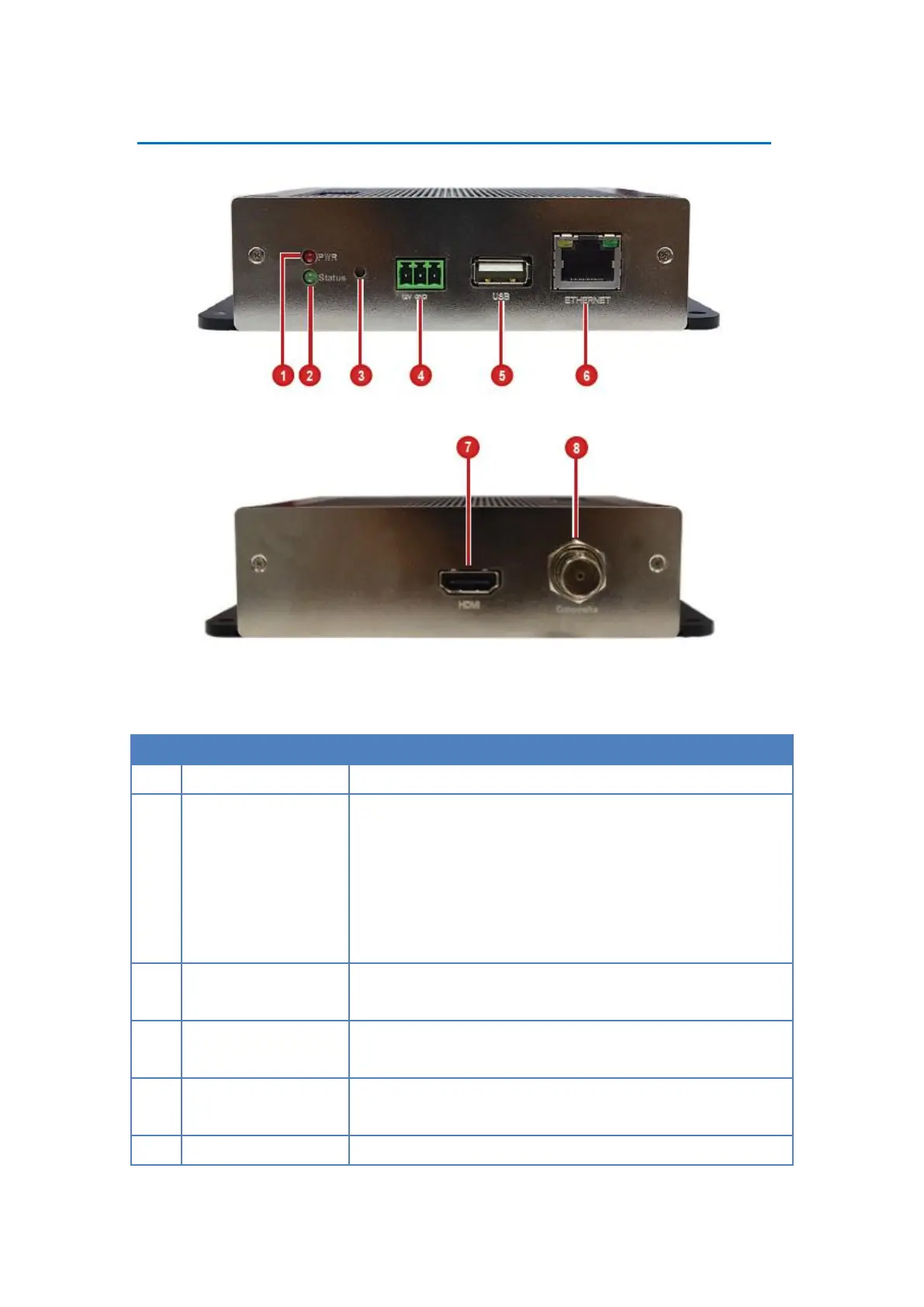
Lights RED when the power is on.
System Ready LED /
Factory Default LED
Lights GREEN after the boot up process is complete to
indicate DSS-1000 is ready.
When doing a factory reset, this LED lights GREEN briefly
to indicate factory default setting restoration has started.
The LED turns off and lights up again when the restoration
completes and DSS-1000 is ready for use.
Reset Button /
NTSC and PAL Switch
Use to restore DSS-1000 to its factory default setting.
Use to switch between NTSC and PAL functions.
Connects the bundled power adaptor and terminal block to
DSS-1000. See Preparing the Power Adaptor on page 16.
Connects a USB device, such as a mouse, keyboard or hub,
to DSS-1000.
Connects to the network using an Ethernet cable.



 To Next Page