DSS-1000 User Manual
78
3.2 The Live View Page
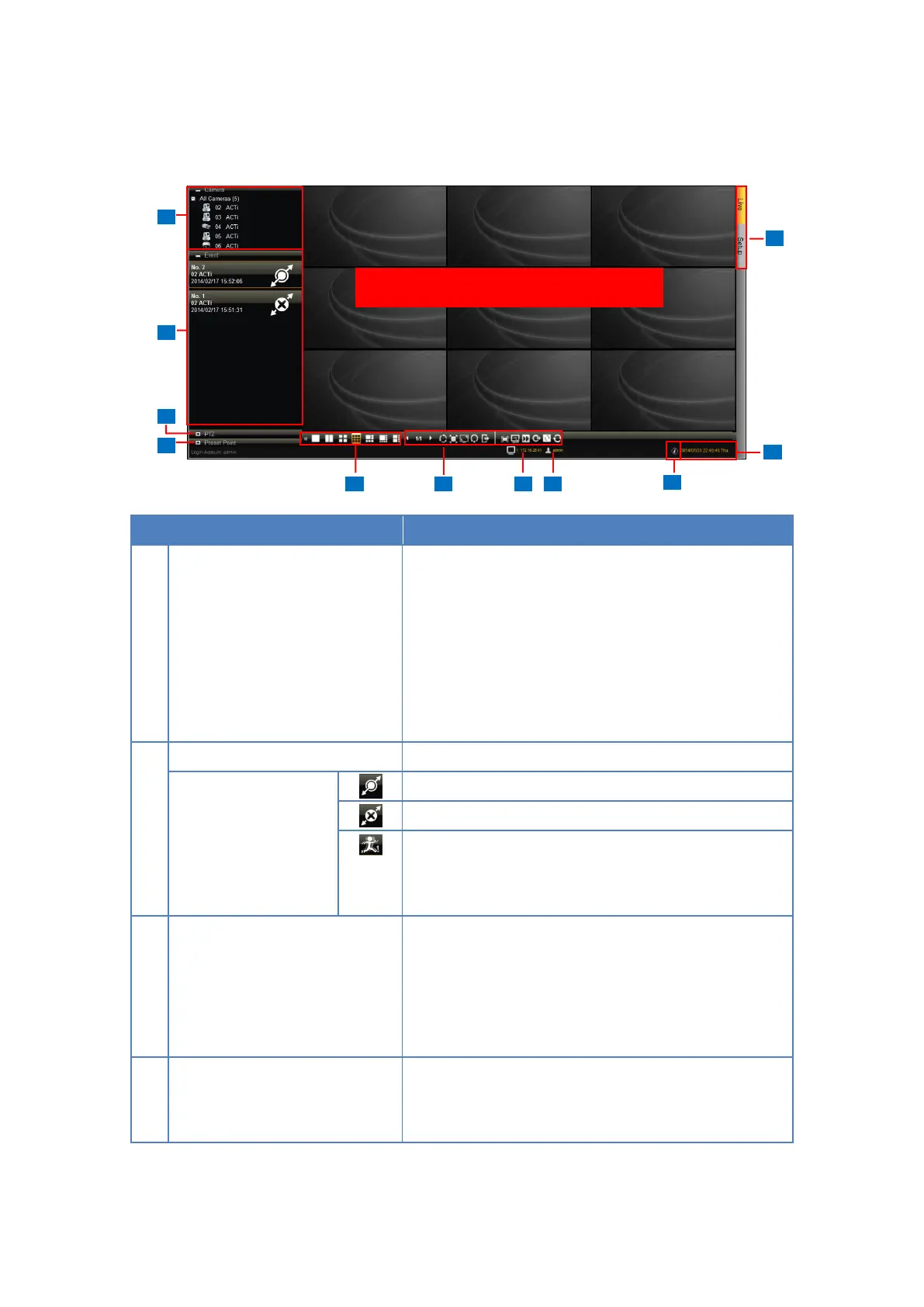
Displays the channel number and camera name of the
cameras connected to DSS-1000. Drag a channel to a
window on the Live View display area to view the
video stream. Or, double-click All Cameras to
automatically view all cameras on the list to the Live
View display area. See Viewing the Cameras on
page 80.
Displays connection and event notifications.
Indicates the camera has been connected.
Indicates the camera is disconnected.
Indicates motion is detected. The number indicates the
area where motion is detected. Motion detection
settings are done on the camera side.
Displays the PTZ control panel and allows users to
pan, tilt, and zoom on the channel using the PTZ
control buttons, as well as adjust the PTZ settings and
adjust the focus. See 2.4 Using the PTZ Control
Panel on page 35.
Allows users to define preset points and set the tour of
PTZ camera models. See Setting Preset Points on
page 37.



 To Next Page