DSS-1000 User Manual
71
3.1 Accessing DSS-1000 Remotely
In most cases, it is recommended to perform the initial configurations, before DSS-1000 is
even mounted to its location, using local access. This is because of the limitation of DSS-1000
to decode some video resolution and compression. If monitoring will be mainly done on a local
display, it is recommended to directly test and view the camera live view on the local display to
ensure the video stream properties are supported for local display. Note that streams higher
than 2 megapixels (MP) or encoder other than H.264 can be properly viewed on a remote
client (i.e. Web Client) but cannot be viewed on the local display. After the initial configurations
and installation, further management or advanced security settings may be done through
remote access by a client computer with web browser (supports Internet Explorer only).
How to Access DSS-1000?
Accessing From a Network with DHCP Server
If the network has a DHCP server, the DHCP server automatically assigns the IP address to
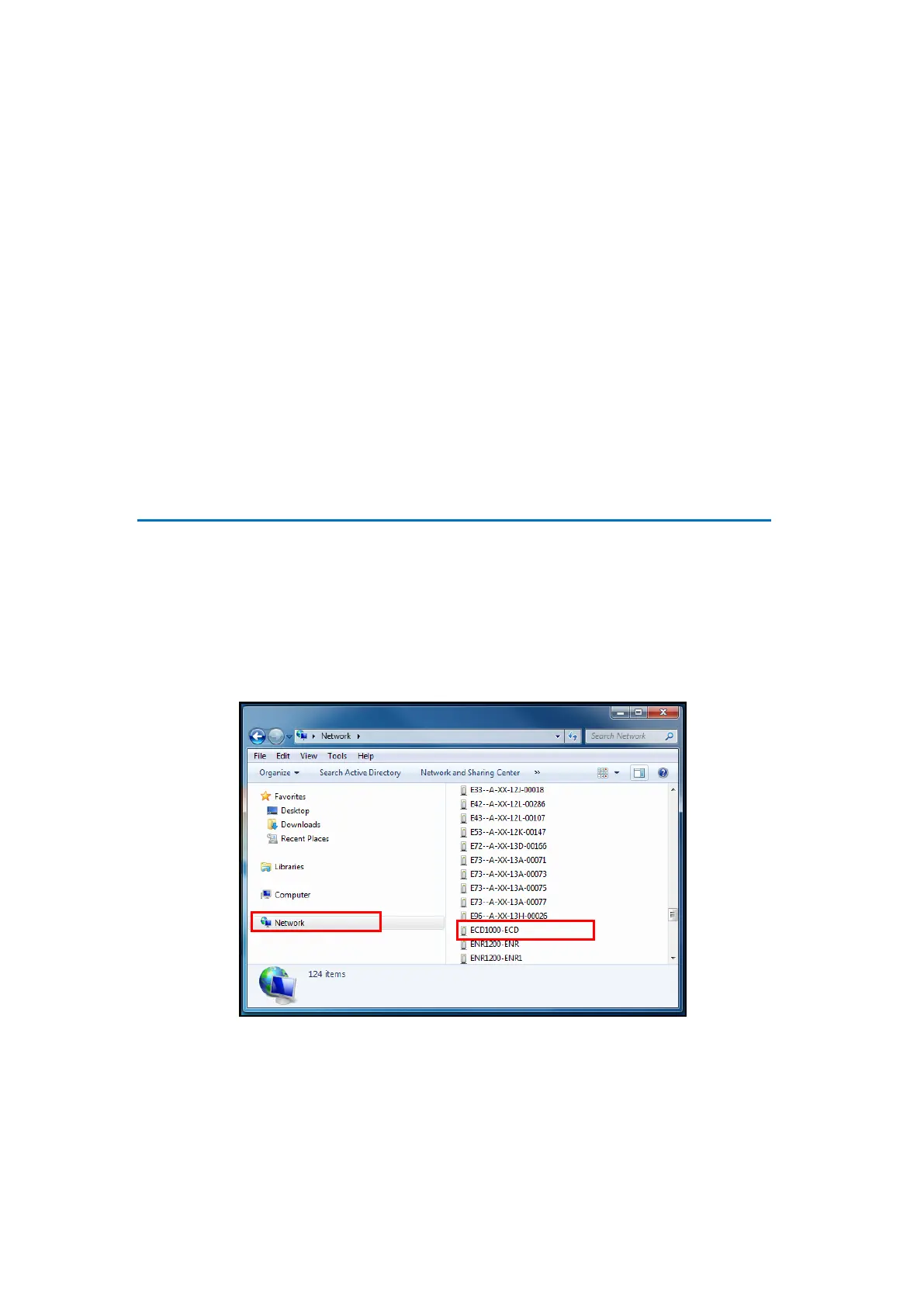
DSS-1000. There are several ways to access DSS-1000, options are:
From Windows, click Start > Computer > Network. Double-click on DSS-1000 model to
open the user interface on the web browser.
NOTE: Set the computer default web browser to Internet Explorer to use this feature.



 To Next Page