DSS-1000 User Manual
108
Modifying Camera Settings
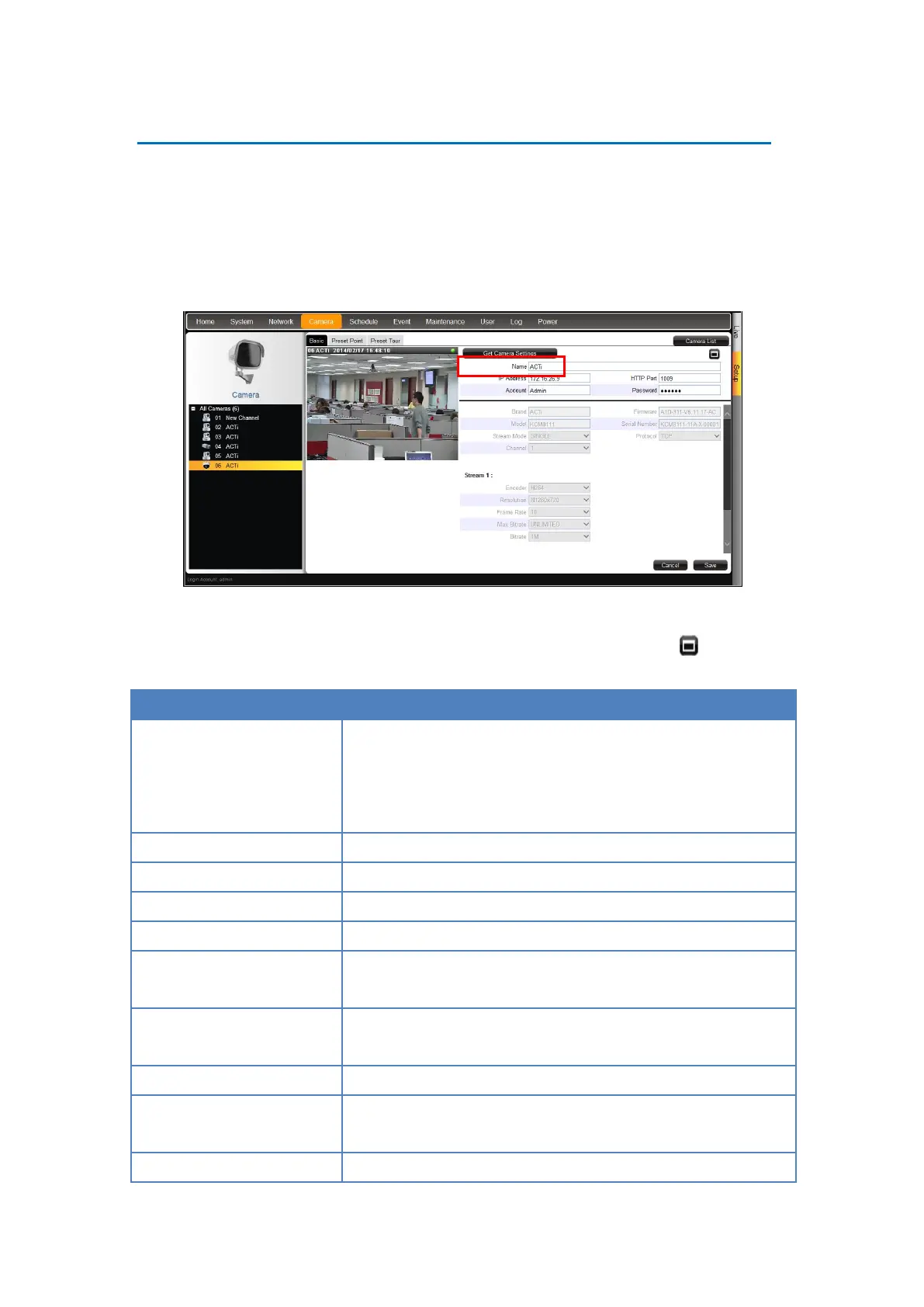
In some cases, you may need to modify the camera connection and streaming properties. To
do this, follow the procedures below:
1. On the Setup screen, click Camera.
2. Select the camera from the camera list panel.
3. Click Get Camera Settings.
4. Modify the camera connection and streaming properties, as needed. Other properties can
only be modified on the camera configuration webpage, in this case, click to access
Web Configurator.
Enter a descriptive name to assign to DSS-1000, e.g. location of
camera, etc. This name is not saved or shown on the camera
side. The maximum length is 32 alphanumeric characters,
symbols and spaces are not allowed.
Enter the camera IP address.
Enter the HTTP port. Default port is 80.
Enter the user name to log in to the camera. Default is “admin”.
Enter the password to log in to the camera. Default is “123456”.
Displays the camera manufacturer name. This field cannot be
modified.
Displays the camera firmware version. This field cannot be
modified.
Displays the camera model. This field cannot be modified.
Displays the camera serial number. This field cannot be
modified.
Displays whether the camera has Single or Dual stream mode.



 To Next Page