DSS-1000 User Manual
87
Using the PTZ Control Panel
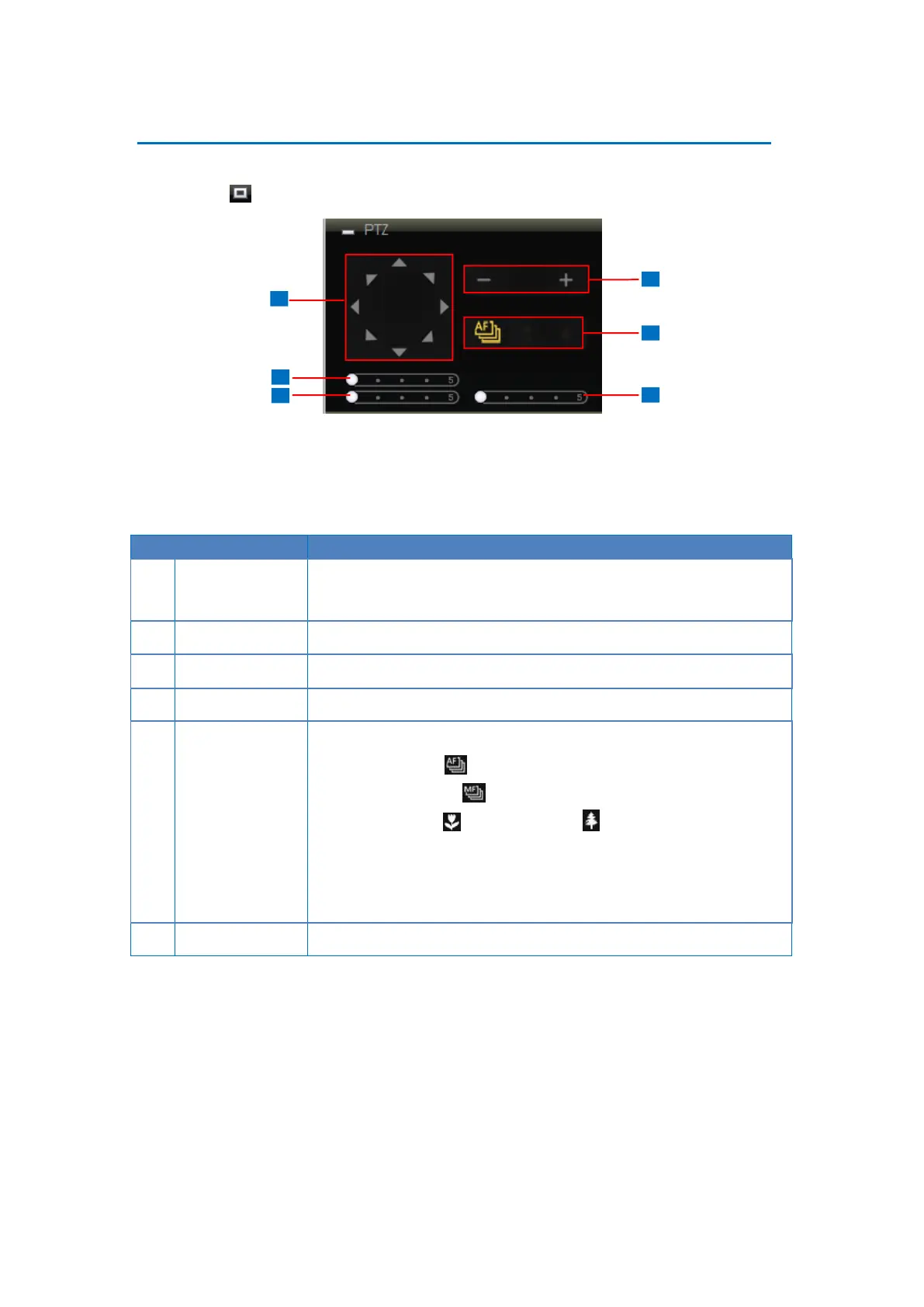
Use the PTZ Control Panel to pan, tilt, and zoom the camera. To display the PTZ Control
Panel, click PTZ from the left panel menu.
TIP: Move the mouse over the icon to display the function name.
NOTE: For non-PTZ/zoom cameras, PTZ functions are done using digital PTZ.
Click the arrows to pan / tilt the camera according to the configured
speed on the sliders.
Drag the slider to adjust the pan speed; 1 (slowest) to 5 (fastest).
Drag the slider to adjust the tilt speed; 1 (slowest) to 5 (fastest).
Click the icons to zoom in or zoom out the camera view.
Click the icon to toggle between modes:
Auto Focus
Manual Focus : When Manual Focus is selected, the
Near Focus and Far Focus icons become enabled.
Click one of the focus icons to adjust the focus manually; you
may also need to adjust zoom (6) to achieve the best focus and
viewing angle.
Drag the slider to adjust the zoom speed; 1 (slowest) to 5 (fastest).



 To Next Page