DSS-1000 User Manual
106
Duplicating Cameras
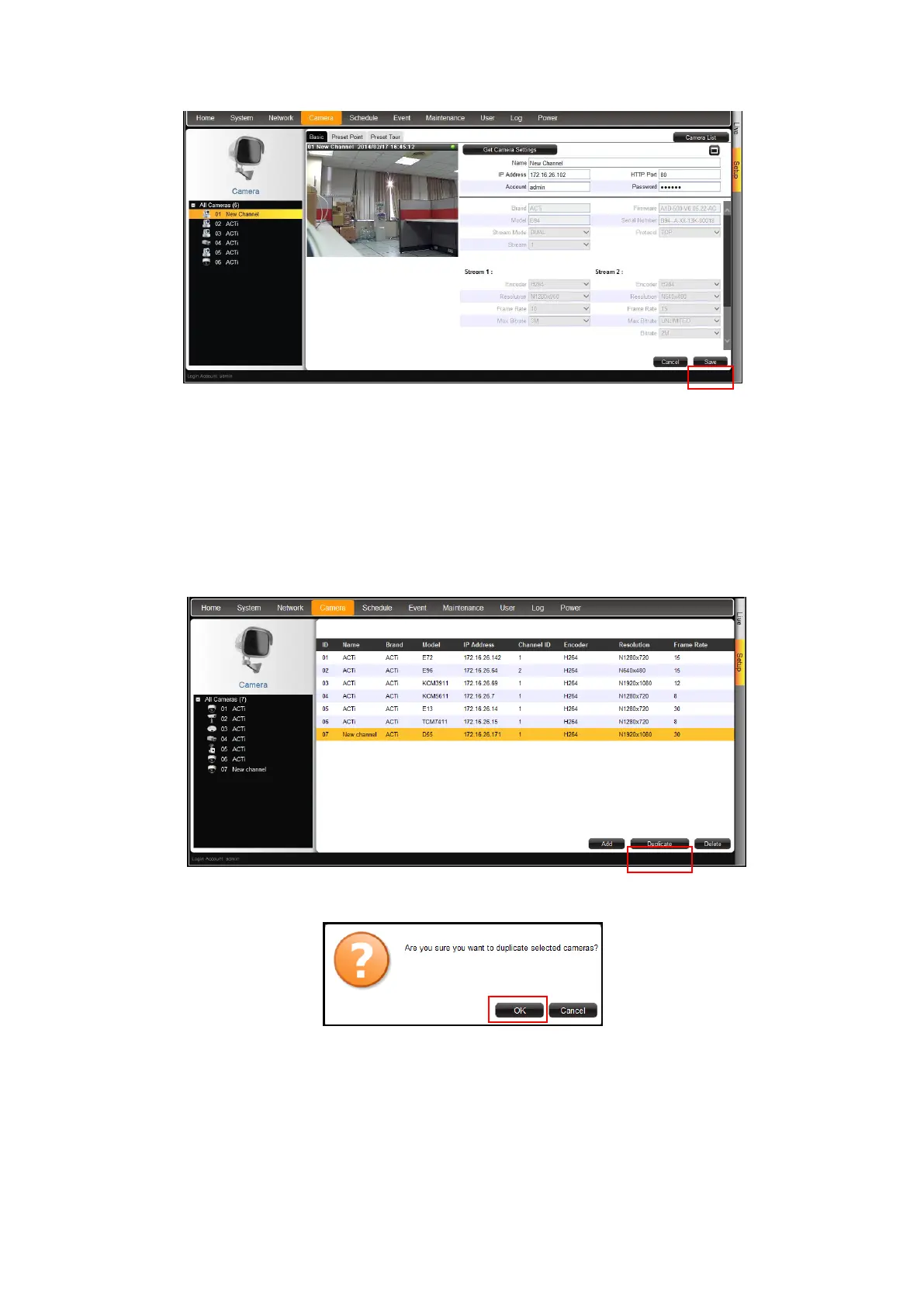
Use this function to add another camera with almost the same camera settings as the selected
camera. So instead of entering all the information one by one, duplicate the camera settings
first and then modify afterwards. However, to use this function, there must be at least one
available channel without a connected camera.
1. Select the camera you want to duplicate from the table, and then click Duplicate.
2. A confirmation message appears. Click OK to continue.
3. The copied camera is automatically added to the next available channel. Double-click the
camera from the table to access the camera properties and modify the settings.



 To Next Page