DSS-1000 User Manual
76
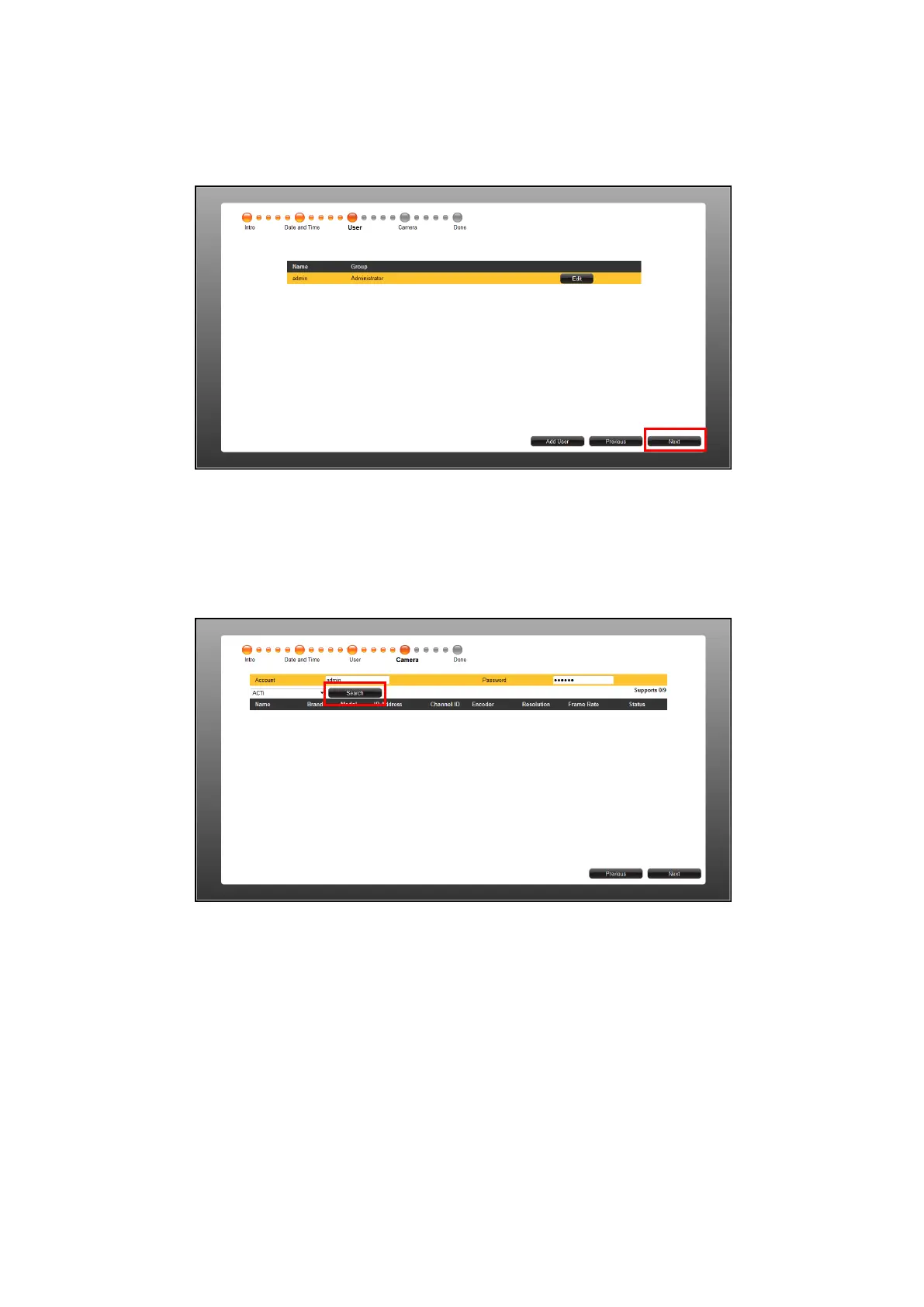
4. The default User is “admin” and the Password is “123456”. To modify the password, click
Edit. Or, click Next to continue.
5. By default, the camera manufacturer, user account name and password for access are
already filed with default values. If you want to add camera from other manufacturers or
the camera has different account and password, modify these values as needed. Then,
click Search to search for cameras.
NOTE: DSS-1000 supports third-party cameras. To validate specific camera models that can
be integrated, visit our website.



 To Next Page