Chapter 10 QoS
http://www.level1.com Page 98
2. Fixed Rate Limiting Rule Settings
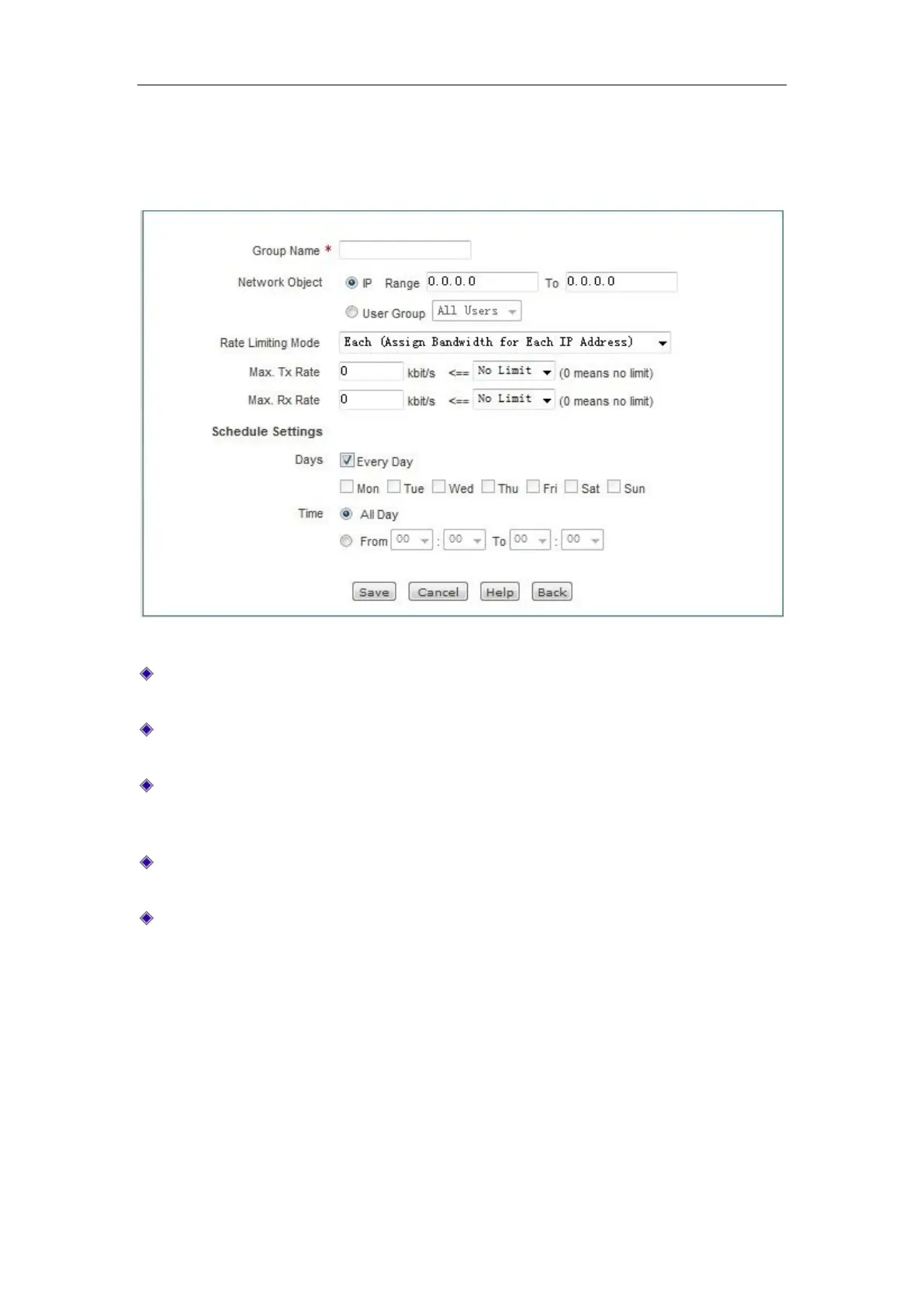
Click <Add new entry> in the above figure to enter the Fixed Rate Limiting Rule Settings page.
The following describes the meaning of the parameters for configuring fine rate limit.
Figure 10_2 Fixed Rate Limiting Rule Settings
Group name: Customizes the group name of the instance of the fine rate limit, which cannot
be the same as another instance name.
Select the object of rate limit: Fills in the starting IP address and ending IP address of the
address field for the fine rate limit to take effect.
Rate limit policy: The available options are exclusive and shared; Exclusive means each IP
addresses in this range can use this bandwidth. Shared means the IP addresses in this range
share this bandwidth.
Uploading rate limit and downloading rate limit: Sets the maximum uploading, downloading
rates of the IP addresses in this range here. 0 means no limitation.
Effective time setting: Sets the time for the fine rate limit to take effect in the IP address
range.
10.2 Flexible bandwidth
This section describes the QoS> Flexible bandwidth page and the meaning of the configuration
parameters. When the network is busy, the flexible bandwidth feature guarantees that each
intranet user can have a normal Internet access.



 To Next Page