Chapter 2 Hardware Installation
http://www.level1.com Page 7
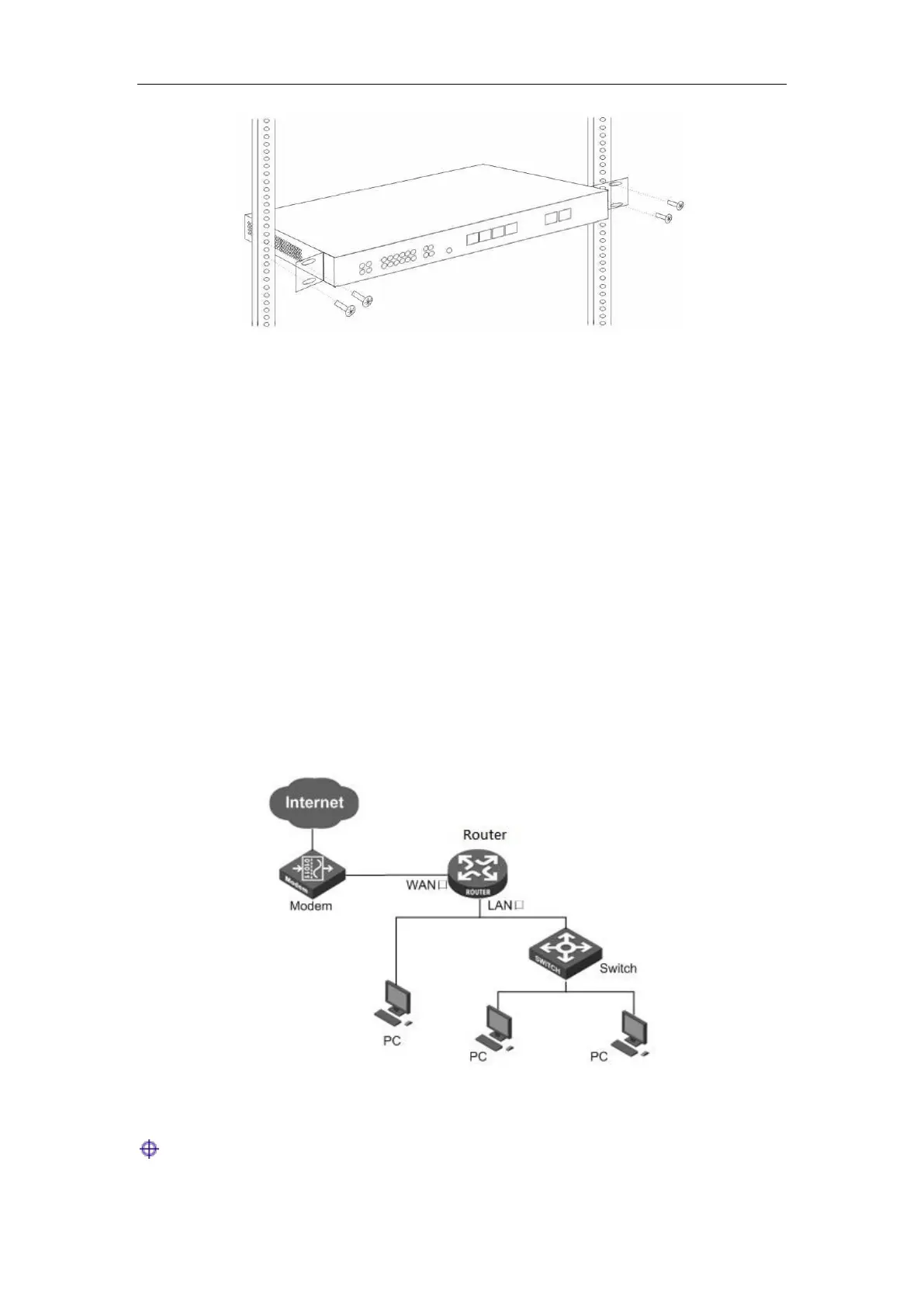
Figure 2_4 Product rack installation drawing II
2.5 Hardware connection
1. Establish a LAN connection
Connect the LAN port of the router or a PC or a hub or a switch in LAN with a network cable.
2. Establish a WAN connection
Connect the WAN port of the router to the Internet with a network cable, as shown in the figure
below.
3. Connect the power supply
Before connecting the power supply, make sure that both power supply and grounding are correct.
Figure 2_5 Establish a connection to LAN and WAN
Tip: The above network connection diagram is for reference only. Please configure the
network architecture according to the actual situation and needs.



 To Next Page