Chapter 5 Start Menu
http://www.level1.com Page 15
Chapter 5. Start menu
Start menu is located on the top of the Level 1 menu bar of the WEB interface, providing the
interface for 4 common pages, including: configuration wizard, running status, Interface Traffic ,
device reboot. In the Start menu, you can quickly configure the basic parameters required by the
device in working properly, view the information about the interfaces, and view the statistics data
of the devices' real-time traffics.
5.1 Configuration Wizard
The Start-> Configuration wizard pages can help you to quickly configure the basic parameters
required by some devices in working normally. For details, see Chapter 4 Configuration Wizard.
5.2 Interface status
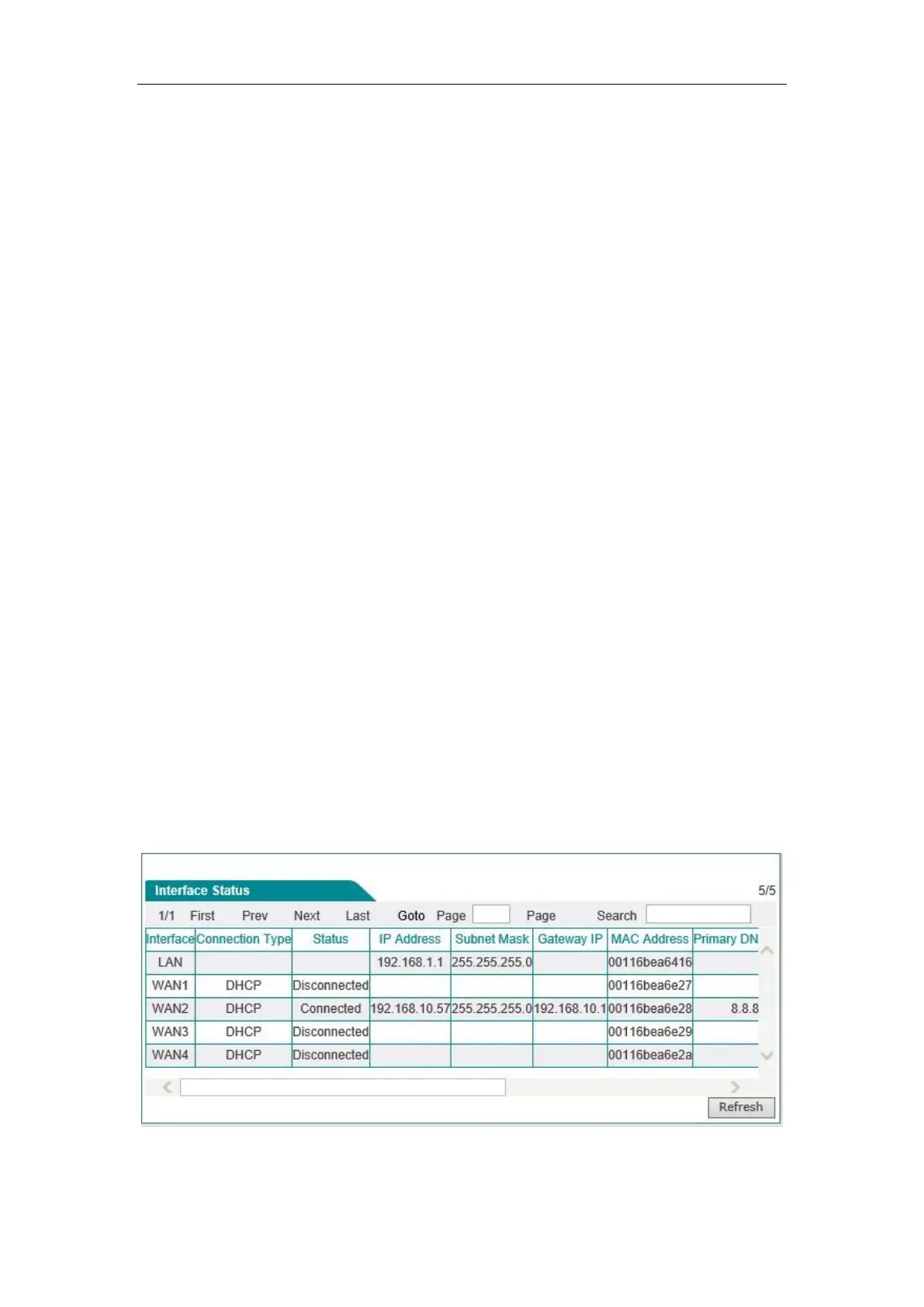
This section describes the Start-> Interface status page, in which you can view the information
about the device's interfaces. As shown in the interface in Figure 5_1, the connection type,
connection status, IP address and other information about the interfaces can be viewed.
Figure 5_1 Information about Interface status



 To Next Page