http://www.level1.com Page 170
Appendix A FAQ
B-1. How ADSL users go online?
1. First, set the ADSL Modem to Bridge mode (1483 bridge mode).
2. Confirm that the PPPoE line is a standard dial-up type (you can use the PPPoE dial-up
software that comes with the computer system for testing).
3. Connect the ADSL Modem to the WAN port of the device with a network cable, and connect
the telephone cord to the Line port of the ADSL Modem.
4. In the Network parameters -> WAN configuration, you can configure the parameters related
to PPPoE Internet line.
5. If you are an Internet user paying a monthly package fee, you can select the type of dial-up as
"Auto dial". If not, you can select the type of dial-up as "Dial on demand" or "Manual dial",
and you can type in the idle time to prevent forgetting line breakage and wasting time.
6. If "Manual dial-up" is selected, you can dial up manually in the "Line connection information
list" of the Network parameters -> WAN configuration.
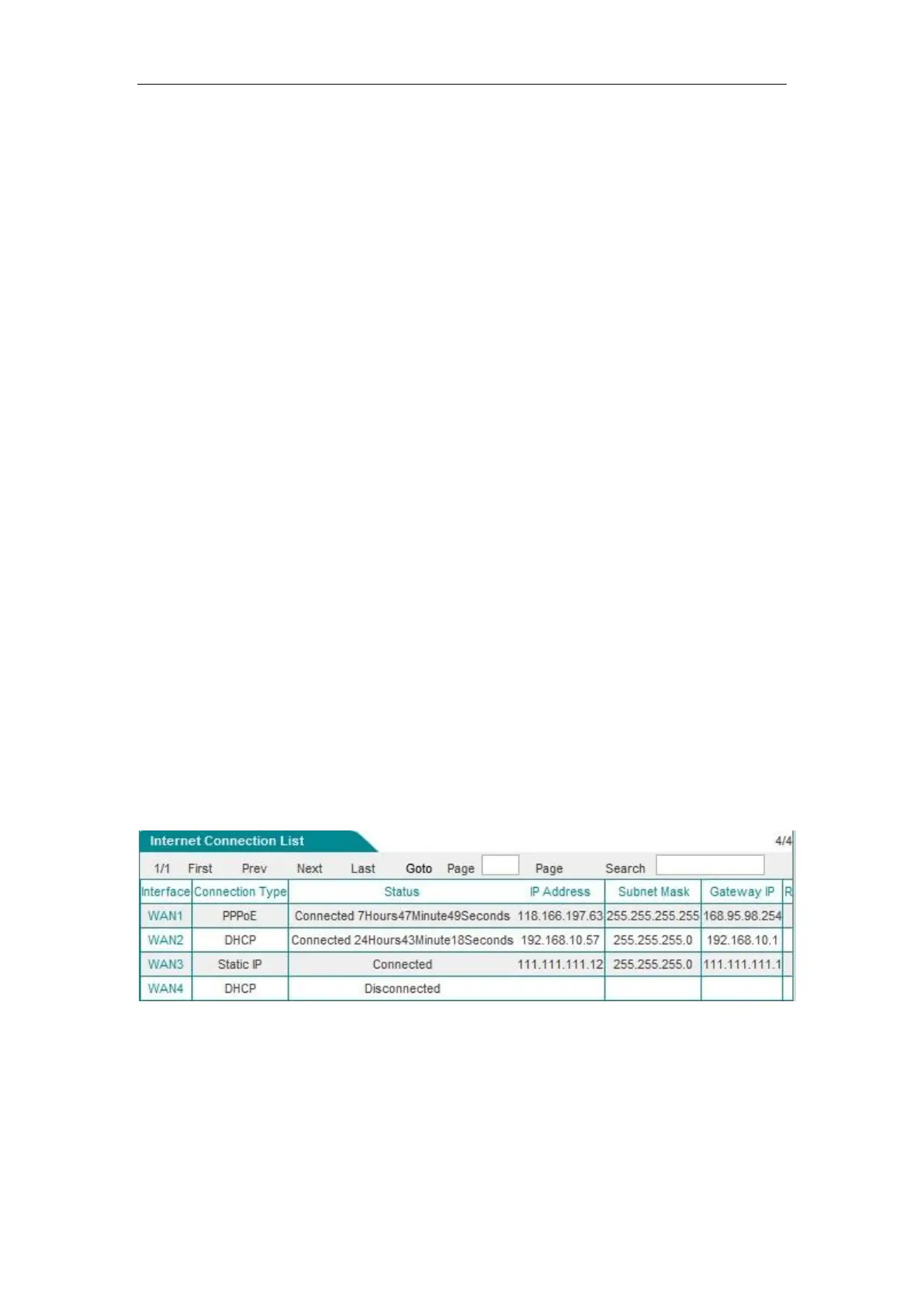
7. After a successful dial-up, you can view the configuration and status information (Figure B-1)
of the line in the "Line connection information list" of the Network parameters -> WAN
configuration page, such as "Connection status" (which is displayed as "Connected" after a
successful dial-up), the "IP address" assigned by ISP, and other information.
Figure B- 1 Line connection information list - View the PPPoE dial-up line information



 To Next Page