Chapter 8 User Management
http://www.level1.com Page 63
Tip:
Before deciding to cancel the "Allow non-IP/MAC bound user to connect to the device" function,
you must make sure that the management computer has been added to the "IP/MAC binding
information list", otherwise it will cause the management computer to be unable to connect to the
device.
8.2.2 IP/MAC binding configuration
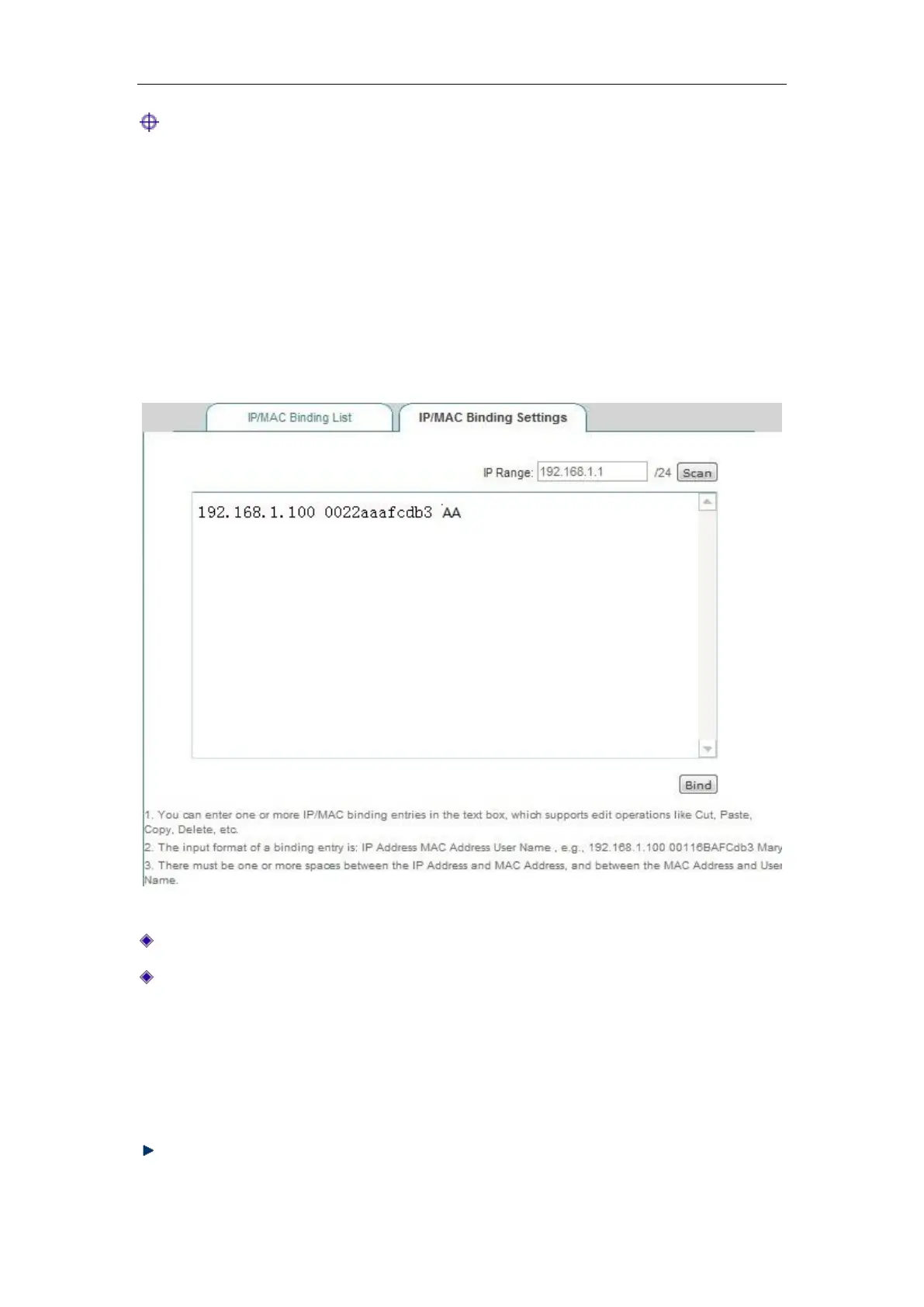
Figure 8_5 IP/MAC binding configuration
Network segment: The management IP address/subnet mask of the device by default.
Text box: Displays the scanned IP/MAC information, or the configured IP/MAC binding
information, whose input format is "IP+MAC+ username".
IP address, MAC address: The user's IP address, MAC address (which can be obtained
using the ipconfig /all command under DOS environment on Windows platforms).
User name: It can be ignored, because the system will automatically assign a name for
it.
Scan: Click <Scan> to display the ARP information dynamically learned by the device.



 To Next Page