Chapter 10 QoS
http://www.level1.com Page 100
10.3 Session Limiting
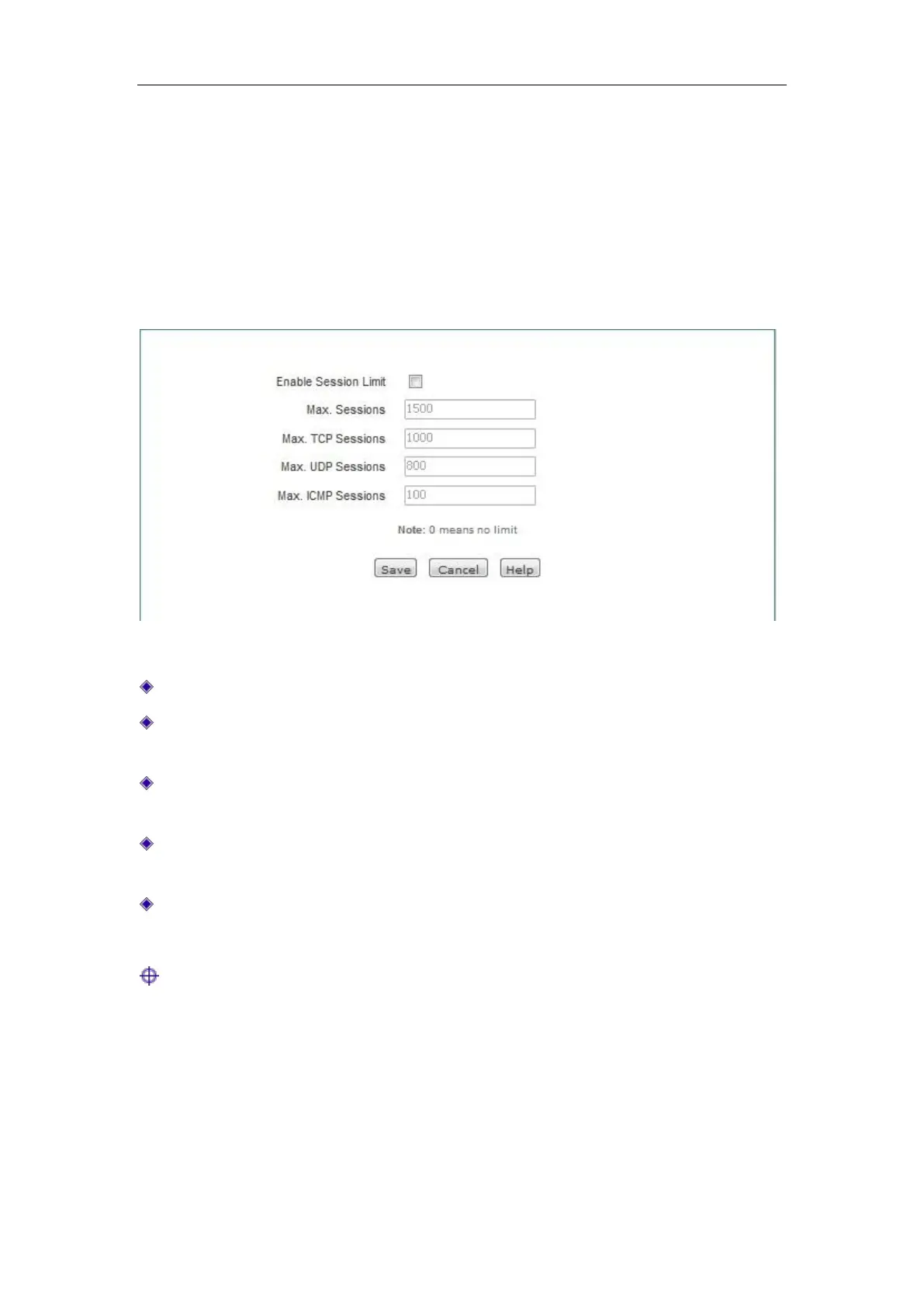
This section describes the QoS-> Session Limiting page. You can define the maximum total
number of connections, the maximum number of TCP connections, the maximum number of UDP
connections, and the maximum number of ICMP connections established by each host in the
Intranet allowed by the device by setting the numbers of connections.
Figure 10_4 Session Limiting
Enable connections limit: Checks to enable the connections limit.
Total connections: The maximum total number of connections established per host in the
Intranet, whose default is 1500.
Total connections: The maximum number of TCP connections established per host in the
Intranet, whose default is 1000.
Total connections: The maximum number of UDP connections established per host in the
Intranet, whose default is 800.
Total connections: The maximum number of ICMP connections established per host in the
Intranet, whose default is 100.
Tip:
1. When the number of connections is set at 0, the number of connections per Intranet host is
not to be limited.
2. When the connection of Intranet applications (such as network game) becomes slow, you can
increase the "Total number of connections" and "Number of UDP connections" (or "Number
of TCP connection") appropriately. Note: The number of the above connections is set too
high, which may cause the device's capability to lower or lose its capability against the DDoS
attacks.



 To Next Page