Chapter 6 Network parameters
http://www.level1.com Page 29
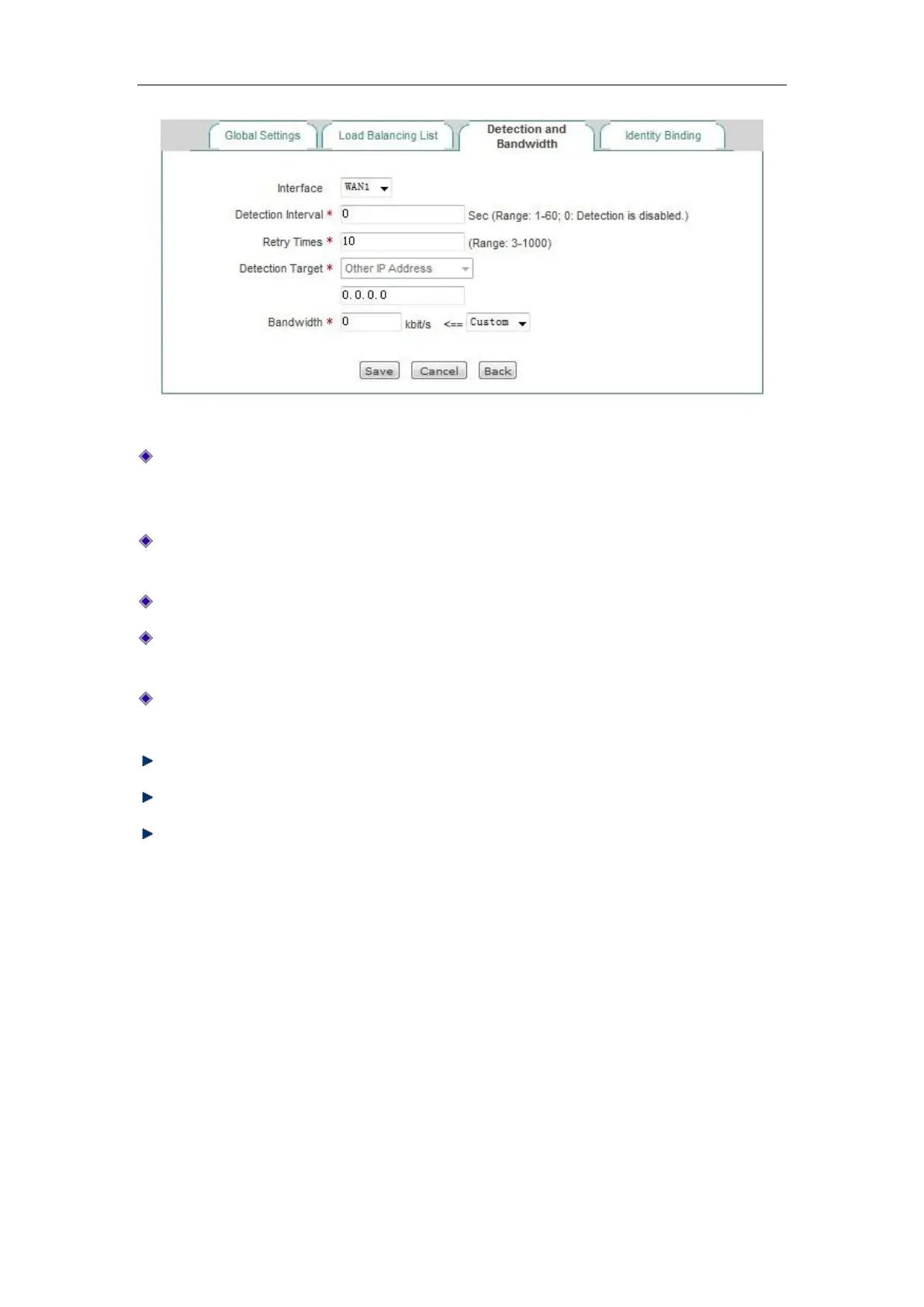
Figure 6_11 Detection and Bandwidth
Detection interval: The time interval for sending inspection packets, Unit: seconds, when you
enable line detection, the value range is 1-60 (the value is 0, which means not to enable the
line detection).
Detection times: The number of inspection packets sent within the detection cycle (one
detection packet is sent per time). The default value is 10.
Detection Target IP address: The IP address of the target to be detected.
Bandwidth: Sets the bandwidth ISP provides to the current line, and the Max custom value of
the Gigabit device is set to 1000M.
Internal starting and ending IP address: The address range of the hosts on the current line is to
be used in priority in Intranet.
Save: The above configuration parameters take effect.
Refill: Restores to the configuration parameters before modification.
Return: Returns to the line combination state information page.
6.2.5 Identity Binding
When the device has multiple WAN ports, you can enter the Network parameters -> Load
Balancing -> Identity Binding page to enable the identity binding function.
In the case of multi-line session load balancing, NAT sessions in the same application may be
distributed in different lines, which will cause such applications as online bank, QQ, etc. not to
work properly due to change of identity, and the identity binding function can address this issue by
binding the sessions in the same application from the same user on a line. For example, when a
user in the Intranet logs in the online bank, if the first session is assigned to WAN2 port



 To Next Page