Chapter 11 Firewall
http://www.level1.com Page 115
11.3 Domain filtering
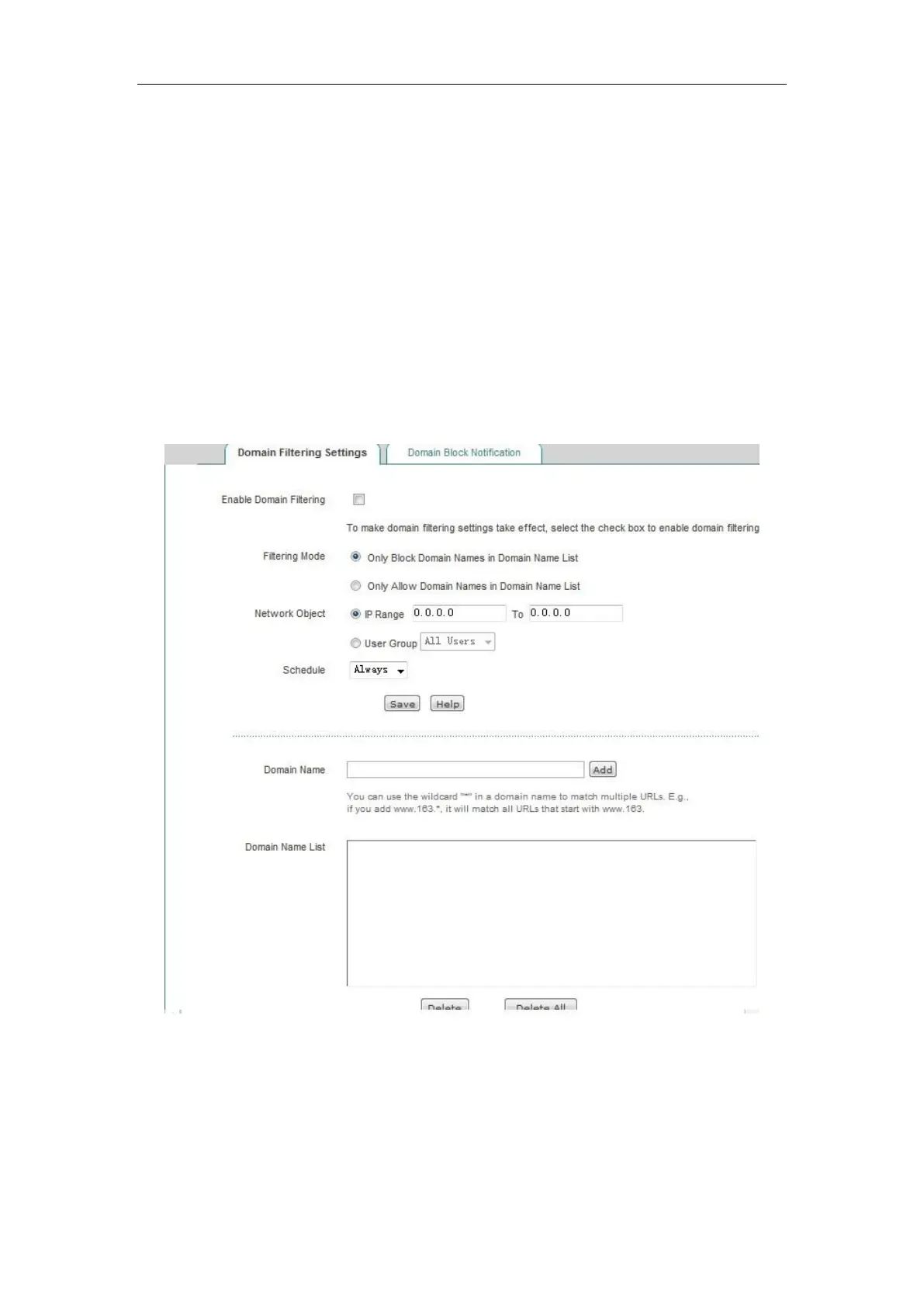
This section describes the domain name filtering feature of the Firewall -> Domain filtering page,
including the matters needing attention in the domain name filtering operation steps, domain name
filtering configuration process.
11.3.1 Domain filtering Settings
Figure 11_12 Domain filtering page
Steps of configuring domain name filtering:
1. Check the "Enable domain name filtering".
2. Select the way for the domain name filtering policy to take effect.
3. Select the intranet objects for the domain name filtering to take effect.



 To Next Page