Chapter 8 User Management
http://www.level1.com Page 81
8.5 User Group Settings
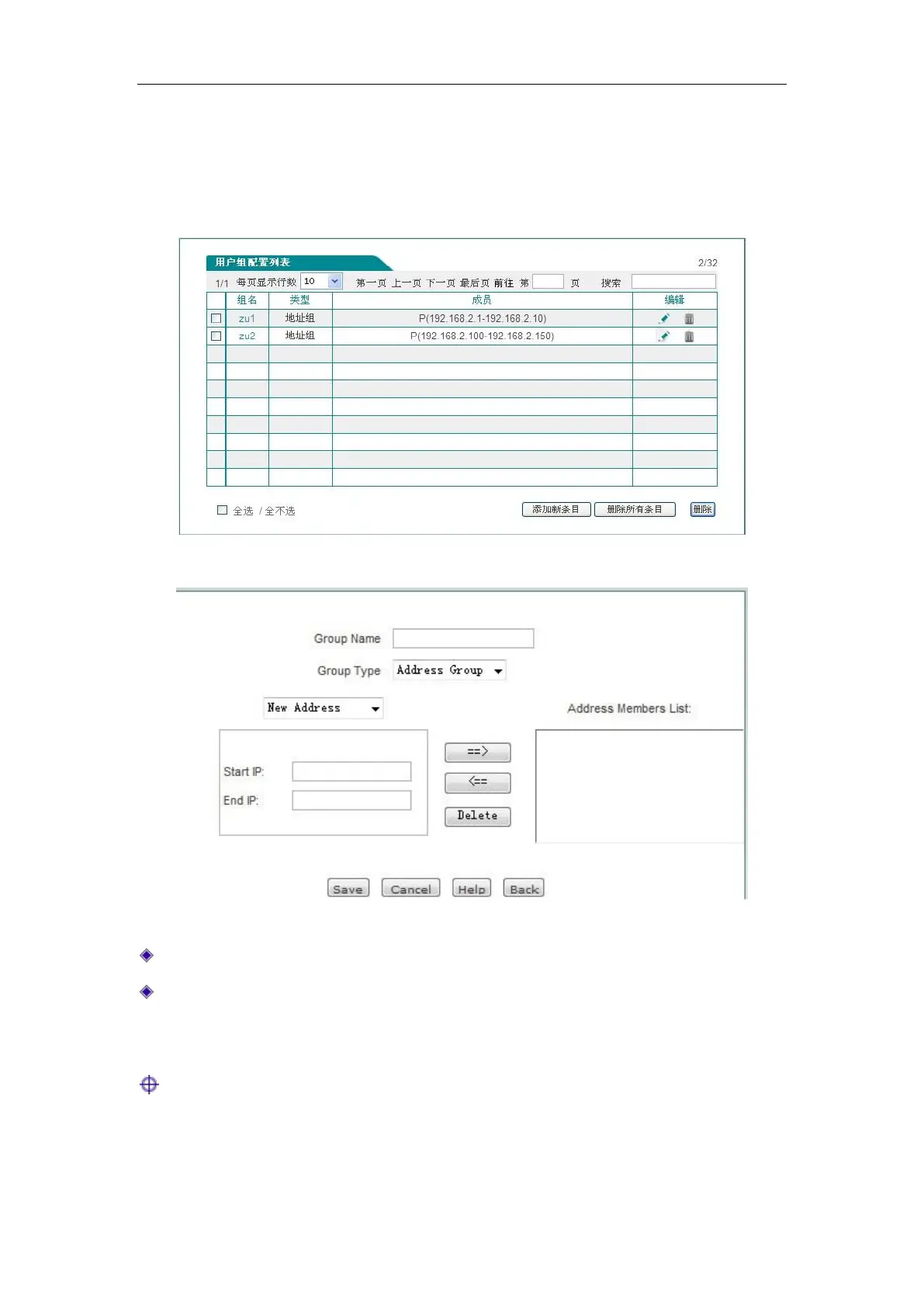
In the User management -> User Group Settings page, and click <Add new entry> in the "User
group configuration list", to enter the page as shown in Figure 8_24.
Figure 8_23 User group list
Figure 8_24 User group Settings
Group name: Customizes the group name of the user group.
Group type: It consists of address group and account group. Here, account group refers to the
PPPoE authentication accounts, WEB authentication accounts.
Tip:
The depth of the user group cannot be greater than 2, for instance: Address A contains Address
Group B, and now it is configured with Address Group C, it is not allowed to make it contain
Address Group A.



 To Next Page