Chapter 11 Firewall
http://www.level1.com Page 107
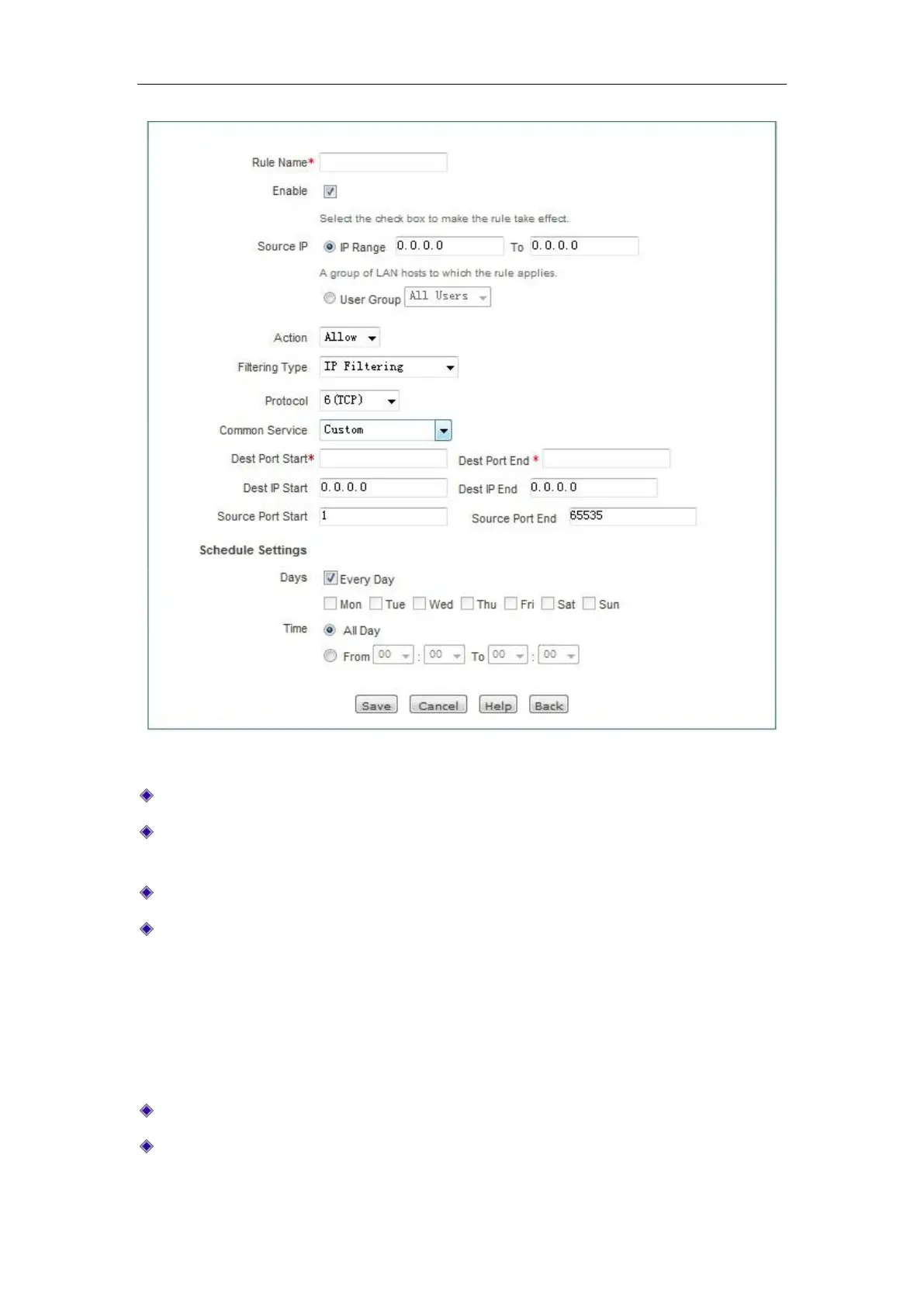
Figure 11_4 Access Control Settings - IP address filtering
Policy name: The name of the custom access control policy.
Enable this configuration: Enables this access control policy. Selecting it means to enable this
policy, while deselecting it means to disable it.
Source address: The Intranet users controlled by the access control policy.
Action: The implementing action for the access control policy, the options are "allow" or
"disallow".
Allow: Allows the packet that matches the access control policy to pass, that is, the
device will forward the packet.
Disallow: Disallows the packet that matches the access control policy to pass, that is,
the device will discard the packet.
Filter type: Here, "IP filter" is selected.
Protocol: The protocol type of the access control policy. The protocols available for choice
are as follows: 1 (ICMP), 6 (TCP), 17 (UDP), 51 (AH), all (All). Among them, "all" indicates



 To Next Page