Chapter 11 Firewall
http://www.level1.com Page 109
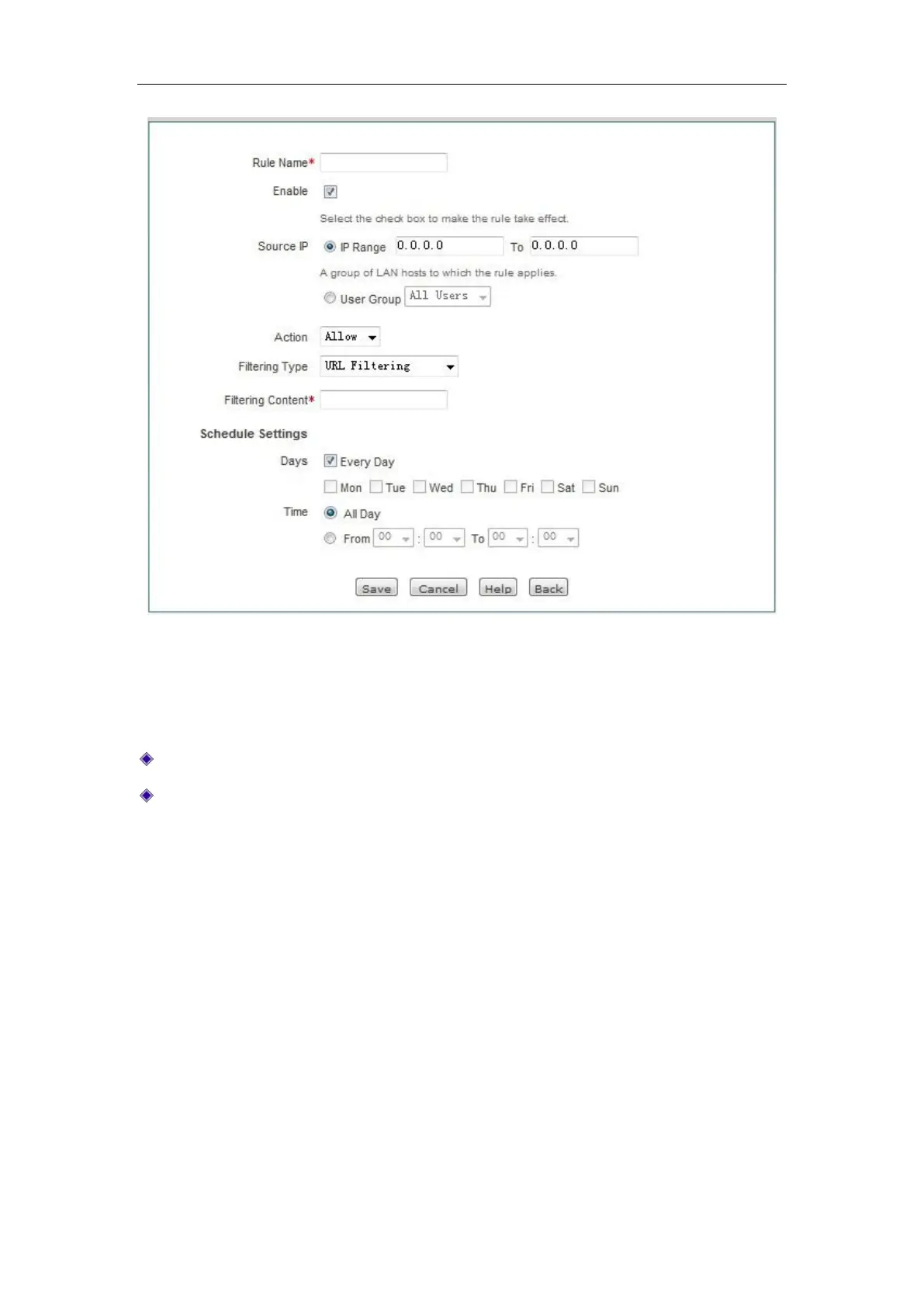
Figure 11_5 Access Control Settings -- URL filtering
"Policy name", "Source address", "Action" and other parameters have the same meaning as the
related parameters in the "IP filter", which will not be repeated here. Please refer to the
description.
Filter type: Here, "URL filtering" is selected.
Filter content: The URL address to be filtered for the access control policy.
URL filtering is based on the URL keyword filtering. When the URL of the page to be access
contains the fields exactly matching "Filter content", it is considered to match the policy. Here,
you can enter a complete domain name; at this time, all pages that start with the domain name are
matched. Or you can enter the substring of the domain name, and then all pages that contain the
substring in the URL are matched, thus filtering all web pages of a site. Next, let's give a few
examples to illustrate:
Instance I: If you enter www.sina.com.cn, then all web pages beginning with www.sina.com.cn
will match that policy, such as www.sina.com.cn/index.jsp, but the web pages beginning with
book.sina.com.cn will not be matched.
Instance 2: If you enter www.Levelone.com.cn/bbs/, then all web pages beginning with
www.Levelone.com.cn/bbs/ will match that policy, thus controlling the LEVELONE's access to
BBS page in this site.
Instance 3: if you enter sina.com, then all web pages containing sina.com are matched, which
means the whole sina site is matched. Of course, the pages beginning with book.sina.com.cn will



 To Next Page