Chapter 11 Firewall
http://www.level1.com Page 111
1. For the access control policy with the filter type of "Keyword" , "Action" has only the option,
"Disallow".
2. The filtered content should exclude: < > , % ‘ \ “ & ; and the characters except spaces.
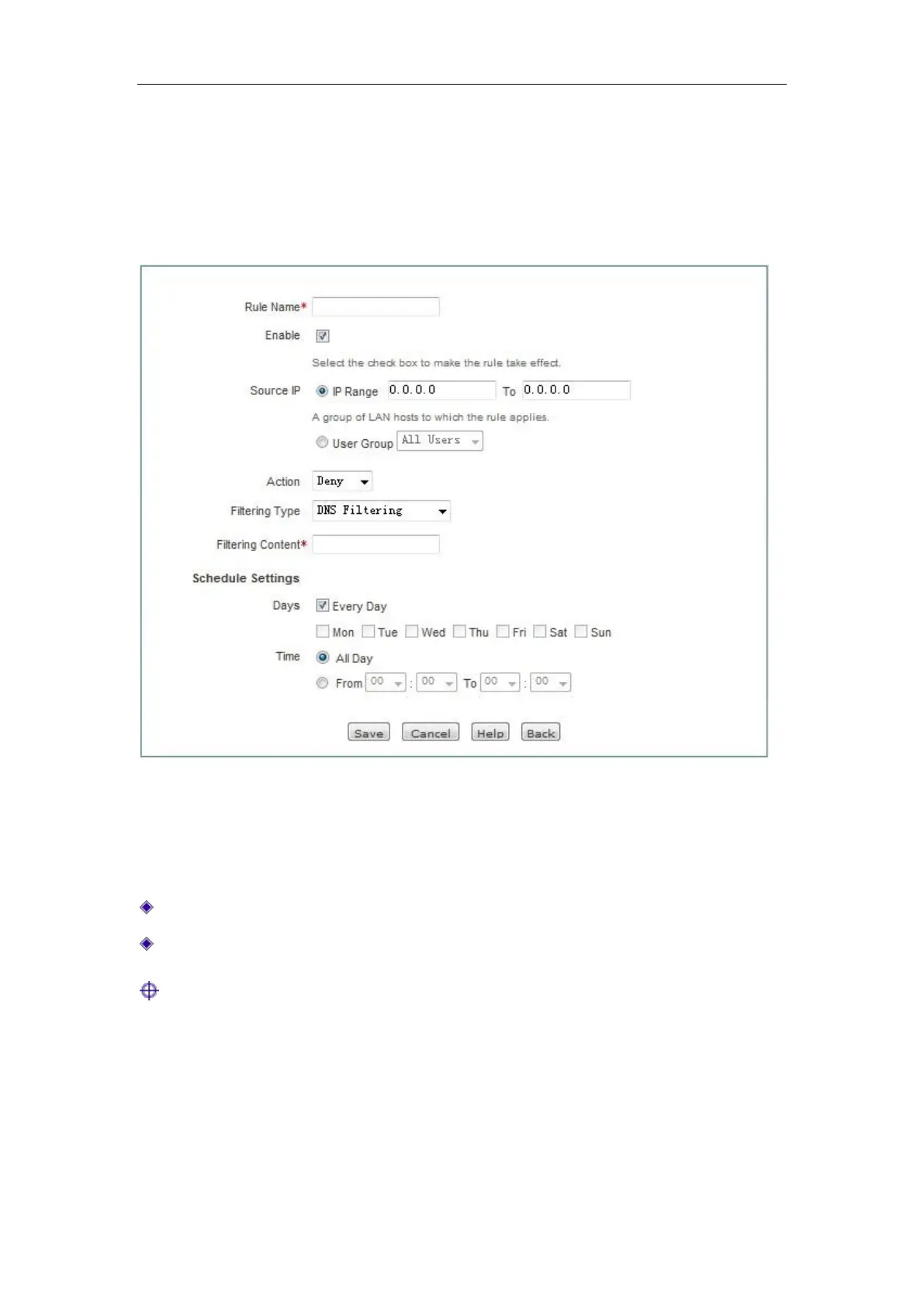
4. Access Control Settings -- DNS filtering
Figure 11_7 Access Control Settings - DNS filtering
"Policy name", "Source address", "Action" and other parameters have the same meaning as that of
the parameters in the "IP filter" type, which will not be repeated here. Please refer to the related
description.
Filter type: Here, "DNS filtering" is selected.
Filter content: Sets the domain name to be filtered.
Tip:
You can filter more than one domain names by entering the wildcard character, “ * ” in the filter
content. For example, enter the domain name“*.163.*” in the filter content, and select "Disallow"
in Action, and the intranet users will not be able to access all the web pages with the domain name
containing “.163.”



 To Next Page