Chapter 11 Firewall
http://www.level1.com Page 117
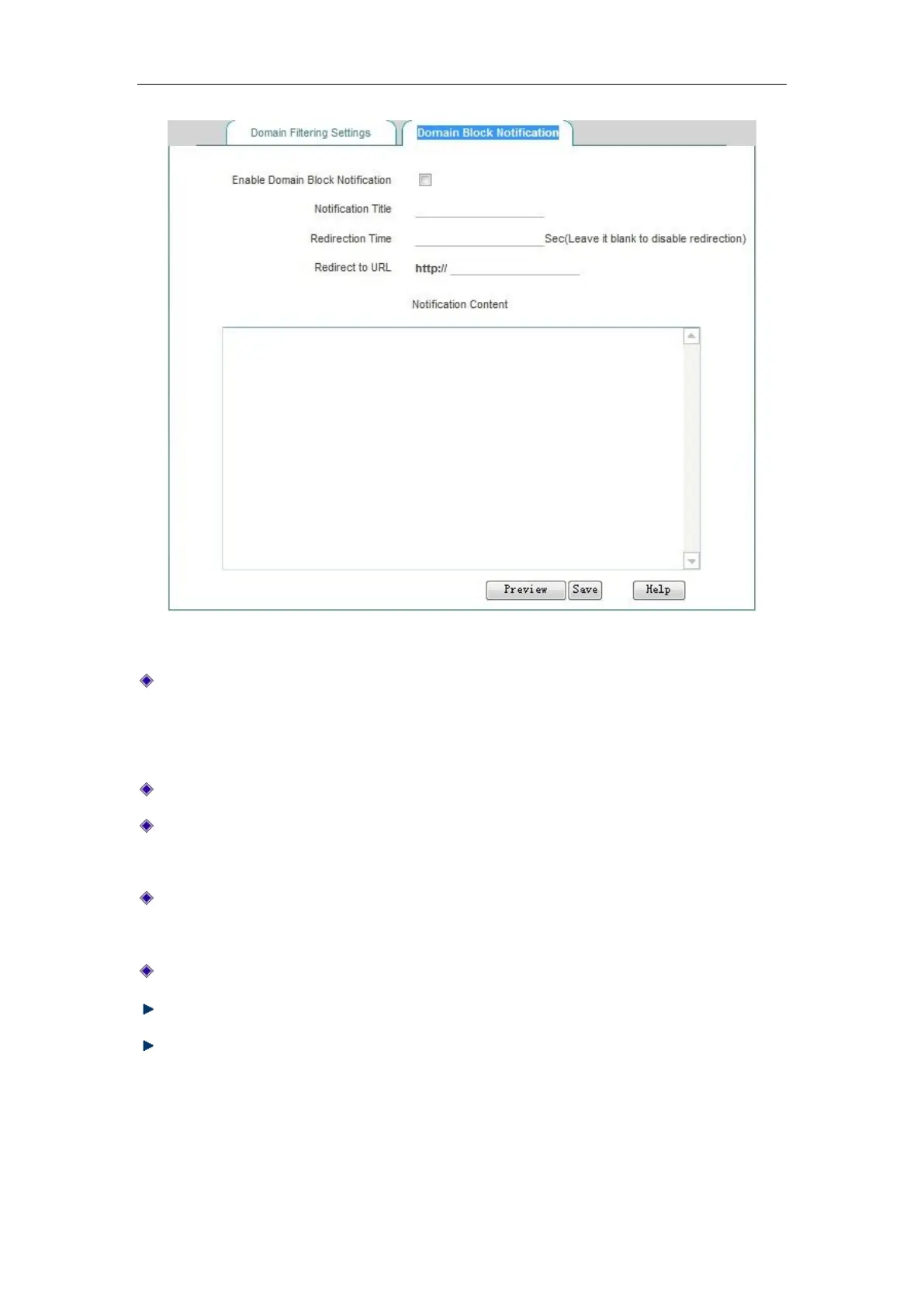
Figure 11_13 Domain Block Notification page
Enable domain name filtering notification feature: Checking it means to enable this feature.
After this feature is enabled, the device will send a notice to the user when the intranet users
access the prohibited domain names, and after the set time, it will skip to a specific web site.
Notice title: The title of the notification information pushed by the device.
Redirecting time: Sets the redirecting time for accessing the domain name as listed in the
domain name list. Blank means no redirecting while 0 means redirecting immediately
Redirecting URL: Sets the domain name address redirected when accessing to the domain
names as listed in the domain name list;
Notice content: the content of the notification information pushed by the device.
Save: The global configuration parameters domain name filtering take effect.
Preview page: Previews the configured notification content, as shown in the figure below:



 To Next Page