Chapter 12 VPN
http://www.level1.com Page 156
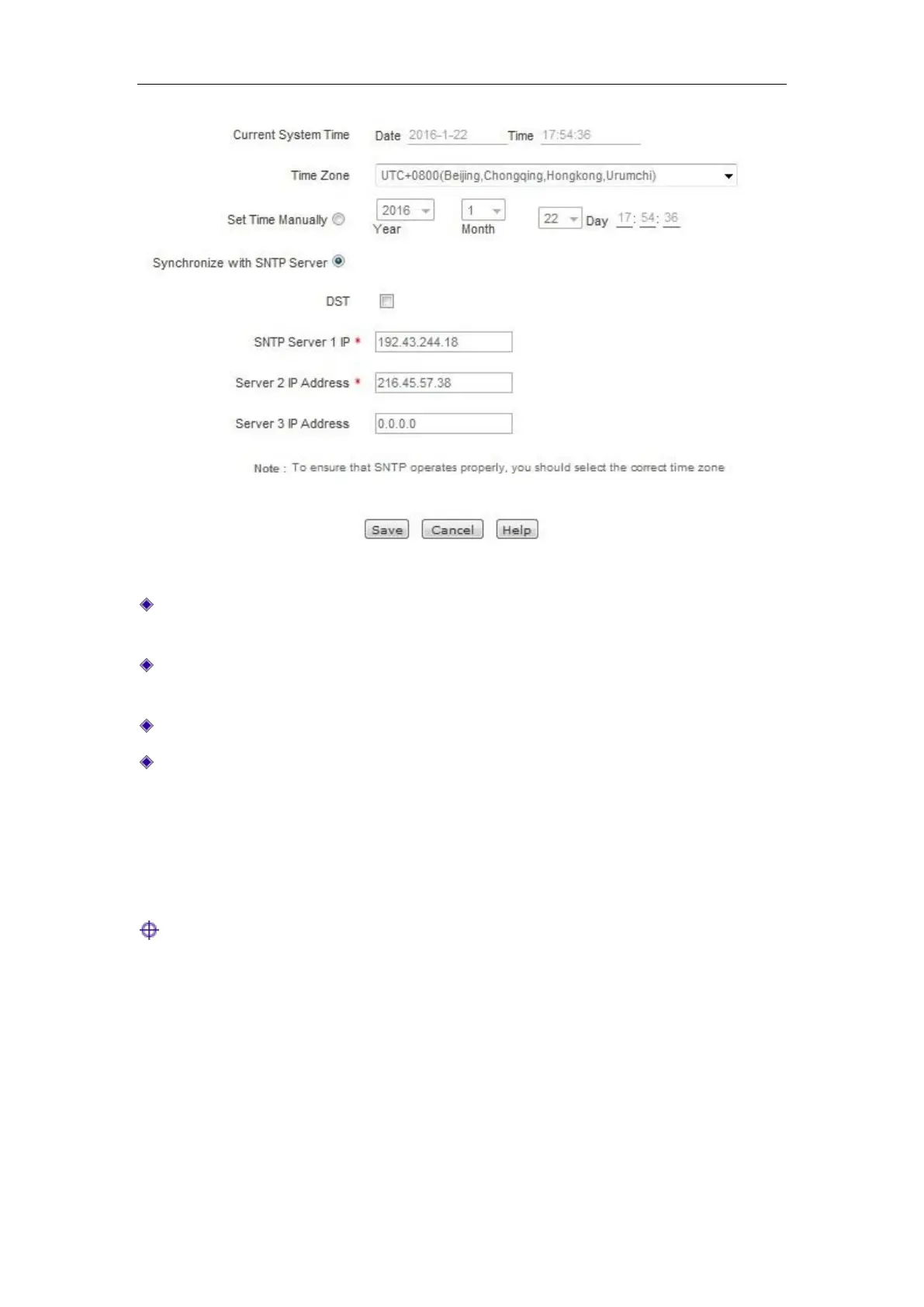
Figure 13-4 Time
Current system time: Displays the current date and time information of the device (unit:
Y-M-D, H:M:S).
Time zone selection: Selects the international time zone in which the device resides. Only
choosing a correct time zone can the network time synchronization function work properly.
Manual time setting: Manually enters the current date and time (unit: Y-M-D, H:M:S).
Network time synchronization: After using the network time synchronization function to set
up a right NTP server, and when the device is connected to the Internet, it will automatically
synchronize the time with the set NTP server. The addresses of two NTP servers preset by the
system by default are 192.43.244.18, 216.45.57.38, which generally requires no change. If
you need to know more about the NTP knowledge and the server, just visit
http://www.ntp.org.
Tip:
It is recommended to set the device clock to synchronize with network time. Only when the
system time is properly configured can the settings related to time, such as firewall, etc. work
normally!



 To Next Page