Chapter 6 Network parameters
http://www.level1.com Page 23
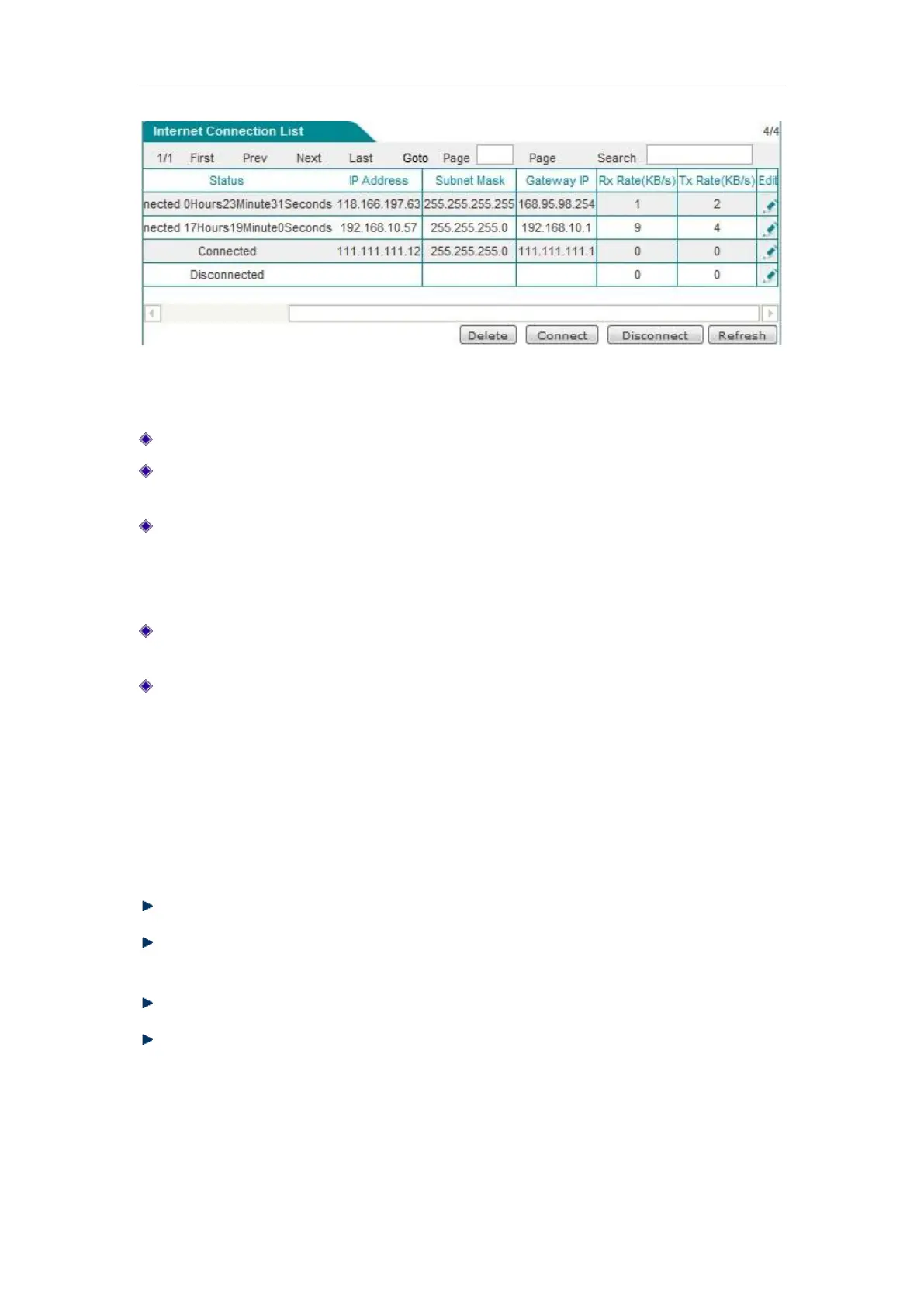
Figure 6_5 Internet Connection List information (Continued Figure 6_4)
Interface: This column displays the WAN port of the device.
Connection type: The connection type of the current Internet access lines, including fixed
access, dynamic access, PPPoE access.
Connection status: The current connection status of the lines. It is displayed as "Off" when
the connection is not successful or is not available, and displayed as "Connected" when the
connection is successful; for dynamic IP access and PPPoE access, it also displays the time
(Unit: hours: minutes: seconds) to maintain the connection when the connection is successful.
IP address, subnet mask, gateway address: IP address, subnet mask, and gateway address for
the WAN interface provided by ISP.
Downstream rate, upstream rate: The downlink/uplink average rate of the current line in the
time interval of two times of list refreshing. The unit is KB/s.
1. Dial-up and hang-up of PPPoE accesslines
If a line is PPPoE access, then click on the interface, the "Dial-up" and "Hang-up" bLeveloneons
will appear below the "Line connection information list", as shown in Figure 6_6, the WAN3
interface is PPPoE access, click on "WAN3", the following four bLeveloneons are displayed on
the lower right part of the line connection information list, and their functions are as follows:
Delete: Delete this line.
Dial-up: Establishes a connection with the PPPoE server. When the PPPoE connection
dial-up type is set to "Manual dial-up", and the PPPoE dial-up is required here.
Hang-up: Hangs up the current connection to the PPPoE server.
Refresh: Click this bLeveloneon to display the up-to-date information of line connection
information list.



 To Next Page