Chapter 6 Network parameters
http://www.level1.com Page 27
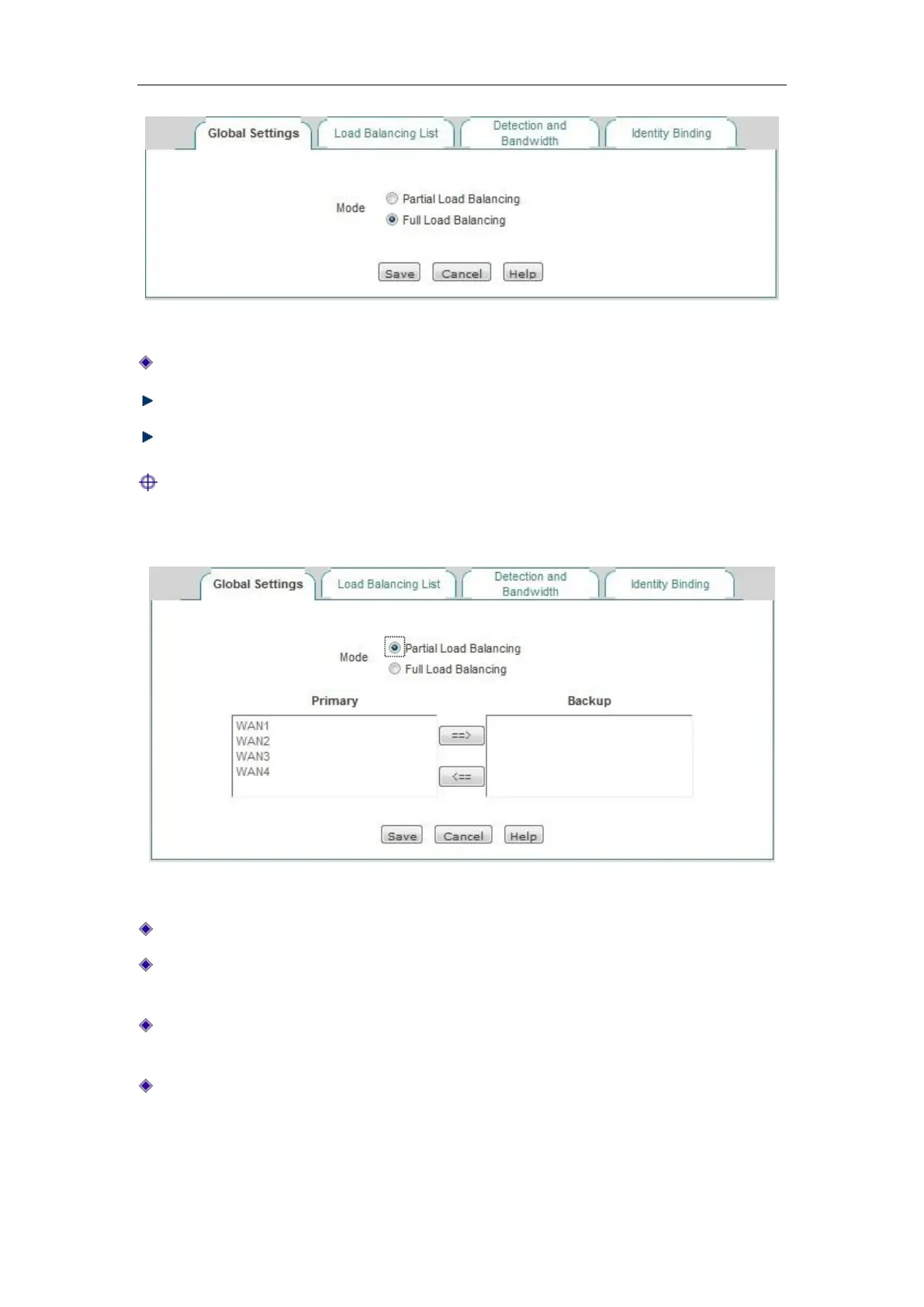
Figure 6_8 Full Load Balancing
Line load balancing mode: " Full Load Balancing " is selected here.
Save: The line combination configuration parameters take effect.
Refill: Restores to the configuration parameters before modification.
Tip: Line combination mode is " Full Load Balancing " by default.
2. Partial Load Balancing
Figure 6_9 Partial Load Balancing
Line combination mode: " Partial Load Balancing " is selected here.
Main line: The list box represents the "main line" group, and all the lines in the list box are
used as the main lines.
Main line: The list box represents the "Backup line" group, and all the lines in the list box are
used as the backup lines.
==> (Right arrow), <== (Left arrow): Select one (or more) line in the "Main line" list box
first, and then click on "==>", and the selected lines are immediately moved to the "Backup
line" list box. Similarly, select one (or more) line in the "Backup line" list box first, and
then click on "<==", and the selected lines are immediately moved to the "Main line" list box.



 To Next Page