Chapter 8 User Management
http://www.level1.com Page 60
disabled.
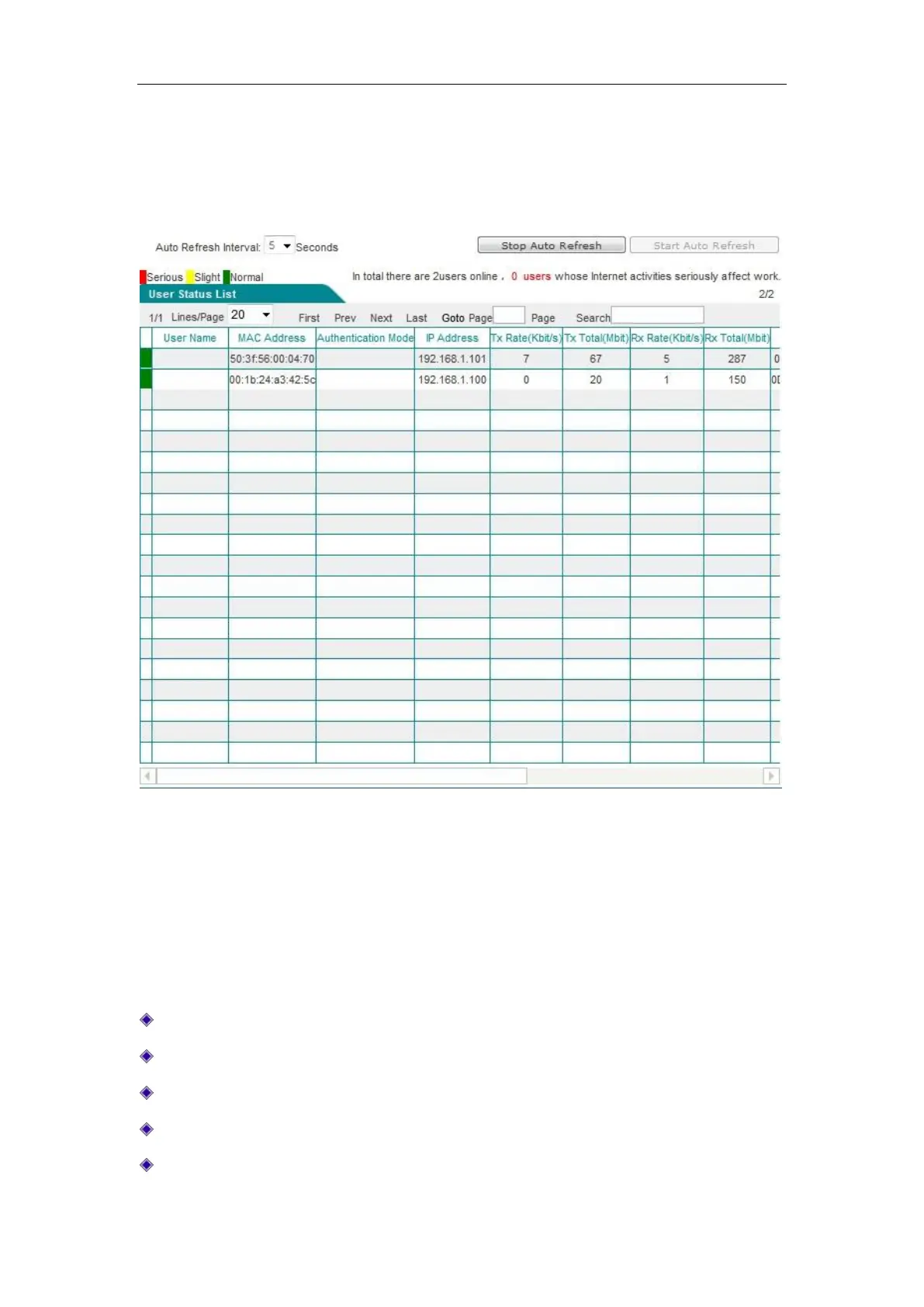
The following describes the list of user status information, through checking of which,
administrators can learn about each online user's online time, real-time upload/download rate, total
uplink/downlink traffic, net behaviors, etc.
Figure 8_2 User status information list
The first column of user status information displays if each user's net behaviors are affecting work,
whose status includes: Severe (red), minor (yellow), normal (green). When an intranet user's
behavior of accessing shopping websites, social networking sites, using stock software and
playing online/web game accounts for a range of [100%, 70%] of all of its personal net behaviors,
this means seriously affecting work. When the range is (70%, 50%), it means minor. When the
range is (50%, 0%), it means normal.
User name: Displays the user name for Intranet users.
MAC address: Displays the MAC address of Intranet users.
Ways of authentication: Displays authentication of Intranet users (WEB and PPPoE)
IP address: Displays the IP address of Intranet users.
Upload, download rate: Displays the upload and download rate of Intranet users.



 To Next Page