Diagnostic information 2-25
5025-2xx, 4xx
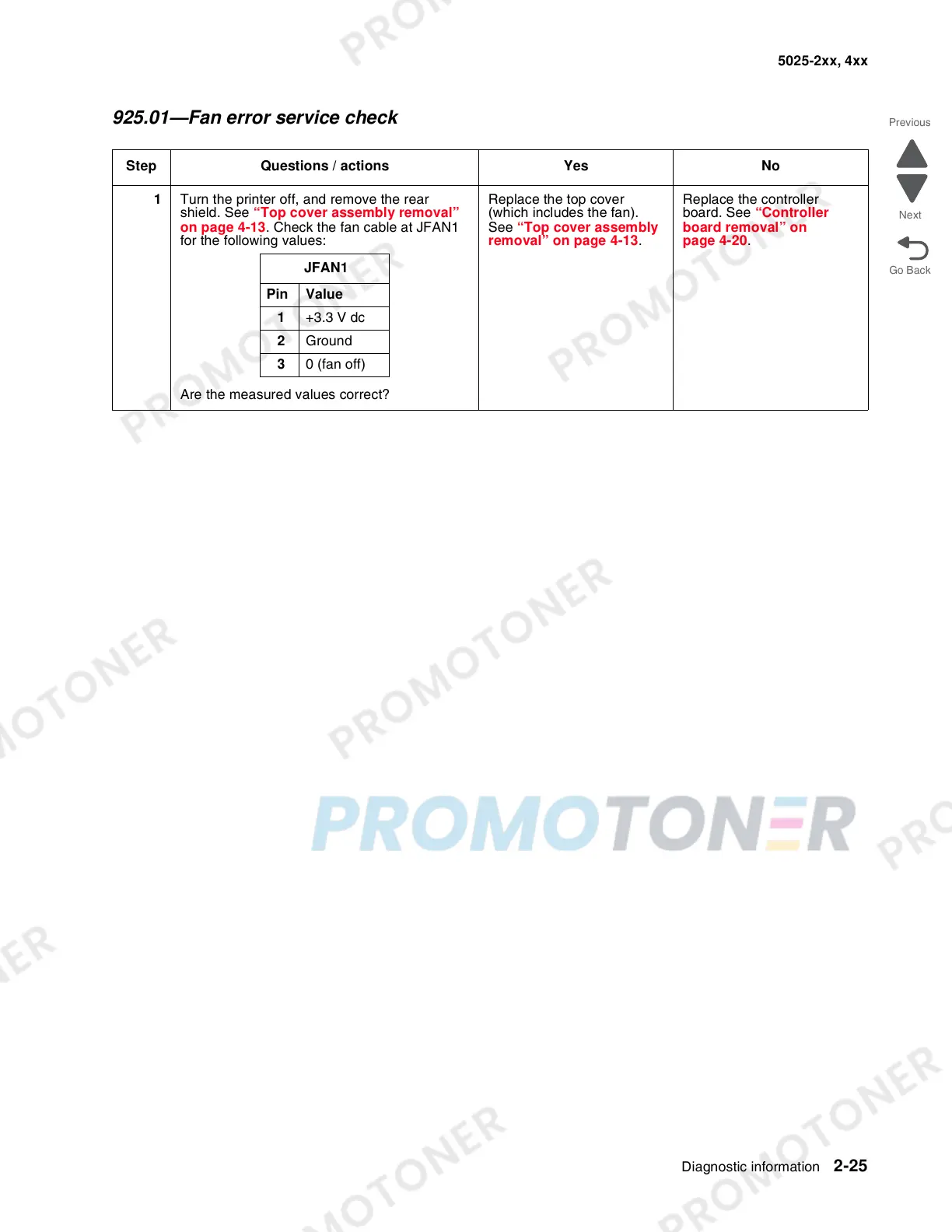
925.01—Fan error service check
Step Questions / actions Yes No
1 Turn the printer off, and remove the rear
shield. See “Top cover assembly removal”
on page 4-13. Check the fan cable at JFAN1
for the following values:
Are the measured values correct?
Replace the top cover
(which includes the fan).
See “Top cover assembly
removal” on page 4-13.
Replace the controller
board. See “Controller
board removal” on
page 4-20.
JFAN1
Pin Value
1 +3.3 V dc
2 Ground
3 0 (fan off)


 To Next Page