4 Open the control panel door.
5 Remove the toner cartridge.
6 Remove the imaging unit.
7 Remove the MPF feeder lift plate. See “MPF feeder lift plate removal” on page 328.
8 Remove the media turn guide. See “Media turn guide removal” on page 325.
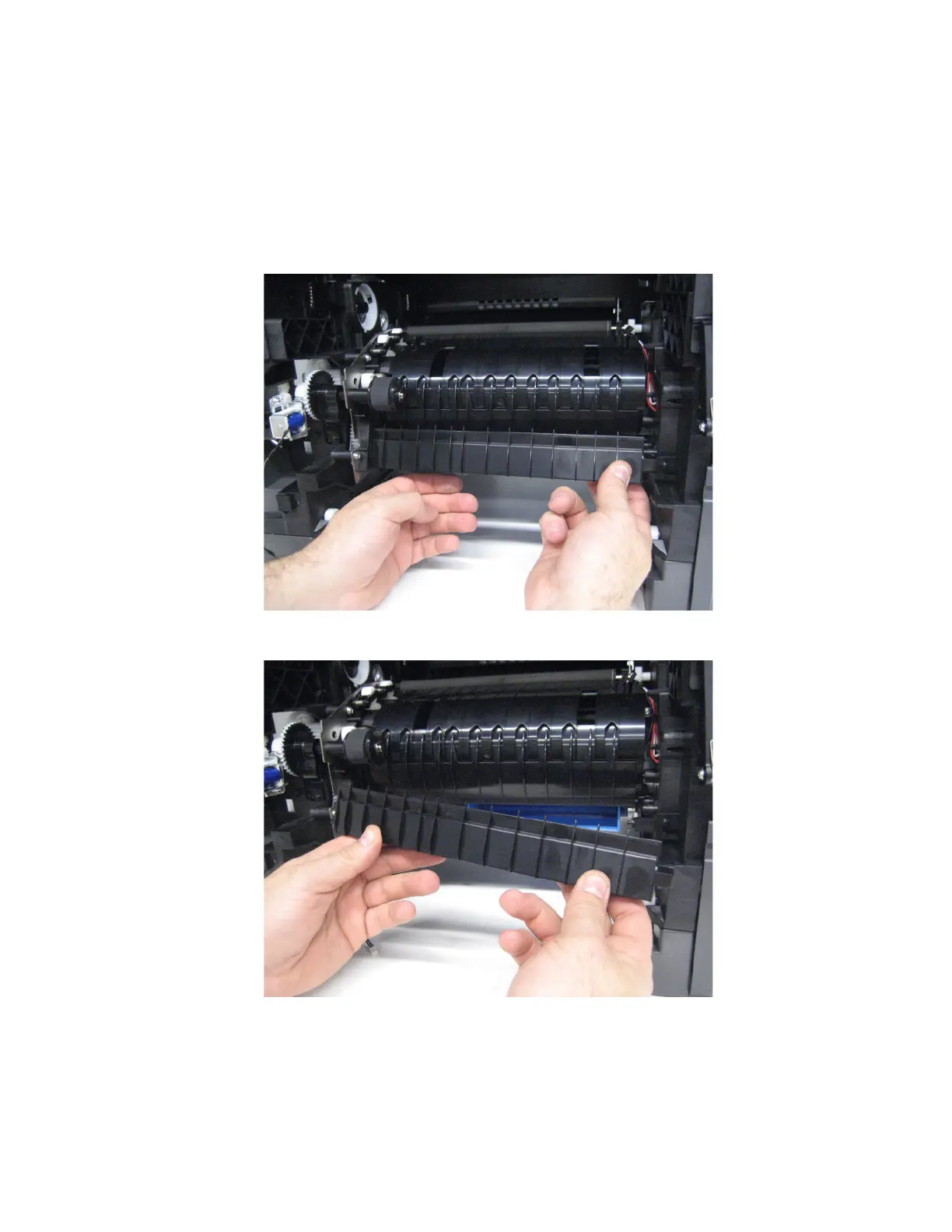
9 Detach the right side of the media vertical guide.
10 Remove the media vertical guide.
7463
Repair information
327



 To Next Page