EasyManua.ls Logo

Linak TECHLINE LA36 - User Manual

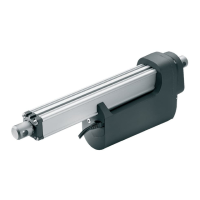
Linak TECHLINE LA36
95 pages
Print Icon
To Next Page IconTo Next Page
Loading...
Page 1 of 96
© 2020 LINAK A/S
LINAK.COM/TECHLINE
Actuator LA36
User manual

Table of Contents

Other manuals for Linak TECHLINE LA36

Questions and Answers

  • U
    umeyerAug 15, 2025
    What to do if my Linak TECHLINE LA36 has no motor sound or movement?
    • T
      Thomas AlexanderAug 15, 2025
      If your Linak Controller's piston rod isn't moving and there's no motor sound, here's what you can check: 1. Ensure the actuator is properly connected to the power supply or external control unit. 2. Inspect the fuse, and replace it if it's burned out. 3. Examine the cable for any damage, and replace if necessary. 4. For IC Advanced models, verify that the power supply polarity is correctly connected to avoid damage. Also, check the wire connection on the internal control unit.
  • A
    Allen KingAug 18, 2025
    Why is there no signal or incorrect feedback from my Linak Controller?
    • M
      maloneheatherAug 18, 2025
      If you're experiencing no signal or incorrect feedback output with your Linak Controller, consider the following: * Replace the cable if it's damaged. * Check the wiring to ensure it's correctly connected. * Run the actuator to fully extended and retracted positions. * Reduce the load according to your chosen feedback type, if the feedback output is overloaded. * For IC Advanced models, connect the actuator to BusLink and check for the correct feedback option.
  • G
    Gail MckenzieAug 21, 2025
    What to do if Linak TECHLINE LA36 actuator cannot lift full load?
    • S
      Sarah JensenAug 21, 2025
      If your Linak Controller actuator struggles to lift a full load or the motor runs too slowly, consider these points: 1. Ensure there is no misalignment or overload in the application; align or reduce the load if necessary. 2. Try running the actuator without any load. 3. Check the power supply to ensure it is sufficient. 4. For IC Advanced models, connect the actuator to BusLink and check the existing parameters if the internal current limit has been reached and the actuator speed is too low.
  • G
    Guy StephensAug 25, 2025
    Why is my Linak Controller using excessive power?
    • C
      Christina WhiteAug 25, 2025
      If your Linak Controller is consuming excessive power, it might be due to misalignment or overload in the application. Try to align or reduce the load. Also, try running the actuator without any load to see if that resolves the issue.
  • Q
    qgoodmanAug 27, 2025
    Why does my Linak Controller run in smaller steps?
    • N
      noaholiverAug 27, 2025
      If your Linak Controller actuator is running in smaller steps, it could be due to a few reasons: * Check the power supply to ensure it's sufficient. * Reduce the load if it's higher than specified. * For IC Advanced models, connect the actuator to BusLink and check the reason for the last stop and current cut-off levels in both directions, as an internal safety procedure might have been activated.
  • C
    Chase SimpsonAug 30, 2025
    What to do if my Linak TECHLINE LA36 Controller cannot hold the chosen load?
    • D
      Denise KleinAug 30, 2025
      If the Linak Controller actuator cannot hold the chosen load, it is possible that the load is higher than specified. Reduce the load.
  • S
    Samuel HallSep 2, 2025
    How to fix a Linak TECHLINE LA36 Controller when the motor runs but the spindle does not move?
    • L
      loganlisaSep 2, 2025
      If the motor of your Linak Controller is running but the spindle isn't moving, it could be due to a damaged gearing system or spindle. Please contact LINAK for assistance.
  • D
    Darren WardSep 5, 2025
    What to do if Linak Controller has no signal or incorrect feedback output?
    • A
      Ariel SmithSep 5, 2025
      If your Linak Controller shows no signal or gives incorrect feedback, several factors could be at play. First, a damaged cable could be the culprit, so try changing the cable. Second, the wiring might be incorrect, so double-check all connections. Third, the signal may be constantly high or low, in this case, run the actuator to fully extended and retracted positions. Fourth, the feedback output might be overloaded; reduce the load to match your chosen feedback type. Lastly, if you're using IC Advanced, the feedback output/level could be incorrect; connect the actuator to BusLink to verify the feedback option.
  • M
    Miranda HarrisSep 8, 2025
    Why does my Linak TECHLINE LA36 actuator run in smaller steps?
    • Z
      Zachary MorenoSep 8, 2025
      If the Linak Controller actuator runs in smaller steps, it could be due to a few reasons. First, the power supply might be insufficient, so check the power supply. Second, the load could be higher than specified, so reduce the load. Third, if you're using IC Advanced, an internal safety procedure might be activated; connect the actuator to BusLink and check the reason for the last stop and current cut-off levels in both directions.
  • T
    Tara BushSep 12, 2025
    What to do if Linak Controller actuator cannot hold the chosen load?
    • J
      Jennifer DouglasSep 12, 2025
      If the Linak Controller actuator cannot hold the chosen load, it's likely that the load is higher than specified. Try reducing the load.

Summary

Preface

Chapter 1 Safety Instructions

IECEX;ATEX Safety

Specific safety for explosive atmospheres and dust.

General Safety Warnings and Risk Indications

General precautions during operation and use.

Maintenance and Repair Safety

Guidelines for safe upkeep and servicing.

Chapter 2 Actuator Setup and Configuration

Mounting Guidelines

Instructions for physical installation and alignment.

Cable Mounting Procedures

Steps for connecting power and signal cables.

Electrical Installation Requirements

Details on power supply and fuse recommendations.

Actuator Feedback Types

Overview of feedback mechanisms like Hall, PWM, Analogue.

Integrated Controller Options

Describes IC Basic, Advanced, Parallel, CAN bus.

Advanced System Configurations

Covers wiring, options, and parallel systems.

System Combination Possibilities

Details on integrating LA36 IC with other components.

Chapter 3 Troubleshooting Guide

General Troubleshooting Steps

Common issues and solutions.

Troubleshooting Parallel Systems

Diagnosing problems with multiple actuators.

BusLink Service Counter Diagnostics

Using diagnostic tools for error analysis.

Chapter 4 Technical Specifications and Ordering

Actuator Specifications

Key technical data like motor, gear ratio, temperature.

Actuator Dimensions and Clearances

Physical measurements for integration.

Built-in Dimensions and Diagrams

Internal measurement details.

Performance Curves (Speed & Current)

Graphs showing performance under load.

Label Information and Symbols

Explains product labels and markings.

Ordering Examples and Codes

Guide for selecting and ordering actuators.

Chapter 5 Product Care and Warranty

Maintenance and Cleaning

Procedures for upkeep and cleaning.

Repair and Service Information

Guidelines for authorized repairs.

Disposal and Recycling

Information on product end-of-life.

Warranty Terms and Conditions

Details on product guarantee.

Regulatory Compliance Documentation

Declaration of Conformity

EU conformity statements for various directives.

IECEx Certificate of Conformity

Certification for explosive atmospheres.

Linak TECHLINE LA36 Specifications

General IconGeneral
BrandLinak
ModelTECHLINE LA36
CategoryController
LanguageEnglish

Related product manuals