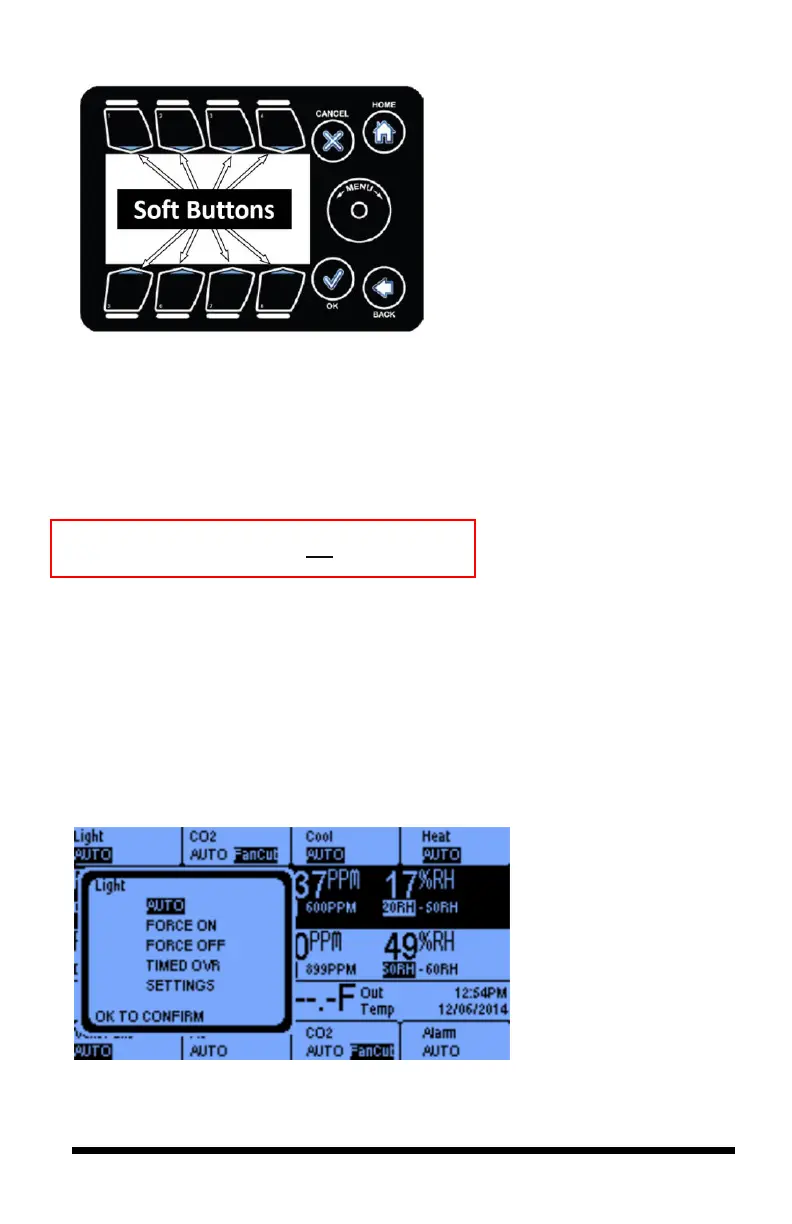
The eight Soft Buttons surrounding
the display serve as controls for the
outputs and shortcuts to the
Equipment Settings.
You can control each of the eight outputs by pressing the corresponding
Soft
Button
for the channel.
The
Manual Override Switches
on the inside of the controller must always be in
the AUTO positions. You can use them to turn
ON
or to shut
OFF
the outputs.
They will then override all programmed settings.
Note that the display area is not a touch screen.
Soft Button Shortcuts
The iPonic 624 controller is equipped with eight Soft Buttons surrounding the
interface, which serve as controls for the eight outputs and shortcuts to the
Equipment Settings without using the Main Menu.
By default, your iPonic 624 controller has four outputs assigned for Room 1 and
four outputs assigned for Room 2. If Room 1 needs more outputs than Room 2 or
vice versa, you can change the outputs room assignment as well as the type of
equipment used (see pages 49-54).



 To Next Page