iPonic 624® Manual PN 995-1124-00
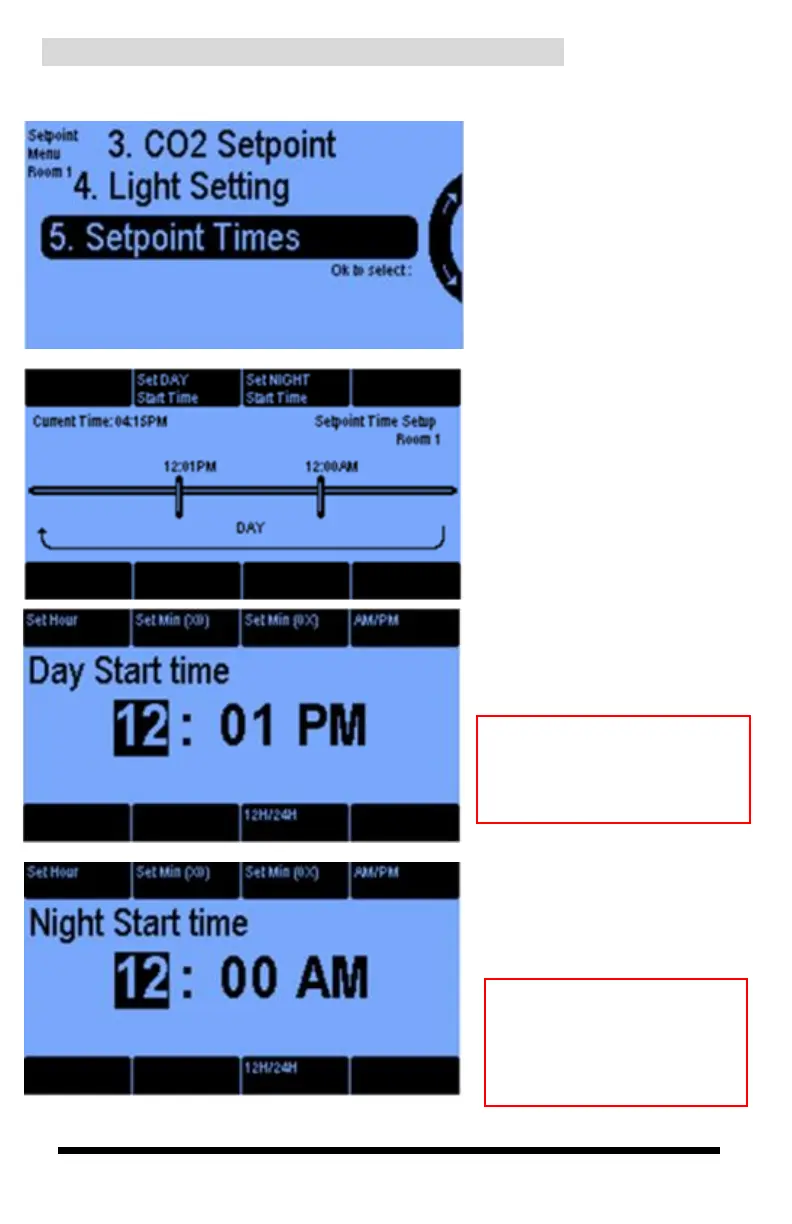
1.5 SETPOINTS Menu ─ Setpoint Times
In the Setpoint Menu, select
Setpoint Times to program when
you want the daytime and
nighttime periods to begin.
This provides the same function
as the previous screen for light
Settings.
Press Button #2 to set your
Day Start Time and Button #3
for your night Start Time.
In the Set DAY Start Time
screen, you can program your
daytime settings.
Note: To program a room
other than the on you just did,
you must go back to 1. Main
Menu and select Setpoints.
In the Set NIGHT Start
Time screen, you can
program your nighttime
settings.
Note: Setting the Day and
Night Start times here
applies to the temperature,
humidity, CO2, and light
control.



 To Next Page