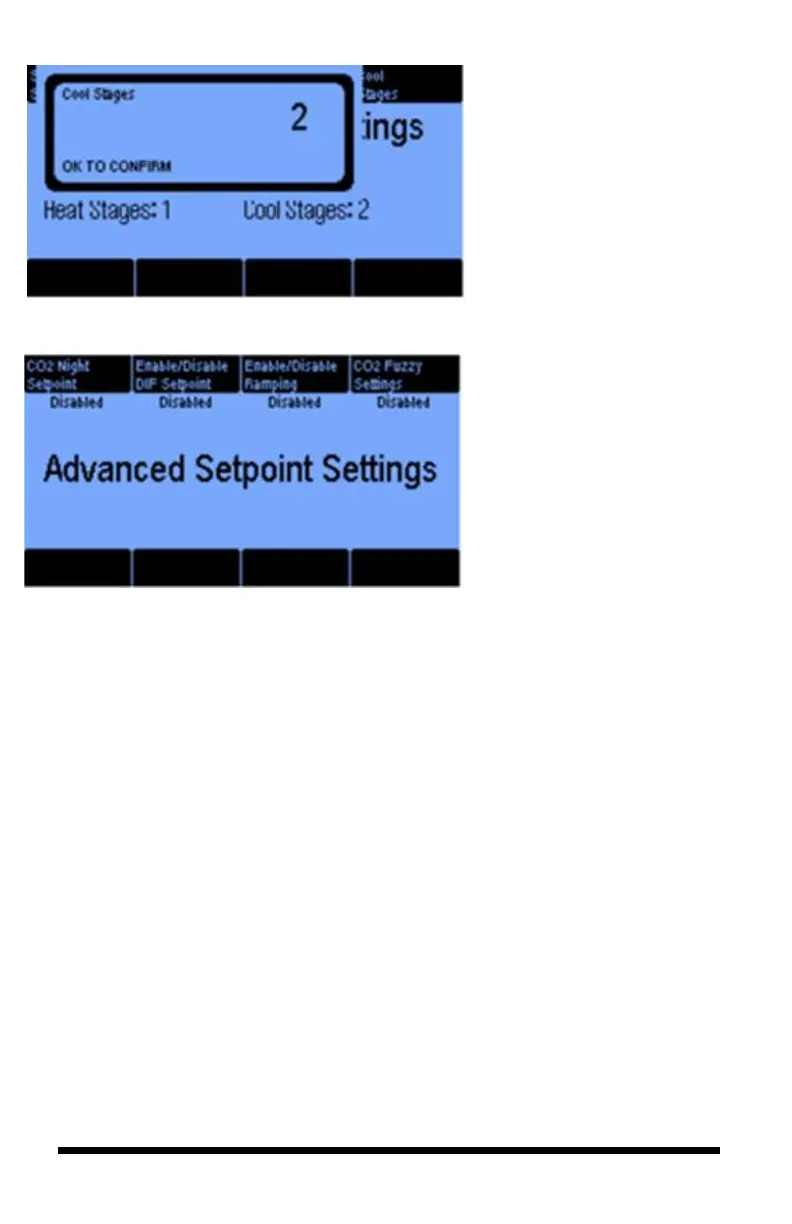
When you select button #4, you
will see this screen where you
set the number of cooling
stages for Room 1. Selecting
button #3 will let you do the
same for the heating stages.
The Advanced Setpoint Settings
option allows you to either Enable
or Disable the CO2 Night
Setpoint, DIF Setpoint, Ramping
and CO2 Fuzzy Settings.
The CO2 Night Setpoint lets you
maintain a specific CO2 level
during your night time period.
The DIF Setpoint lets you set a
third time-period for use on
occasion when the normal settings
are not sufficient (e.g., setting a
lower temperature target at
sunrise).
Ramping, which dictates the rate
of change of the setpoint when
transitioning between the night-to-
day or day-to-night time periods.
The longer the ramp, the more
gradual the change of the target
temperature and humidity
setpoints.
Enabling CO2 Fuzzy Settings is
when the user modifies CO2 levels
based on the needs of the room
rather than a fixed setpoint.
(See Appendix A for a more
detailed explanation.)



 To Next Page