iPonic 624® Manual PN 995-1124-00
3.5.1.4 Advanced Room 1 or Room 2 — Light Settings
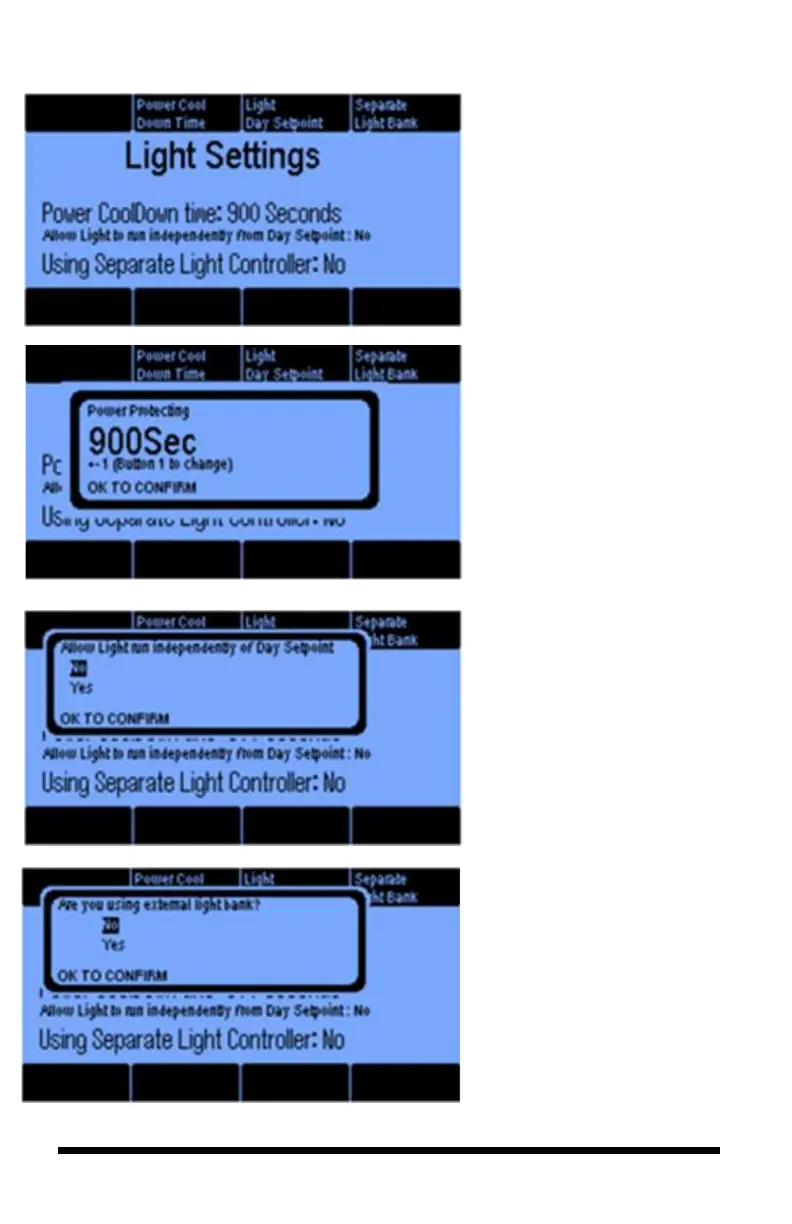
Light Settings are advanced light
control features that enable you to
1) prevent equipment damage in
the event of a power surge, 2)
control the Day Setpoint, and 3)
control lights from a Separate
Light Bank.
The Power Cool Down Time is
a safety feature that protects
lighting equipment. When you
plug in the controller or when
there is a power surge, you can
program a delay of up to 15
minutes before the light banks
will be turned on, which will
give the lights time to cool
down. This is done to extend
bulb life.
Normally, Light Settings
operate concurrently with your
Day Setpoints. However by
selecting Yes, you can program
your lights to run independently
from the Day setpoints.
Separate Light Bank (Button 4). If
you are using a separate Light
Controller from the iPonic, then
you will want to indicate such.



 To Next Page