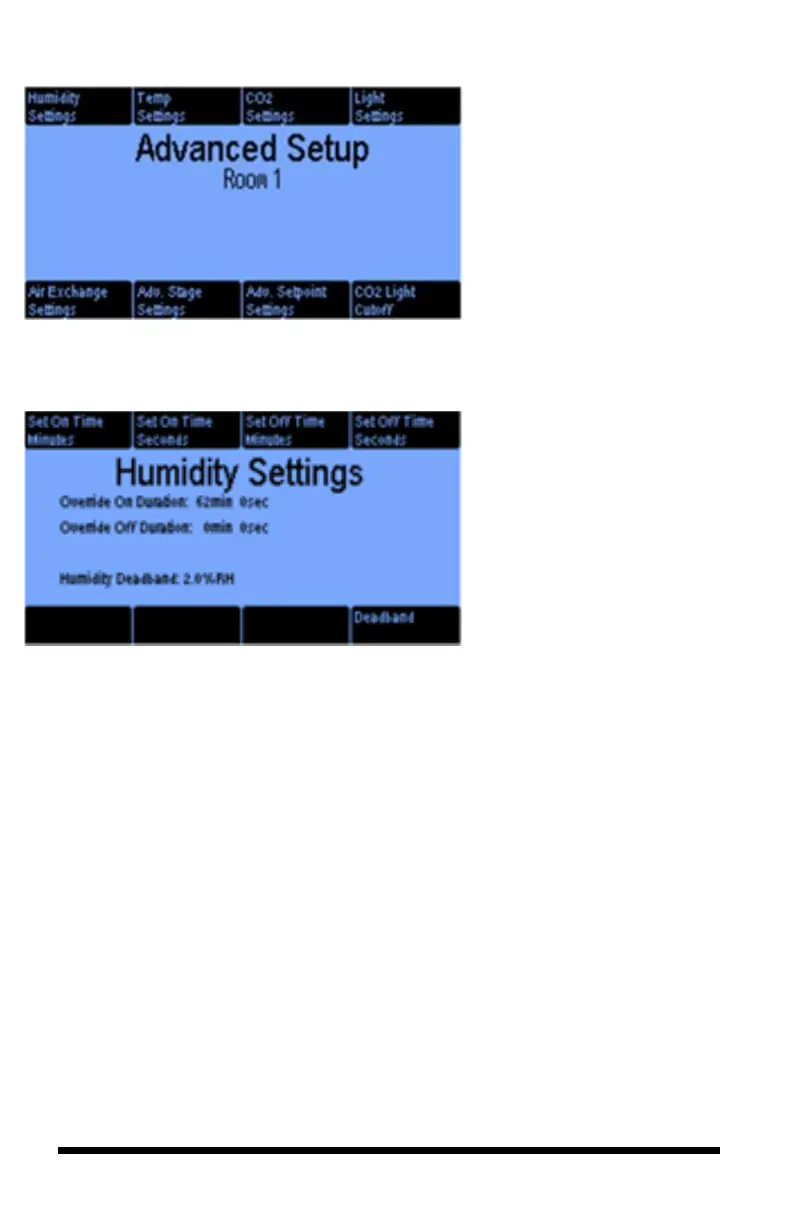
The Advanced Setup screen for
Room 1 or Room 2 allows you to
customize different functions.
The examples below will explain
each of the eight buttons.
The Humidity Settings lets you set a
cycle timer for humidity control. You
can set the ON time in min. and sec.
You can do the same for the OFF
time.
The Low Outside Temperature
threshold allows you to configure the
dehumidification override to de-
activate if the outside temperature
falls below the programmed level.
This button only shows up when you
have an outdoor temperature sensor
enabled.
The purpose for the humidity
injecting cycle timer is to avoid
overshoot. A common problem when
misting/fogging is to raise the
humidity that the humidifier is on too
long and way overshoots the desire
target. By selecting on and off times
appropriate to the particular
humidifier system, you can avoid
sever overshoots.
The Deadband can be set to prevent
frequent humidity stage changes. The
smaller the deadband, the tighter the
control, but the more frequent
switching on and off of the
equipment.



 To Next Page