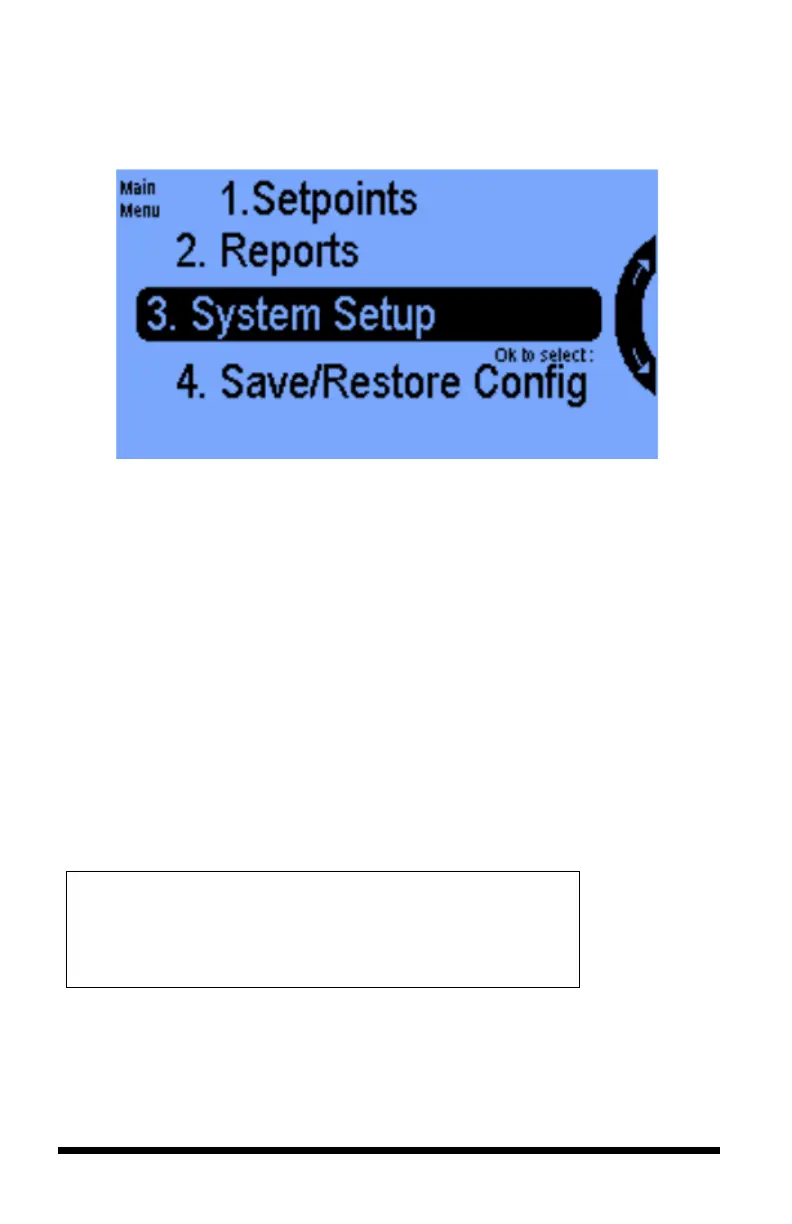
The Main Menu will appear when the Navigation Menu or OK button is
activated.
The following four options are on the Main Menu:
1. Setpoints – This section allows you to configure preferred operating
conditions for two grow rooms (see pages 26-33).
2. Reports – All user data information, graphs and reports are viewable in
this option (see pages 34-35).
3. System Setup - Initial programming and advanced parameters are set
here (sees page 36-62).
4. Save/Restore Configuration – Configuration data can be saved or
restored on a USB drive (see pages 65-66).
A fifth option, Stages, is hidden by default and can be activated in the Advanced
settings (see pages 67-68).
THE FOLLOWING PAGES WILL COVER THE PROGRAMMING
DETAIL FOR EACH OF THE FIVE OPTIONS. PLEASE BE
ADVISED THAT MANY SETTINGS ARE ROOM SPECIFIC
(EITHER ROOM 1 OR ROOM 2) AND SOME ARE SHARED
SETTINGS (BOTH ROOM 1 AND ROOM 2).



 To Next Page