iPonic 624® Manual PN 995-1124-00
1.2 SETPOINTS Menu ─ Humidity Setpoint
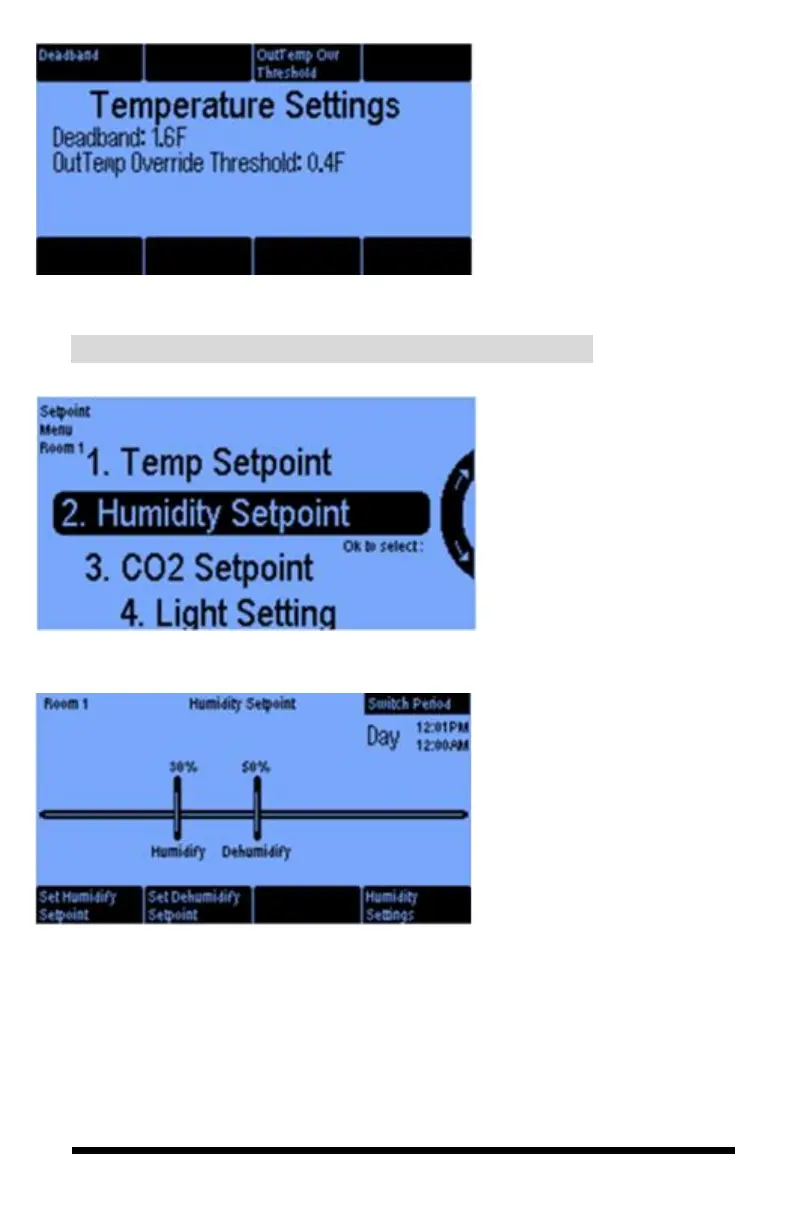
This Temperature Settings
screen lets you select a Deadband
for heating and cooling to prevent
excessive equipment oscillation.
(See the Deadband discussion on
page 19.)
The OutTemp Ovr Threshold
button only appears if in your
advanced settings section, you
have an outside temp sensor
enabled.
The Humidity Setpoint option
of the Setpoint Menu is where
you program the relative
humidity targets.
On this Humidity Setpoint screen
you select your Humidify and
Dehumidify Setpoints by
pressing the appropriate button. If
the humidity goes above your
Dehumidify setpoint, the
dehumidification equipment will
be activated. If the humidity goes
below the humidify setpoint, the
humidification equipment will be
activated.
1.2 SETPOINTS Menu ─ Humidity Setpoint



 To Next Page