iPonic 624® Manual PN 995-1124-00
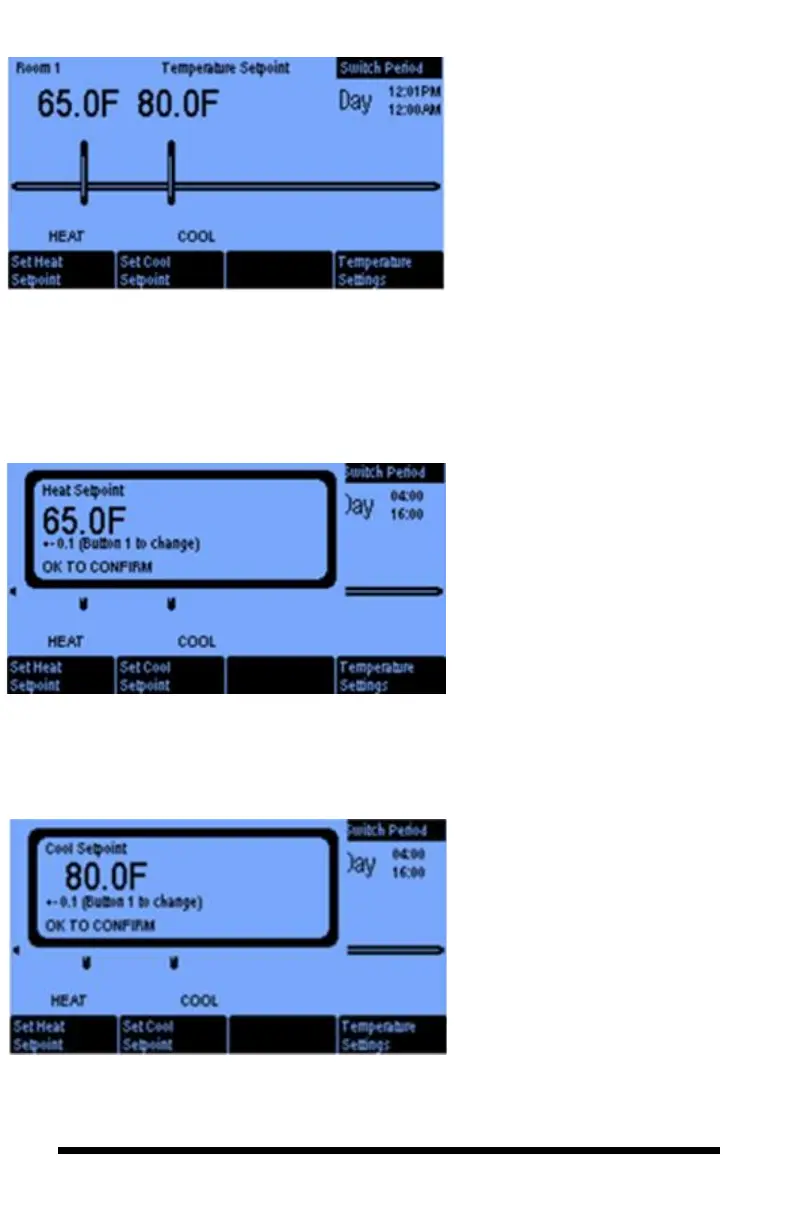
In this Temperature Setpoint screen
for the Day Mode, you can program a
cool temperature target by selecting
the Set Cool Setpoint button and the
heat temperature target by selecting
the Set Heat Setpoint button. The
temperature range between your heat
and cool setpoints is the Normal
stage.
The Switch Period button #4 lets you
select the settings for the Night
Mode. If you have DIF enabled, then
the time settings for this option will
also appear.
By selecting the Set Heat
Setpoint button you get this
screen. Here you set the heat
temperature target for your
room. If the room temperature
drops below the Heat
Setpoint, the heating
equipment will be activated.
Pressing Button 1 will let you
change the setpoint in
increments from 0.1 degree to
1.0 degree.
The Set Cool Setpoint enables
you to select the cool target for
your room. If the temperature in
the room rises above the Cool
Setpoint, the cooling equipment
will be activated. Pressing button
8, takes you to the next screen.



 To Next Page