Very Important:
Note: The manual switches inside the controller take precedence over the soft
button override. Therefore, when the system is running normally, the Manual
Override switches inside the controller must be in the AUTO position. If not,
they will override all programmed settings
Internal Layout
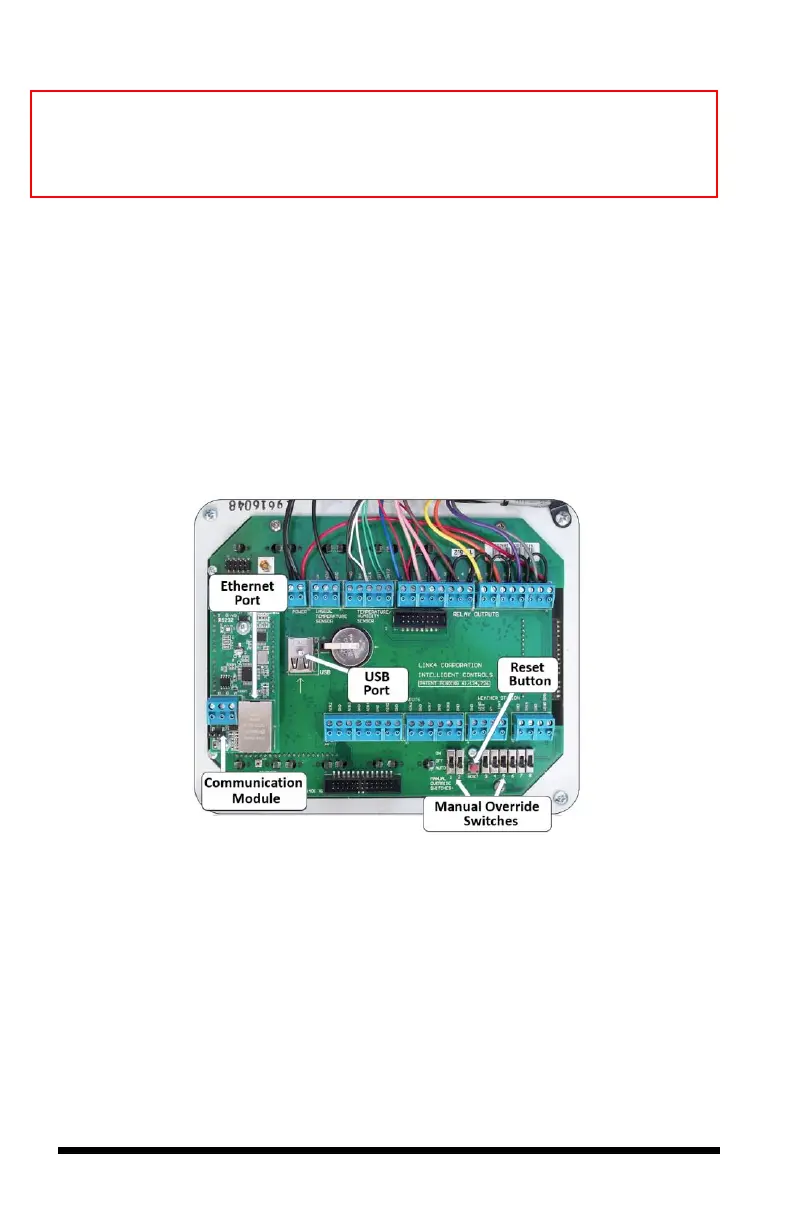
The diagram below shows the iPonic 624 controller’s internal layout and
components. There are eight Manual Override Switches, a Reset Button that
clears all configurations, a preinstalled Communication Module with an
Ethernet port, and a USB slot (use the slot on top). Make sure the power is turned
off before opening your iPonic 624 controller to avoid electric shock or
irreparable damages.



 To Next Page