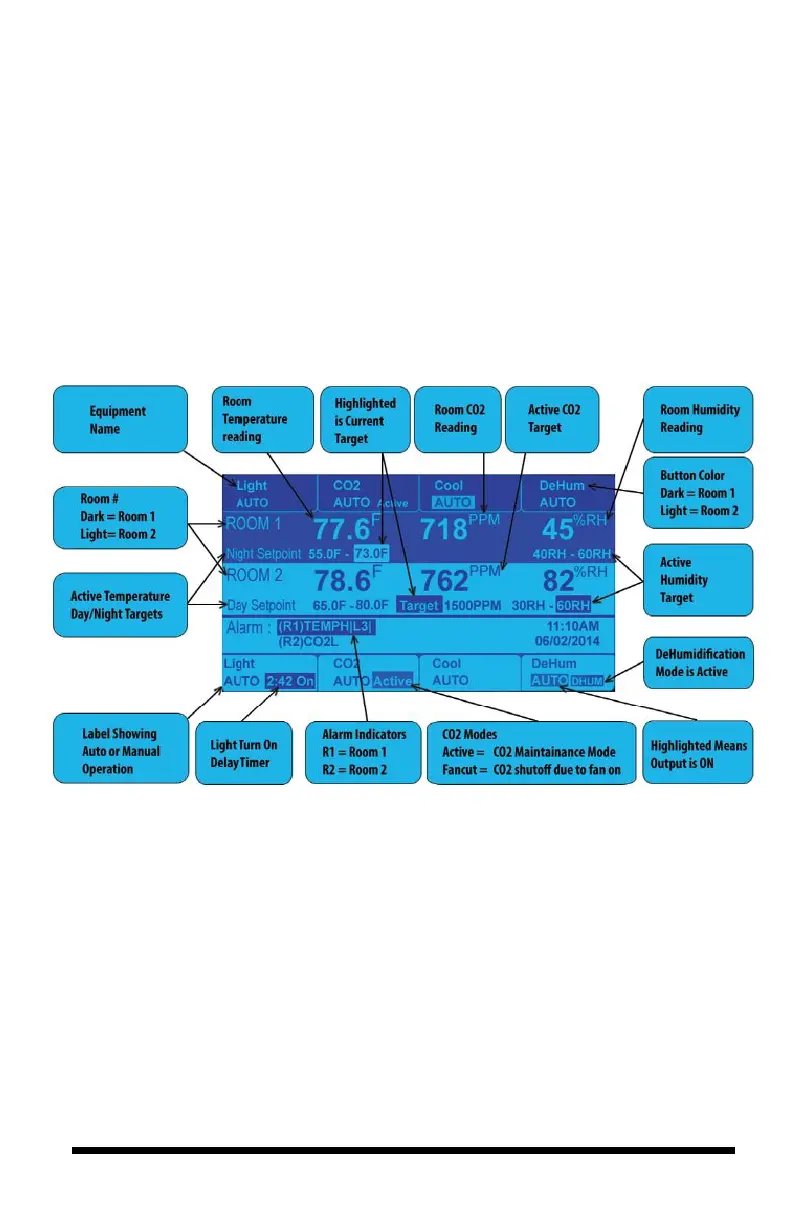
of the output. The normal condition is Auto mode. Pressing a button will highlight
the override options for that piece of equipment, the most basic being Manual
Override of the output. Each output can be forced ON or OFF.
An alternative to forcing the equipment ON or OFF is to use the manual override
switches that are inside the controller. These switches are shown in the figure of
the internal layout on pages 17 and 20.



 To Next Page