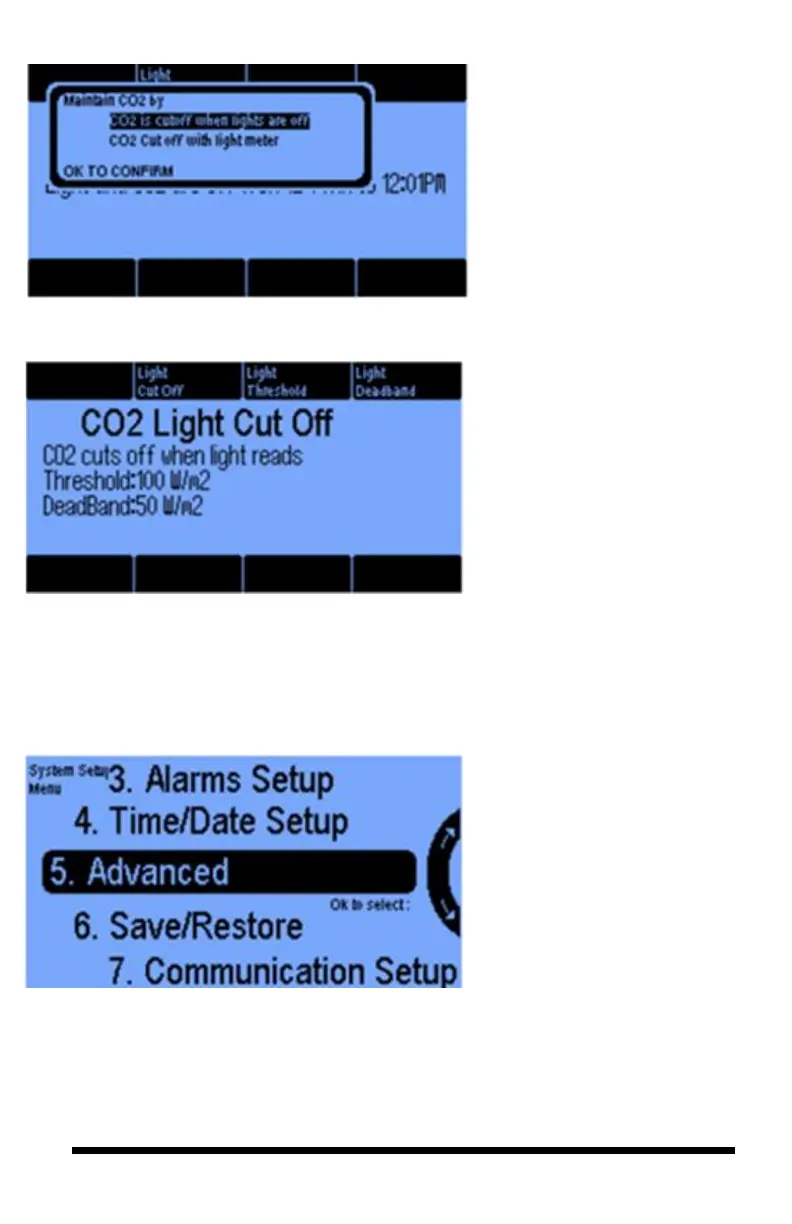
The CO2 is cutoff when lights
are off option allows you to cut
off CO2 when the lights are
turned off. If you select the
“CO2 Cutoff with light meter”
option, then you will get the
next screen.
The CO2 cutoff with light
meter option allows you to shut
off CO2 based on the level of
darkness in the room (e.g., light
sensor reading from the DISM
sensor). Pressing button #3 lets
you set the Light Threshold.
To minimize turning on and off
the lights, you can set a Light
Deadband (button 4).



 To Next Page