iPonic 624® Manual PN 995-1124-00
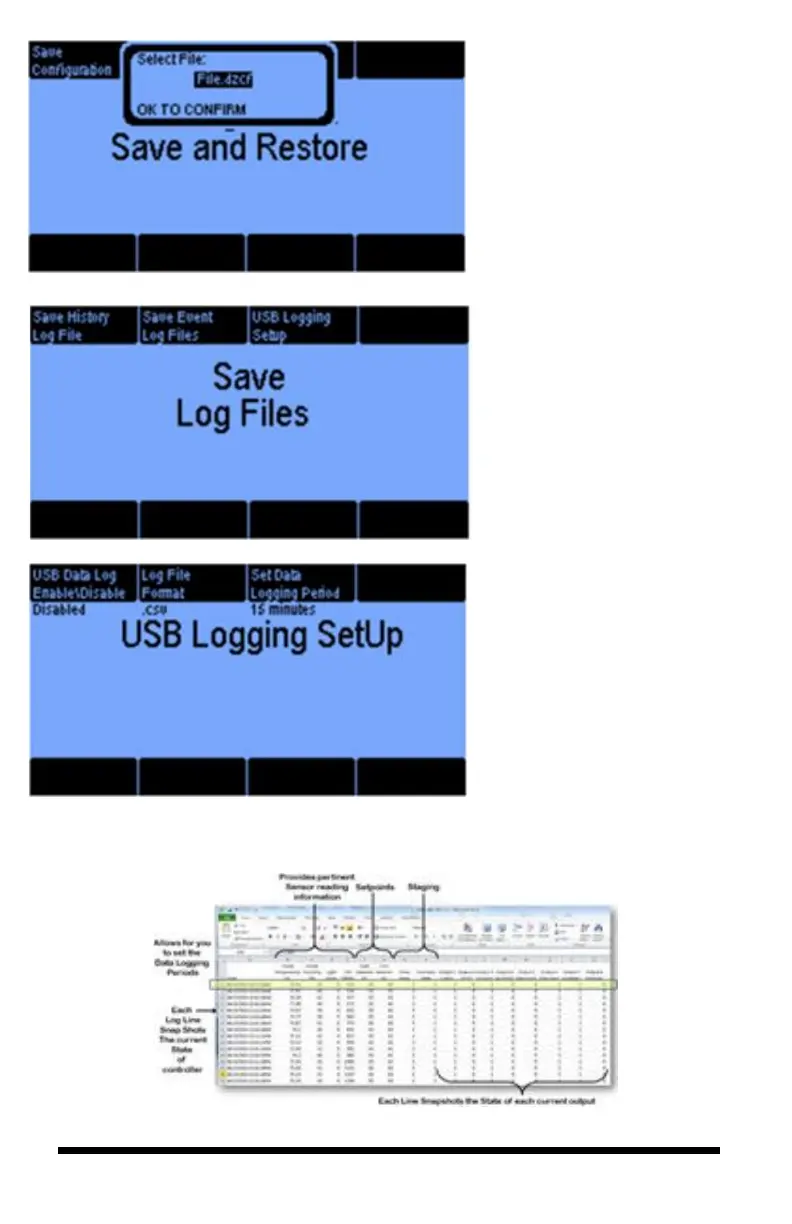
From the Save and Restore
Configuration menu, you can
select specific files to store and
recall.
The Save Log Files screen
allows you to save the data
measured by the sensors in .csv
or .xml format. The information
can be viewed in Excel.
The USB Data Log can be
enabled to transfer information to
a USB drive. The Log File
Format allows you to choose
between .csv and .xml. The Set
Data Logging Period can be set
for a specific time.
Here is an example of what data logging produces using .csv format viewable from an
excel spreadsheet:



 To Next Page