iPonic 624® Manual PN 995-1124-00
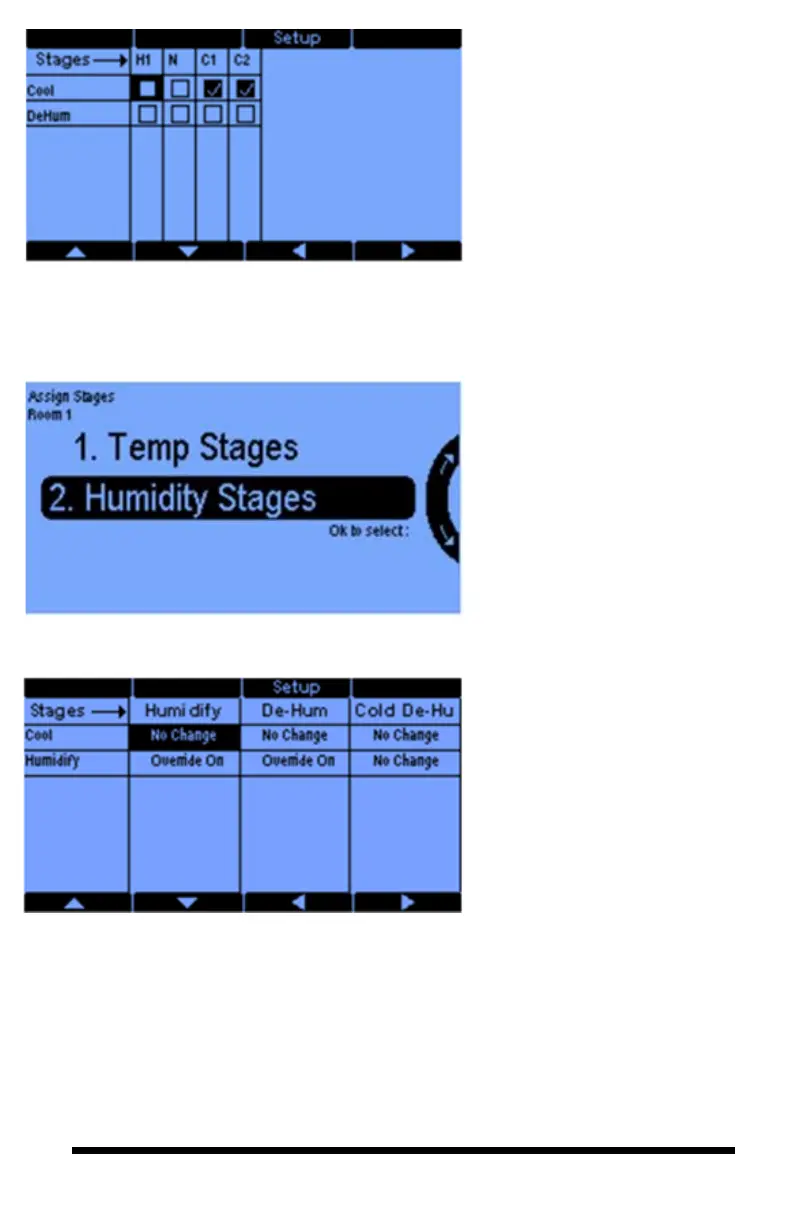
This table shows the temperature
stages and the equipment for Room
1. C1 is the lowest stage of cooling.
The normal stage (N) is when
neither heating nor cooling is
required.
Use the arrows to move the
highlighted cursor, then press the
Setup button to set the output to be
On or Off for that stage. The
checkmark in box symbolizes ON
and no checkmark OFF.
For humidity control you have up
to 2 dehumidification stages and
one humidification stages. The
second dehumidification stage
assumes an outside temperature
sensor. If the outside temperature
is below a threshold (that you can
set), then the second
dehumidification stage will be
triggered. These numbers of stages
are set in the Advanced Stage
Settings screen.
This table shows the humidity
control stages verses the equipment
in Room 1. Pressing the Setup
button gives you 3 options:
Override Off, Override ON and
No Change. From the example,
when the humidity is above its
programmed threshold, DeHum
equipment is set to Override ON.
The other equipment remains as is
or No Change. If the humidity is
below the desired threshold, then
you may want to shut the Vent Fans
and the Dehumidifier OFF as
shown.
Use the arrows Soft Button 5,6,7,8
to navigate the highlight cursor.



 To Next Page