
EasyManua.ls Logo

LSIS iXP2 Series - User Manual

LSIS iXP2 Series
116 pages
Print Icon
To Next Page IconTo Next Page
Loading...
Right choice for ultimate yield!
LSIS strives to maximize customers profit in gratitude of choosing us for your partner.
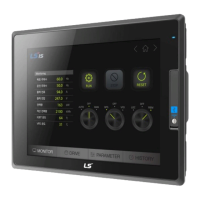
Human Machine Interface
XGT PANEL
iXP2 Series
User
s Manual
iXP2
-08XXA
iXP2
-10XXA
iXP2
-12XXA
iXP2
-15XXA
Read this manual carefully before
installing,
wiring, operating, servicing
or inspecting this equipment.
Keep this manual within
easy reach
for quick reference.

Table of Contents

Questions and Answers

  • S
    Susan DuncanSep 4, 2025
    What to do if my LSIS Control Panel displays 'Failed to load image files'?
    • E
      eddie60Sep 4, 2025
      If your LSIS Control Panel displays 'Failed to load image files' after selecting 'Go to Screen after boot up', and you're using a USB storage device, the recognition of the USB may be delayed. Remove the USB storage device and then reinstall it.
  • M
    Meghan NelsonSep 18, 2025
    Why does the object always show up above the figure on my LSIS iXP2 Control Panel?
    • G
      Gabrielle ScottSep 18, 2025
      The object always showing up above the figure in the LSIS Control Panel is normal behavior.
  • C
    Christopher HigginsSep 16, 2025
    What to do if the LSIS iXP2 touch panel does not respond properly?
    • J
      Juan SantosSep 16, 2025
      If the touch panel of your LSIS Control Panel does not respond properly, it might be due to foreign matter on the screen. Clean the surface of the touch panel using a dry cloth or towel.
  • W
    William GraySep 14, 2025
    Why is my USB or SD card not recognized by LSIS iXP2 Control Panel?
    • A
      Andrea NicholsonSep 14, 2025
      If your LSIS Control Panel does not recognize the USB memory or SD card, it appears when the USB memory or SD card is partitioned. Format the USB memory or SD card as one partition.
  • T
    Tabitha WeaverSep 13, 2025
    Why isn't the shape of an object showing on my LSIS iXP2 Control Panel?
    • D
      dominguezmarySep 13, 2025
      If the shape of an object or the number/character value is not shown on your LSIS Control Panel, the connection with the PLC connected with each project may be disconnected or NAK may occur. Check whether the cable connected with the PLC is OK when the communication is executed.
  • S
    Stacey PageSep 12, 2025
    Why does my LSIS iXP2 Control Panel stop when I remove the USB memory?
    • A
      ashleytaylorSep 12, 2025
      If your LSIS Control Panel stops when removing the USB memory equipment, it might be because the memory card is removed during data backup. If possible, do not remove the memory card while monitoring. Go to the waiting screen before removing it.
  • T
    Tom SharpSep 9, 2025
    Why doesn't the buzzer sound when I press a button on my LSIS iXP2?
    • D
      dtaylorSep 9, 2025
      If the buzzer doesn't sound when pressing on your LSIS Control Panel, the buzzer may be set to 'no sound'. Redo the environment setting for the buzzer to sound. If the switch doesn’t work, check whether the buzzer sounds or not in the setting windows after setting to use the buzzer.
  • T
    turnerkimberlySep 7, 2025
    Why does my LSIS iXP2 Control Panel show # or ~ instead of a number?
    • K
      Kelly AndersonSep 7, 2025
      If the number indication object value on your LSIS Control Panel is shown as #, the number to be expressed exceeds the set digit. Increase the digit and download the program again. If the value is shown as ~, the numeric display object is expressed as BCD type, but the data type is not BCD. Adjust the device value to BCD type.
  • C
    Candace NguyenSep 5, 2025
    How to check communication settings on LSIS Control Panel?
    • S
      Stephen HarveySep 5, 2025
      If you suspect the communication setting or cable is not normal on your LSIS Control Panel, check the connection setting in XP-Builder if using RS-232C. For RS-422/485, verify that the station and communication connection settings are correct. When setting IP, the values must be within the range of 0~255.
  • R
    richardsonallisonAug 21, 2025
    What to do if the touch screen of my LSIS iXP2 reacts in a different area?
    • C
      Chelsea LaraAug 21, 2025
      If the touch screen of your LSIS Control Panel responds incorrectly or not at all, it might be due to an improper touch calibration. Redo the calibration settings. If you cannot access the setting menu, connect a mouse to the USB port and use the mouse to navigate.

LSIS iXP2 Series Specifications

General IconGeneral
BrandLSIS
ModeliXP2 Series
CategoryControl Panel
LanguageEnglish