
EasyManua.ls Logo

LSIS iXP2 Series - User Manual

LSIS iXP2 Series
116 pages
Print Icon
To Next Page IconTo Next Page
Loading...
Right choice for ultimate yield!
LSIS strives to maximize customer’s profit in gratitude of choosing us for your partner.
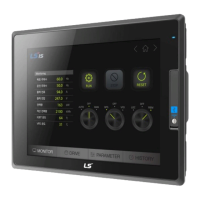
Human Machine Interface
XGT PANEL
iXP2 Series
User
’s Manual
iXP2
-08XXA
iXP2
-10XXA
iXP2
-12XXA
iXP2
-15XXA
Read this manual carefully before
installing,
wiring, operating, servicing
or inspecting this equipment.
Keep this manual within
easy reach
for quick reference.

Table of Contents

Questions and Answers

  • M
    Mathew McconnellSep 2, 2025
    What to do if my LSIS iXP2 doesn't recognize the USB storage device after repeated attachment?
    • L
      Lori ChavezSep 2, 2025
      If your LSIS Control Panel does not recognize the USB storage device after repeated attachment/detachment, wait for about a minute. The device should be recognized again after this period. Then, reinstall it.
  • N
    Nicholas ClineAug 31, 2025
    How to fix communication time-out on LSIS Control Panel?
    • T
      Timothy IrwinAug 31, 2025
      If a communication time-out occurs when moving to a screen with many objects on your LSIS Control Panel, the communication time-out setting may be too short. In the device settings at the XP-Builder, increase the communication time-out, download the program, and execute it again.
  • P
    ppittmanAug 29, 2025
    Why has the operation speed of my LSIS Control Panel slowed down?
    • M
      Madison SmithAug 30, 2025
      If the operation speed of your LSIS Control Panel has slowed down after continuously adding projects to the screen, it may be due to a large amount of images used for the projects. Using vector images instead of raster images can reduce memory share. If vector images are not available, compose the desired image using figures like circles, squares and straight lines. Removing unnecessary background screens and applying background colors can also help.
  • U
    uharperAug 28, 2025
    Why is the Ethernet communication on my LSIS iXP2 Control Panel connecting slowly?
    • M
      Mary StevensonAug 28, 2025
      If Ethernet communication connects slowly after monitoring starts on your LSIS Control Panel, the subnet of the Ethernet port may be the same. If the subnets of the two Ethernet ports are the same, the initial connection may be delayed due to the seek time.
  • S
    Shawn JenkinsAug 26, 2025
    What to do if my LSIS Control Panel shows a system alarm about lack of memory?
    • J
      Jennifer Morris MDAug 27, 2025
      If your LSIS Control Panel displays a system alarm about the lack of system memory and closes the monitoring, it may be because the memory usage is exceeding 95%. Try using vector images instead of raster images to reduce memory share. If the monitoring closes despite image changes, it may be necessary to contact the A/S center.
  • K
    Kristina KaneAug 25, 2025
    How to fix a black screen on my LSIS Control Panel?
    • J
      Jonathan WatsonAug 25, 2025
      If a black screen appears when you turn on your LSIS Control Panel, it could be due to the device not being set to booting mode. Check if the No. 5 switch on the DIP switch at the back of the device is in the B direction, which indicates booting mode. The black screen may also indicate a backlight malfunction.
  • K
    Kevin AliAug 22, 2025
    Why is my USB storage device not recognized on my LSIS Control Panel after re-permitting the power?
    • E
      Edwin KerrAug 23, 2025
      If your USB storage device isn't recognized after re-permitting power to the LSIS Control Panel, this could be due to the 'Reset USB Power' option being selected. Deselect this option and try again. Also, the issue may be related to the specific USB storage device, so try using a different USB device with a higher recognition ratio.

LSIS iXP2 Series Specifications

General IconGeneral
BrandLSIS
ModeliXP2 Series
CategoryControl Panel
LanguageEnglish