17
0698-651 Operating unit - 04/2021
en
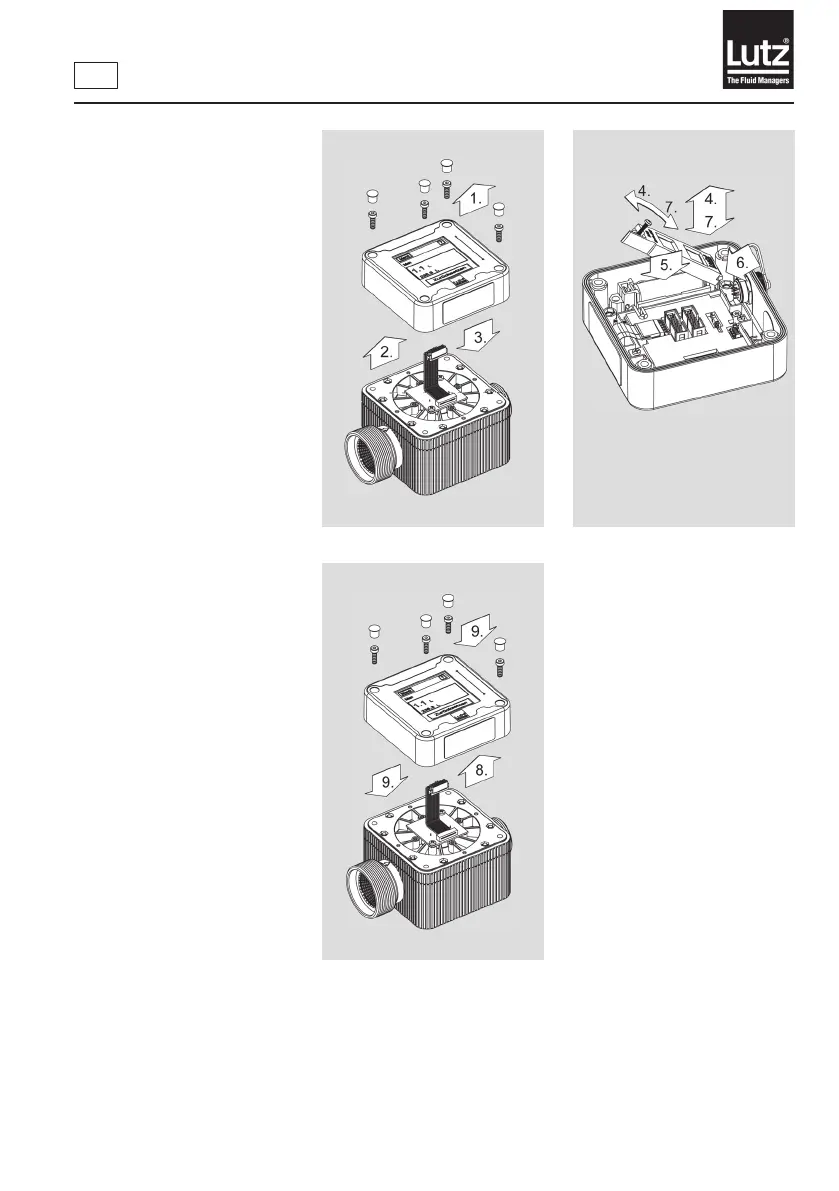
Mounting steps:
1. Remove the caps and release
the screws.
2. Carefully lift the operating
unit. Pay attention to cable
length!
3. Release the plug.
4. Loosen the screw and
remove the cover of the
battery bracket.
5. Insert the new battery.
Check the correct polarity.
The Lutz company logo is
displayed.
6. Mount the cover on the bat-
tery bracket.
7. Connect the cover of the bat-
tery bracket with the screw.
8. Connect the plug.
9. Attach the operating unit
onto the module placed
below and mount the caps.
Fig. 5c - Insert the batteries
Fig. 5a - Insert the batteries Fig. 5b - Insert the batteries



 To Next Page