34
0698-651 Operating unit - 04/2021
en
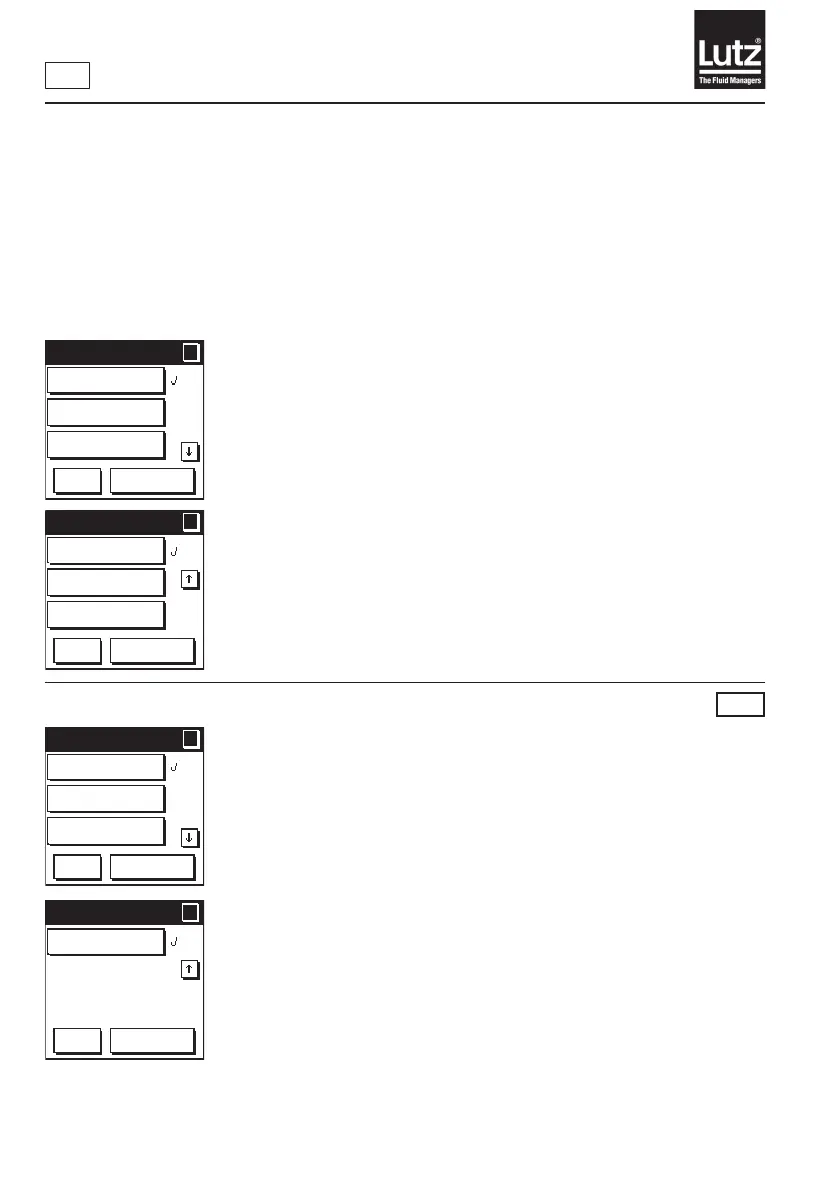
9.6 Display options
Themeasuredvaluescanbeshownonalargeandsmalldisplayontheoperatingdisplay.Youcandene
whichmeasuredvaluesaredisplayedunder"Displayoptions."Thetoprowintheselectioneldrefersto
the large display and the bottom row to the small display.
Theselectionoptionsaredierentinmanualmodeandautomaticmode.Thelastdenitionbeforea
change was made to the display mode remains valid for this operating mode.
Explanation of the displays:
Manual mode
Partial volume counter
Thepartialvol.metercountsthevolumeofapartialvolume(lot,llingproc.,
batch). You can reset it to 0 using the "RESET" button.
Flow rate
Theowrate(e.g.1l/min)isthevolume(e.g.1l)ofauidthatpasses
throughtheowmeterduringaperiodoftime(e.g.1min.).
Total volume counter
The total volume meter (total, totalizer) counts the volume of several partial
volumes. This means that the total volume taken out of a container or a
daily/weekly/monthly/annual volume can be documented.
Volume preset
Filled volume
Theaddedvolumeisthevolumethathasowedthroughtheowmetersince
the vol. was preselected.
Volume preset
Youcanselectauidvolume(volume)ontheoperatingunit.Thispreselected
volumeisaddedtoacontaineroncethellingprocesshasbeenstarted.The
owmetercontrolse.g.apumpand/orasolenoidvalveforthellprocessvia
the relay module.
Remainder
Theremainderisthedierencebetweenthevol.preselectionandthevolume
already added.
Flow rate
Theowrate(e.g.1l/min)isthevolume(e.g.1l)ofauidthatpassesthrough
theowmeterduringaperiodoftime(e.g.1min.).
Cycle counter
Thecyclecounterregistersthenumberofllingcycleswiththesamevolume
lled.Thismeansthatyoudonothavetokeepcountifyouneedtoaddthe
same volume 100 times, for instance. The cycle counter starts at zero again
whenanewllingvolumeisentered.
RM
Display opt. 1/2
?
?
OK
Cancel
Partial volume/
Total volume
Partial volume/
Flow rate
Flow rate/
Total volume
Display opt. 2/2
?
?
OK
Cancel
Flow rate/
Partial volume
Total volume/
Partial volume
Total volume/
Flow rate
Display opt. 1/2
?
?
OK
Cancel
Added volume/
Volume preset
Added volume/
Remainder
Remainder/
Flow rate
Display opt. 2/2
?
?
OK
Cancel
Remainder/
Cycle counter



 To Next Page