33
0698-651 Operating unit - 04/2021
en
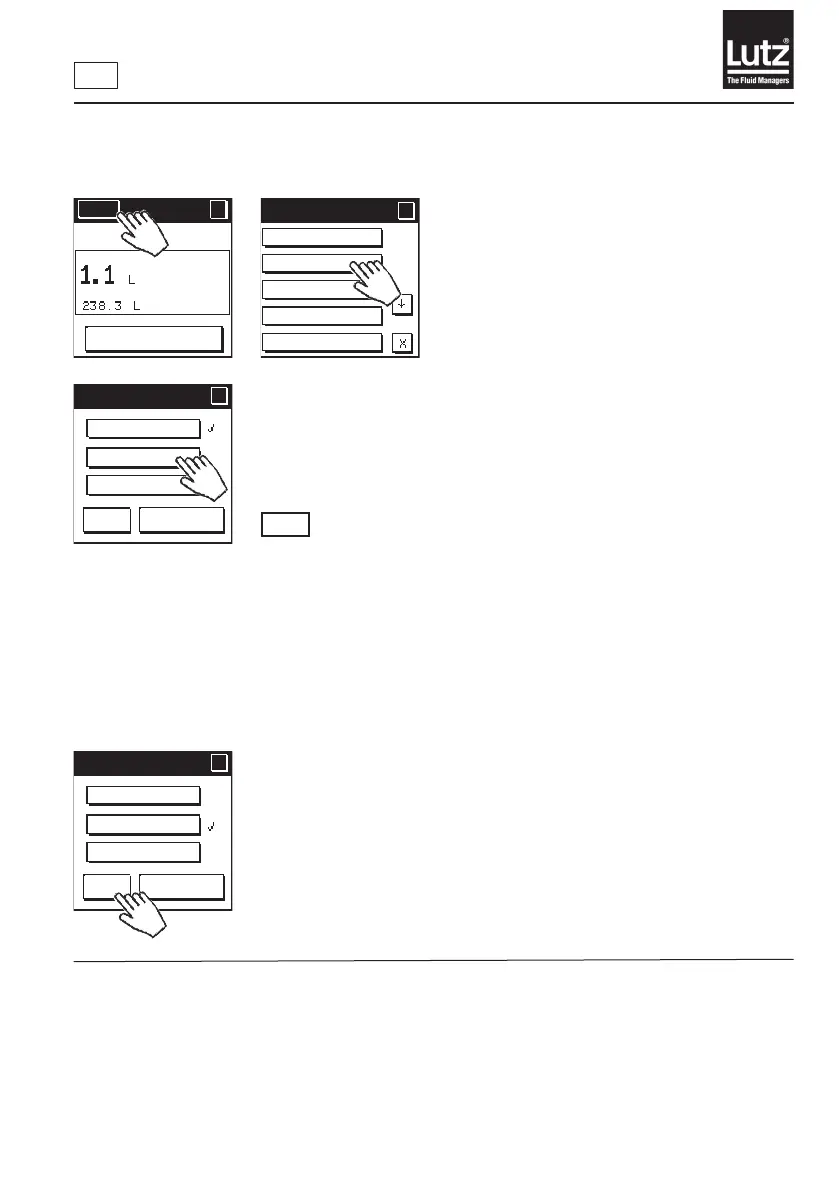
9.5 Setting the operating mode
Themodularowmetersystemcanbeoperatedindierentoperatingmodes:
RM
Manual mode: Inmanualmode,youcarryoutllingwithamanual
nozzle.Priortothellingprocessyousetthepartial
volume meter to 0 and the desired volume is measured
whilst you operate the nozzle.
Volume preset: Inthismodeyoucanentertherequiredllingvolume
on the operating unit. This volume is automatically
added to a container once you start the process. The
owmetercontrolsapumpand/orasolenoidvalvefor
thellprocessviatherelaymodule.
Display mode: In display mode, only the values already selected in the
display options displayed on the screen. All functions
that can be used in manual mode or automatic mode
are locked. The associated buttons are greyed out on the
operating display.
Press "OK" to save the selection and return to the menu level.
Press "Cancel" to retain the setting and return to the previous menu level.
Menu
?
RESET
MAN
Current setting
Operating mode
Display options
Calibrate
Total volume
Menu 1/5
?
?
Op. mode
?
?
OK
Cancel
Manual mode
Volume preset
Display mode
Op. mode
?
?
OK
Cancel
Manual mode
Volume preset
Display mode



 To Next Page