63
0698-651 Operating unit - 04/2021
en
9.26 Programming lock On/O/Change value
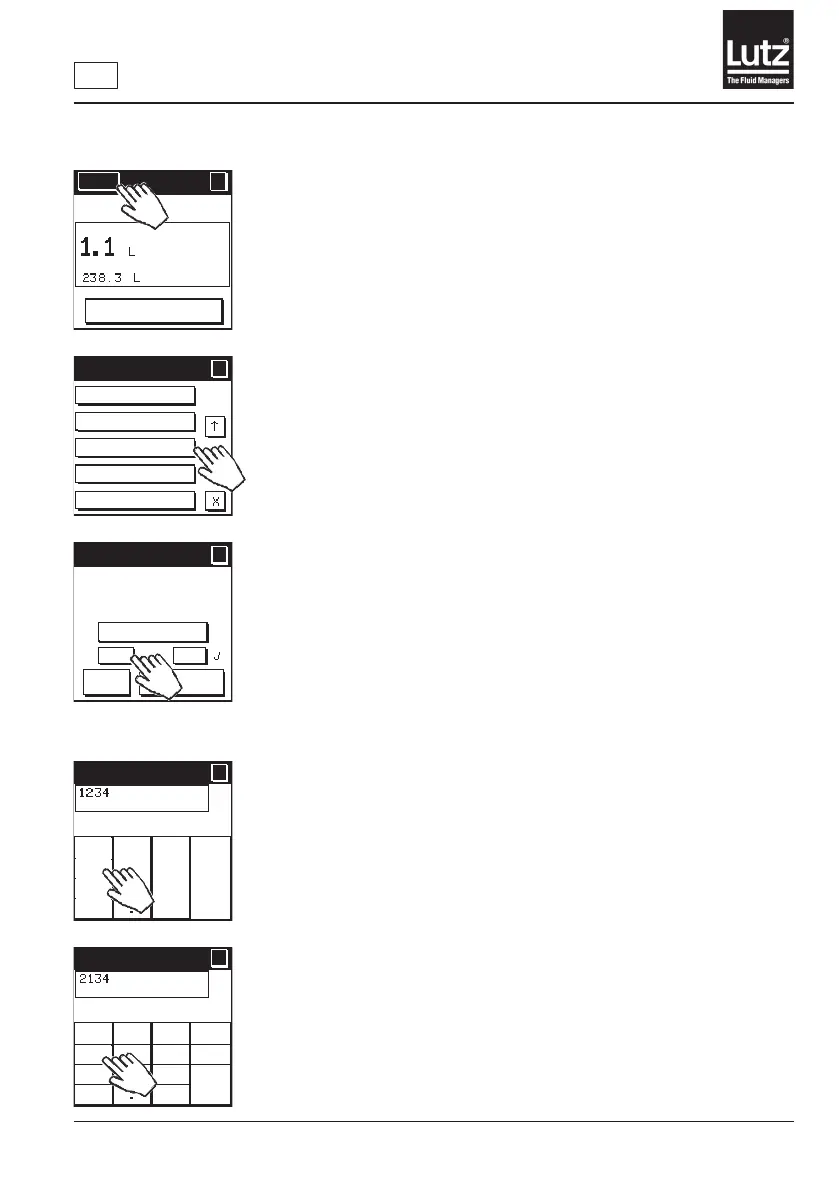
Theprogramminglockisswitchedonandowithanumericalcodewith
a maximum of 4 digits.
The following functions cannot be changed through the programming
lock:
Select operating mode, Display options, Calibration, Delete total volume,
Language, Unit of measurement, Decimal places, Economy, Fault detec-
tion, Valve function, Leakage alarm, Overrun correction, External actua-
tion, LCD contrast, Safety prompt, Flow monitoring, Communication,
Simulation,MeasurementOn/O,Couplingmodules(onlytheselection
oftherelaymodule,basicowmeterandcouplingnameislocked),
Resetting to factory settings
Theoperatingeldsinthemenurelatingtothefunctionsaredisplayed
as inactive with a dotted line once the programming lock is switched on.
Press "Change value" to change the current numerical code for the
programming lock. To change the numerical code you must enter the current
numerical code.
Press "On" to switch the programming lock on. To switch on the program-
ming lock you must enter the current numerical code.
Press "O"toswitchtheprogramminglocko.
This is the factory setting.
Toswitchotheprogramminglockyoumustenterthecurrentnumerical
code. In the delivery status the numerical code is 1234.
Press "
←← C" to delete the last entry on the display.
Use "0-9" to enter the numerical code.
Press "Cncl" to cancel the entry and return to the previous screen.
Press "OK"tosavethedisplayednumericalcodeandnishmakingentries.
Press "
←← C" to delete the last entry on the display.
Use "0-9" to enter the numerical code.
Press "Cncl" to cancel the entry and return to the previous screen.
Press "OK"tosavethedisplayednumericalcodeandnishmakingentries.
Menu
?
RESET
MAN
Meas. on/off
Coupling modules
Programming
lock
Factory settings
SW version
Menu 5/5
?
?
Programming lock
?
?
OK
Cancel
On
Off
Change value
Use "Change
value" to change
password.
Old num. code
?
?
OK
Cncl
← ←
C
1
2 3
654
7
8 9
0
New num. code
New num. code
?
?
OK
Cncl
← ←
C
1
2 3
654
7
8 9
0



 To Next Page