41
0698-651 Operating unit - 04/2021
en
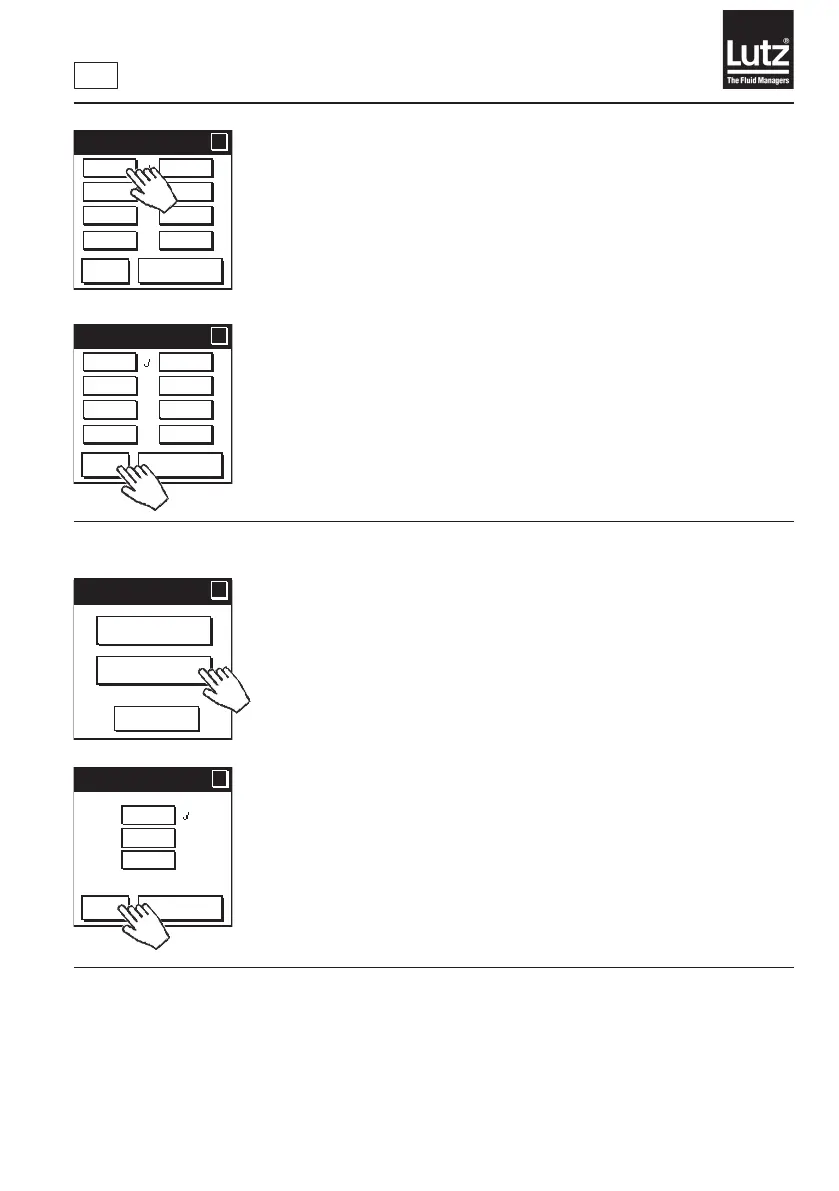
You can use this button to select from the following units of measure for
volume-dependent values: Liter, m³ (cubic meter), kg (kilogram), t (ton),
US-Gal (US gallon), IMP-G (imperial gallon), ft³ (cubic foot), or lb (pound).
The factory setting is "Liter".
When converting between units of volume and meas., pay attention to the
uiddensity.Calibratetheowmeteragainifnecessary.Notethenumberof
decimal places.
Press "OK" to save the selection and return to the menu level.
Press "Cancel" to retain the setting and return to the previous menu level.
9.10.2 Select time unit
You can use this button to select from the following units of measure for
displaying time-dependent values: s (seconds), min (minutes), or h (hours).
The factory setting is min (minutes).
Press "OK" to save the selection and return to the menu level.
Press "Cancel" to retain the setting and return to the previous menu level.
Volume unit
?
?
Liters
m
3
kg
t
US-Gal
IMP-G
cu.ft.
lb
OK
Cancel
Volume unit
?
?
Liters
m
3
kg
t
US-Gal
IMP-G
cu.ft.
lb
OK
Cancel
Unit of measure
?
?
Cancel
Time unit
Volume
unit
Time unit
Time unit
?
?
OK
Cancel
s
min
h



 To Next Page