35
0698-651 Operating unit - 04/2021
en
9.6.1 Setting the display options
9.7 Calibrate
Theaccuracyoftheowmeterisadjustedtotherespectiveapplicationwiththecalibration.Thevolume
identiedbytheowmeteriscomparedwithareference(measurementvessel,scales,etc.).Thecalibra-
tion factor is changed accordingly in the case of a deviation.
Theowmetercanbecalibratedintwoways:
• In calibration with a comparative measurement, the volume found by the
owmeteriscomparedwithareferenceornormvalue(e.g.meas.vessel).
Onceyouhaveenteredtheref.value,theowmetercalculatesthenewcal.
factorfromthedierencebetweenthetwovalues.
• In the case of manual input, the calibration factor is entered directly via the
keypad.
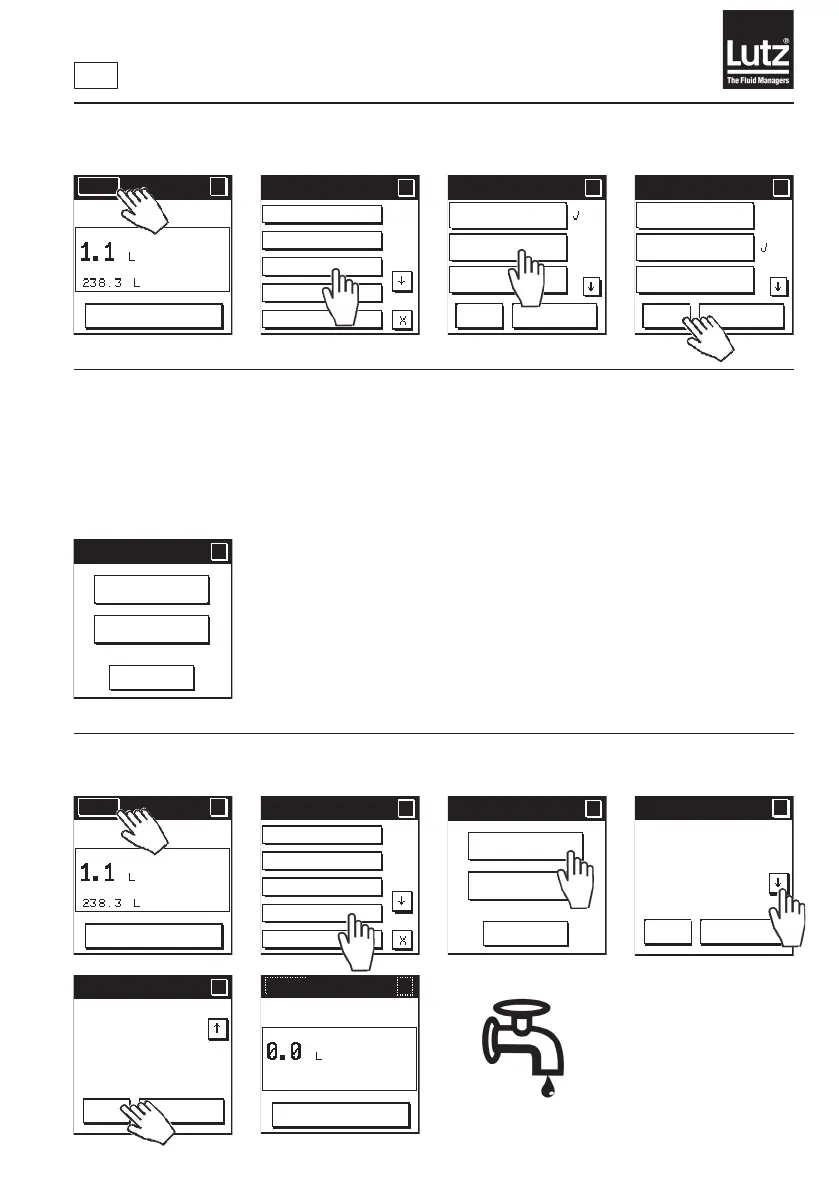
9.7.1 Calibration with a comparative measurement in manual mode
Now add the required
amountofuidtoa
measurement vessel.
Current setting
Operating mode
Display options
Calibrate
Total volume
Menu 1/5
?
?
Display opt. 1/2
?
?
OK
Cancel
Partial volume/
Total volume
Partial volume/
Flow rate
Flow rate/
Total volume
Display opt. 1/2
?
?
OK
Cancel
Partial volume/
Total volume
Partial volume/
Flow rate
Flow rate/
Total volume
Menu
?
RESET
MAN
Calibrate
?
?
Cancel
Comparative
measurement
Manual input
Menu
?
RESET
MAN
Current setting
Operating mode
Display options
Calibrate
Total volume
Menu 1/5
?
?
Calibrate
?
?
Cancel
Comparative
measurement
Manual input
Cal. process
?
?
OK
Cancel
Press "OK" and
add the required
amount of fluid
to a vessel.
Then press
Cal. process
?
?
OK
Cancel
"OK" again and
enter the read
value from the
vessel.
Menu
?
OK
MAN



 To Next Page