28
0698-651 Operating unit - 04/2021
en
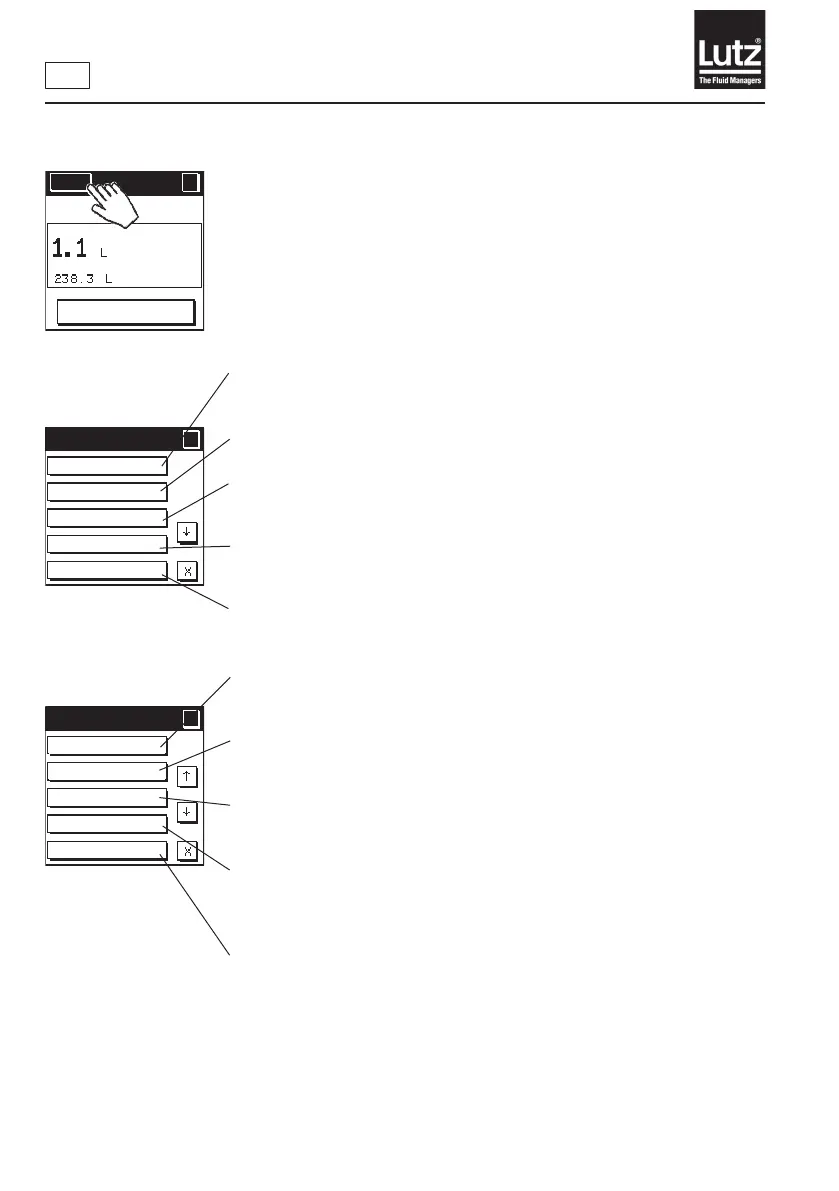
9.3 Call up the menu level
You can use this function to view all present settings (→ chapter 9.4).
You can use this function to determine an op. mode, manual mode, volume
preset or display mode (→ chapter 9.5).
You can use this function to determine the displayed meas. parameters
(→ chapter 9.6).
Youcanusethisfunctiontocalibratetheowmeterfortheapplication
(→ chapter 9.7).
You can use this function to delete the total volume (→ chapter 9.8).
You can use this function to select the language for displaying text
information (→ chapter 9.9).
You can use this function to select the units of measure for the displayed
values (→ chapter 9.10).
You can use this function to select the decimal places for the displayed values
(→ chapter 9.11).
Youcanusethisfunctiontodeterminetheindependentswitch-oofthe
display. This saves power and increases the lifetime of the battery
(→ chapter 9.12).
Youcanusethisfunctiontoswitchonandothedisplay'sbackground
lighting. Background lighting is activated only if the operating unit is
operated with a relay module or power supply unit (→ chapter 9.13).
Current setting
Operating mode
Display options
Calibrate
Total volume
Menu 1/5
?
?
Language
Unit of measure
Decimal places
Economy
Backlight
Menu 2/5
?
?
Menu
?
RESET
MAN



 To Next Page